
How to Create and Schedule Facebook Reels in GoHighLevel
Updated March 25, 2024
Managing short-form video alongside your other social content is a challenge when tools are scattered across platforms. Using GoHighLevel Social Planner, you can create, caption, and schedule Facebook Reels without ever leaving your agency dashboard.
Short-form videos continue to rise in popularity, presenting new avenues within the realm of social media marketing. Embracing this trend, we’re excited to announce the launch of Facebook Reels on our social planner platform.
How to create Facebook Reel?
1. Go to Marketing > Social Planner
2. Connect your Facebook account by going to settings > integrations. Give the permissions to the facebook account.
3. Go to Create New Post
4. When creating a new post, select Facebook Page for posting the Reel.
Note – Reels are only available for pages at the moment. If you choose a group it’ll be shared as a feed post.
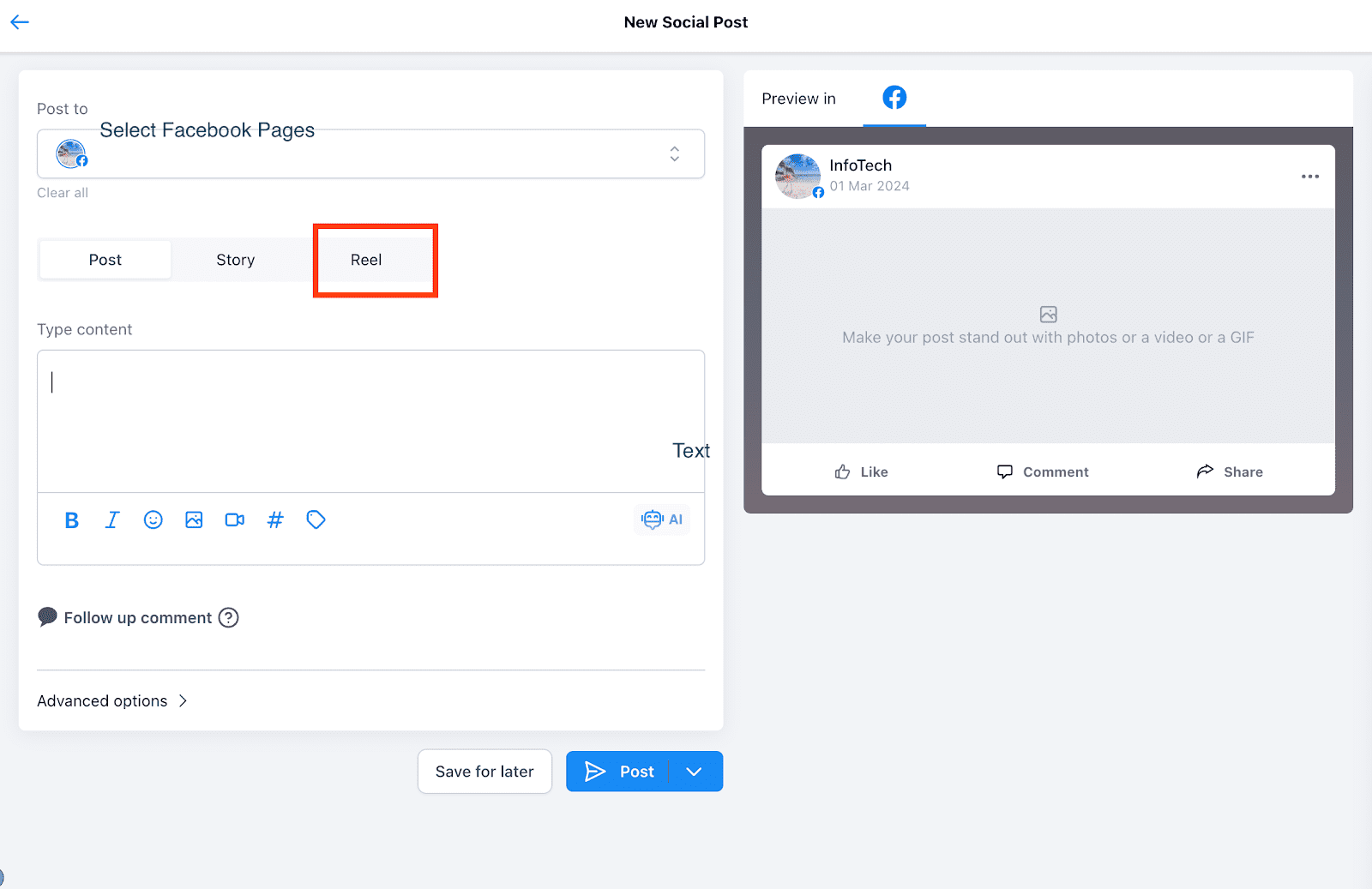
5.Go to Reels Tab
6.Add caption and add one video attachment
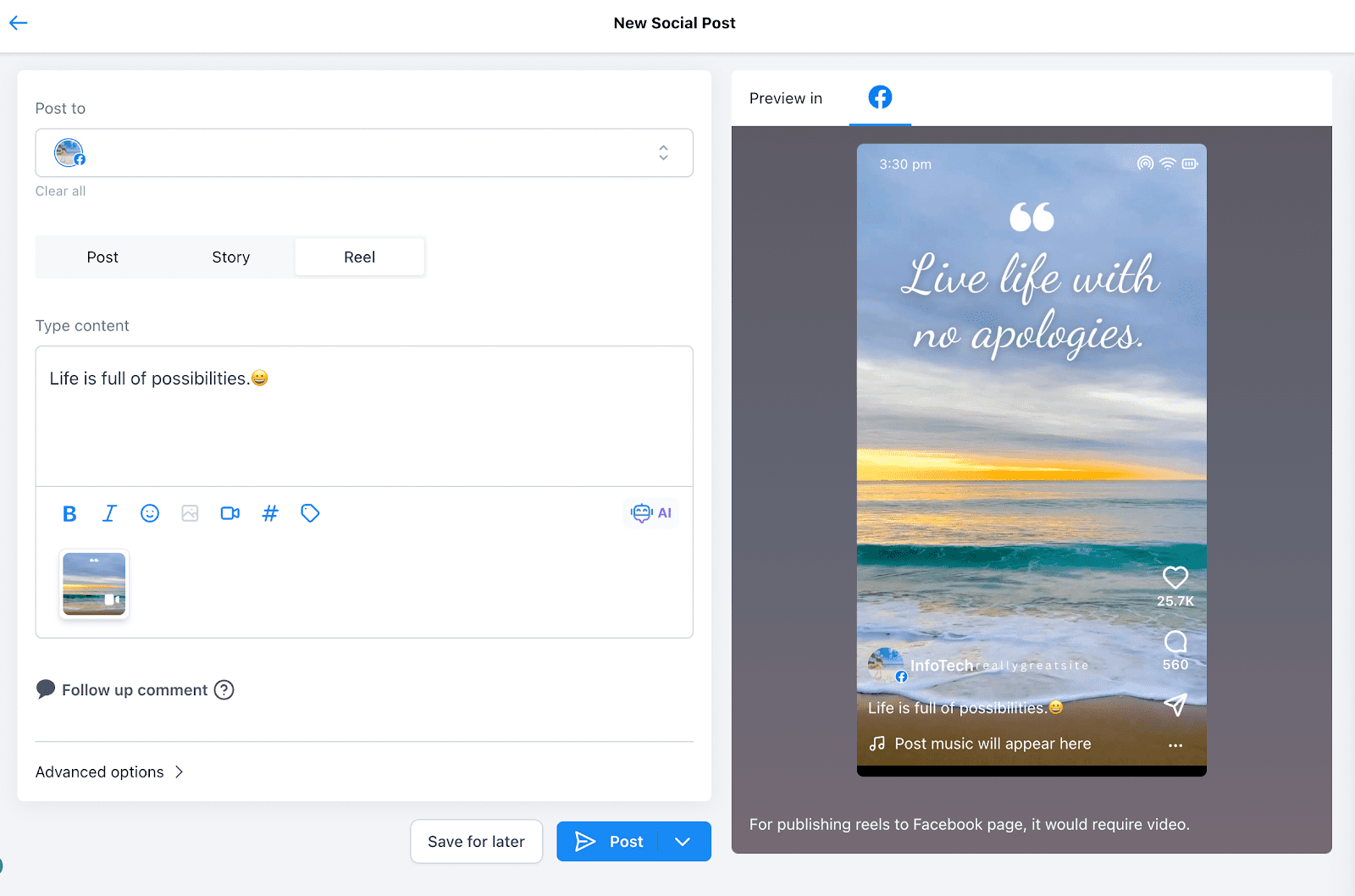
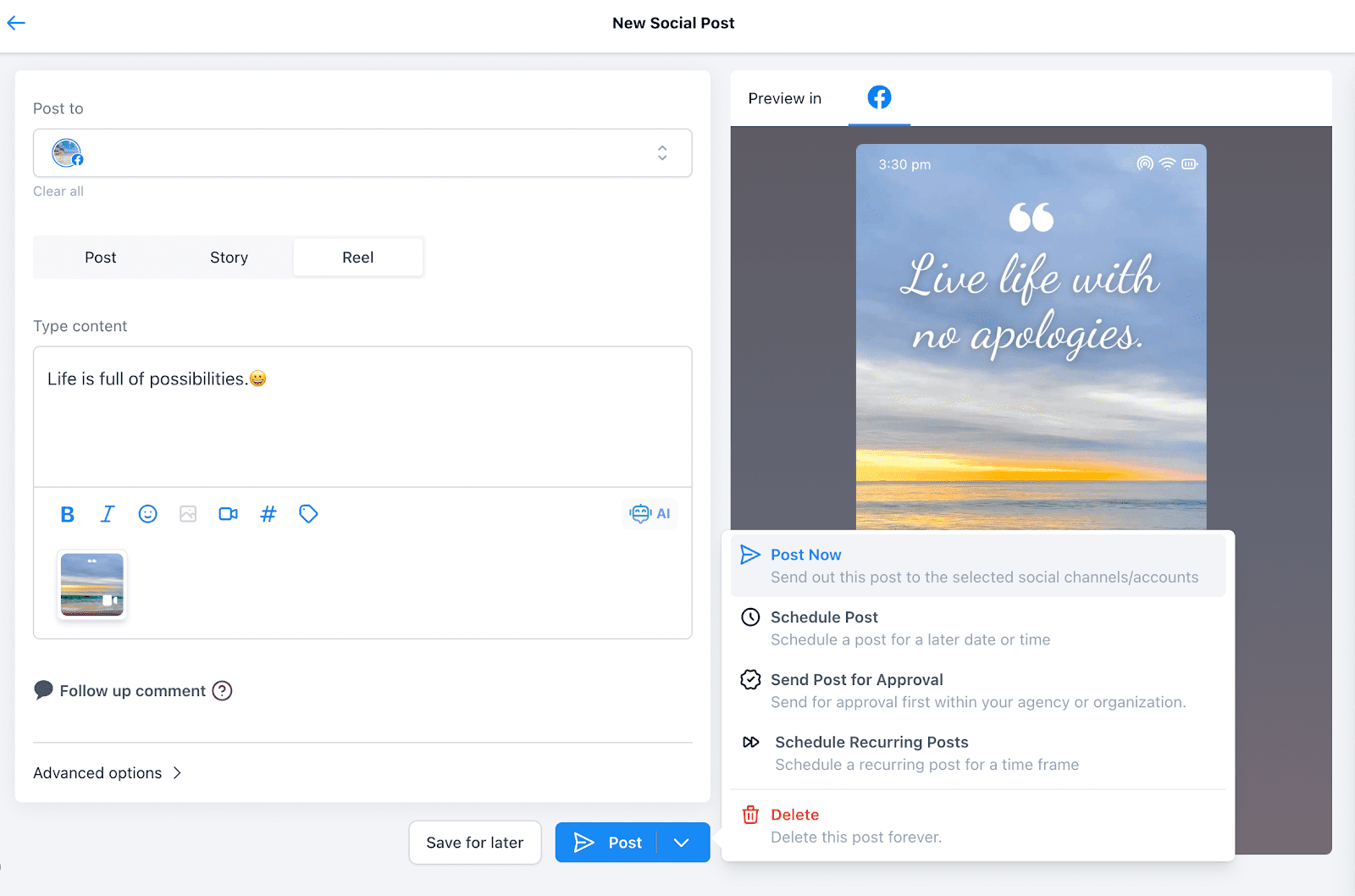
7.Schedule your Reel
Specification for Facebook Reels –
1. 1 GB video size
2. Duration – 3 seconds to 90 seconds (1 min 30 sec)
3. Video Format – .MP4, .MOV, .webm
4. Aspect – 1080 * 1920 pixels (recommended)
Minimum is 540 x 960 pixels
5. Aspect Ratio – 9:16
6. Thumbnail support is not available for Facebook Reels.
Keep learning