
How to Import Your Mailchimp Email Templates into GHL
Updated February 20, 2025
Switching from Mailchimp to GoHighLevel means your existing email templates shouldn't be left behind — but the import process isn't obvious. Follow this guide to import any Mailchimp campaign or saved template into GoHighLevel's code editor using a simple URL-based workflow.
To import your Mailchimp email template, start by logging into your Mailchimp account. Navigate to the left menu and select “Templates,” where you’ll find a list of your saved templates.
If you don’t see your template listed, click the “Create New Template” button and enter the title shown beneath your email template.
Overview:
Importing of email third-party providers like Mailchimp which provides email campaigns and templates. Here’s how you can import email from Mailchimp:
Please Note:
Templates which will get created will be in Code Editor – HTML type of email.
Preview the Email Campaign/ Template
1 – Go to Emails > Email Templates
2 – Click on “Create New Templates” with the option of “Import Template”.
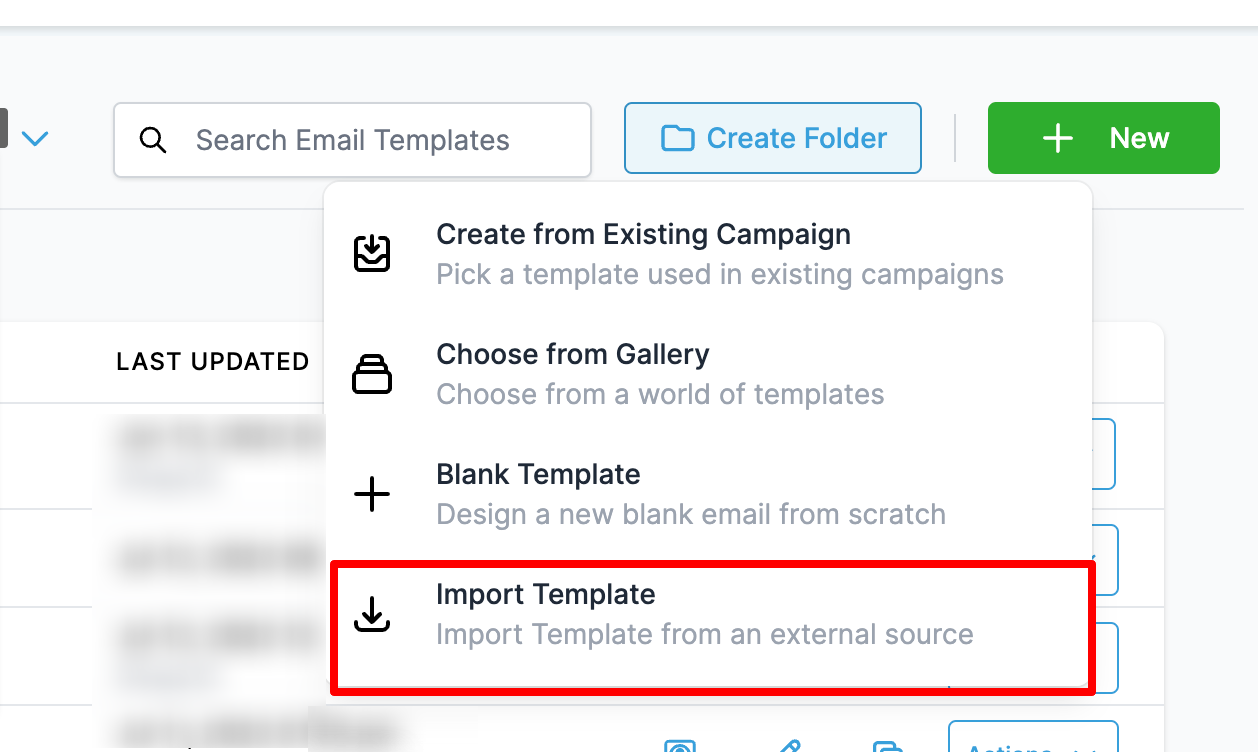
Importing an Email Template from Mailchimp
Campaign
– Go to Mailchimp > All Campaigns
– Visit the Campaign from All Campaigns
– Click Edit > View Email and copy the campaign URL
Template
– Create a new campaign with the existing template and follow the steps to copy the campaign URL.
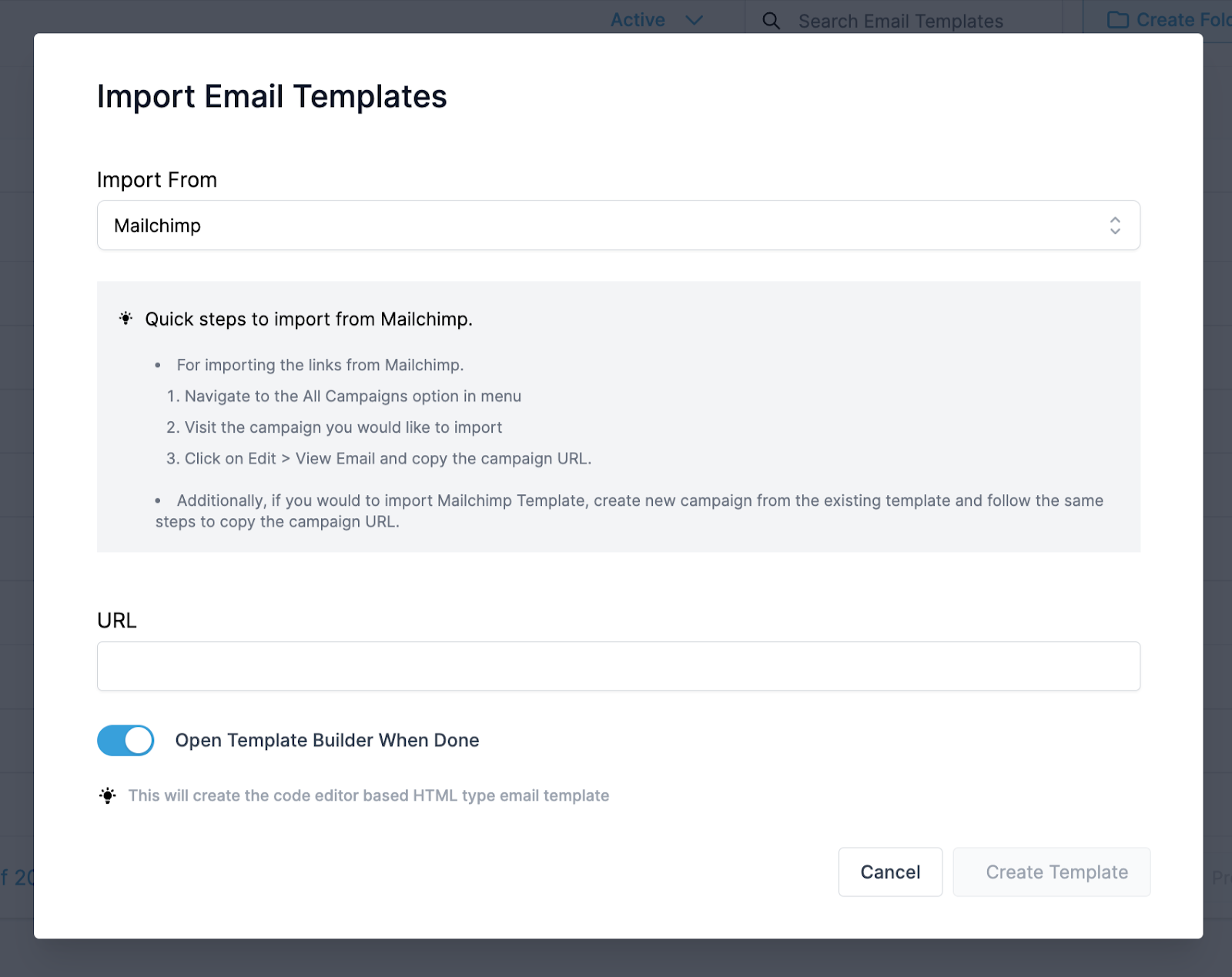
- 1 – Copy and paste the URL for Mailchimp Campaign/ Template
- 2 – Check the preview of the Mailchimp Campaign
- 3 – Click Create Template to Import the Mailchimp
Importing an Email Template from Active Campaign
Campaign
– Go to Mailchimp > All Campaigns
– Visit the Campaign from All Campaigns
– Click Edit > View Email and copy the campaign URL
Template
– Create a new campaign with the existing template and follow the steps to copy the campaign URL.
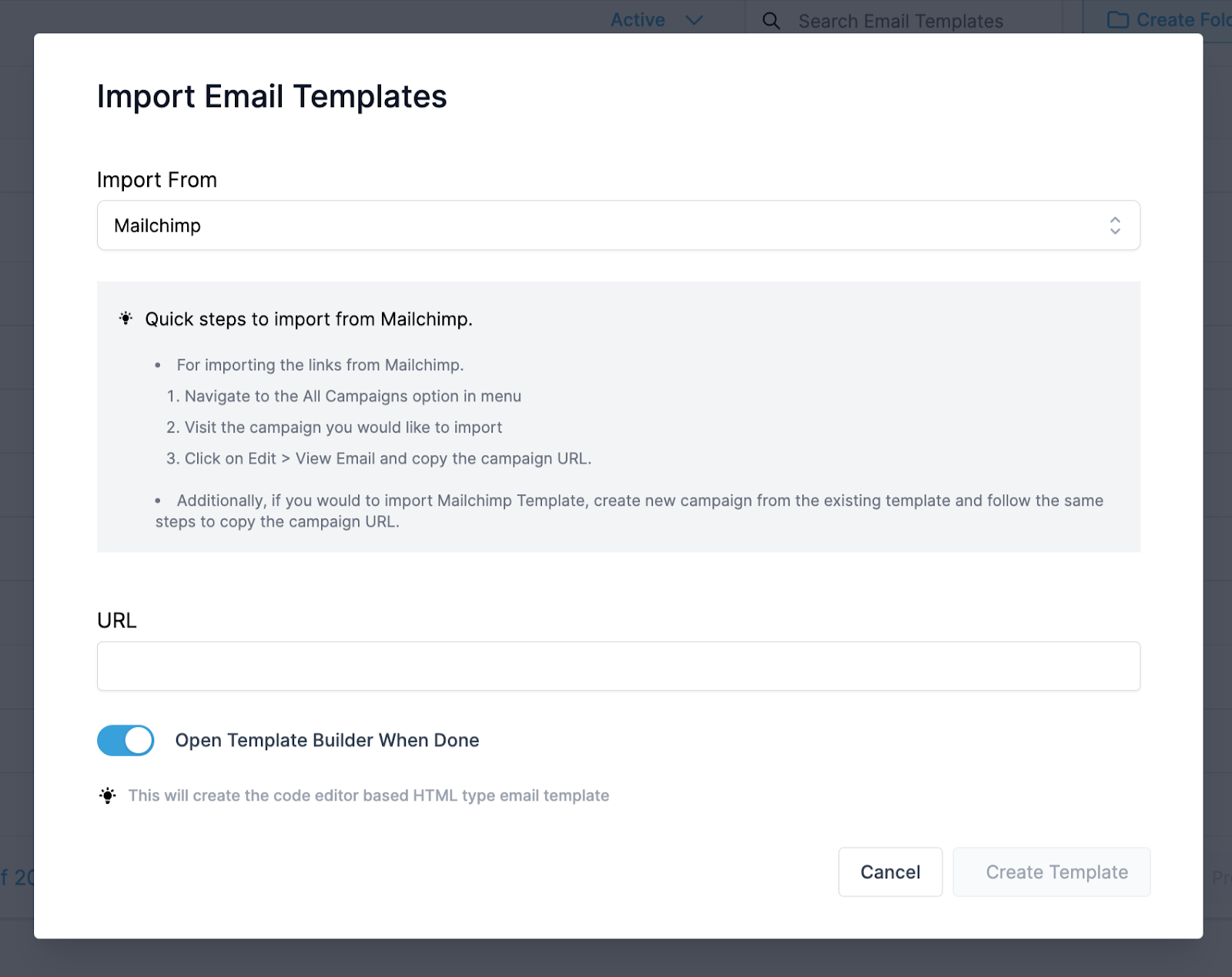
- 1 – Copy and paste the URL for Mailchimp Campaign/ Template
- 2 – Check the preview of the Mailchimp Campaign
- 3 – Click Create Template to Import the Mailchimp
FAQ
Do we need emails like Drag and Drop with Import for Mailchimp?
This is our experiment to encourage users to use and share feedback with us.
What will be the title of the Email Template?
The user will be required to add the template name after clicking “create template”.
Keep learning