
How to Add a Product Element to Your GHL Email Campaign
Updated February 21, 2025
Embedding products directly in email campaigns removes friction between discovery and purchase, yet many agencies overlook GoHighLevel's built-in Product Element entirely. This tutorial walks you through adding and configuring the Product Element in a GHL Email Campaign, from linking your Payment Products to customising layouts, buttons, and redirect URLs.
Email Campaign now shines with a powerful new feature—showcasing your incredible products! Engage your audience like never before and leave a lasting impression.
Including a product catalog in emails offers several key benefits:
- 1. Visual Engagement:
Captivate your audience with stunning visuals of your products, making your emails far more engaging and memorable than plain text.
- 2. Convenience is Key:
Allow customers to effortlessly browse through a curated selection of offerings right from their inbox. No need to navigate away, saving them time and hassle.
- 3. Boost Conversion Rates:
Leverage the power of visual persuasion. Studies have shown that emails with product catalogs enjoy higher conversion rates, simplifying the path from browsing to buying.
- 4. Tailored Personalization:
Customize product selections based on customer preferences and behavior. Provide a unique shopping experience that resonates and increases the likelihood of a purchase.
- 5. Cross-Selling Opportunities:
Showcase complementary or related items alongside main products, unlocking additional sales potential with every email.
- 6. Spotlight New Arrivals & Promotions:
Instantly draw attention to new products, special promotions, or exclusive offers. Create a sense of urgency and excitement that drives immediate action.
- 7. Strengthen Brand Identity:
Consistent, visually appealing presentations reinforce your brand’s identity. Customers easily recognize and remember your unique style and offerings.
- 8.Unparalleled Insights with Analytics:
Gain valuable insights by tracking customer interactions with specific products. Understand what captivates your audience the most, refining your marketing strategy.
- 9.Mobile-Friendly Experience:
Optimize your product catalog for various screen sizes. With the prevalence of mobile browsing, ensure a seamless experience for users on the go.
- 10. Gain a Competitive Edge:
Stand out in a crowded inbox. Offering a visually enticing product catalog sets you apart from competitors relying solely on text-based emails.
- 11. Forge Stronger Connections:
Elevate your customer relationships by providing a convenient, visually appealing shopping experience. Strengthen brand loyalty and build lasting connections.
How to use Product Element in Email Campaigns?
- 1. Go to Marketing > Emails > Campaign
- 2. Create New Campaign or go to other draft campaigns
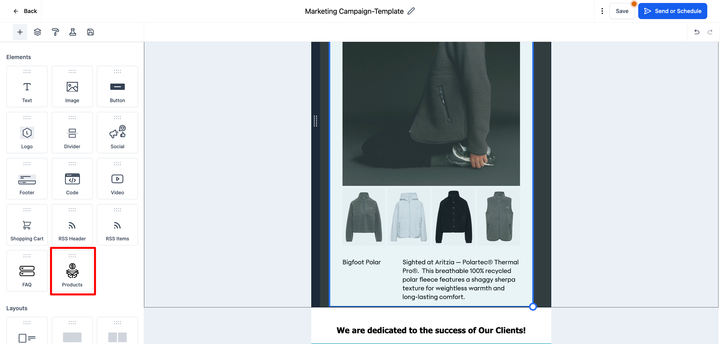
- 3. In the element, there will be option to add products
- 4. Prerequisite for using product element- Add Product Element in Payments > Products with one time or subscription with title, description and images.
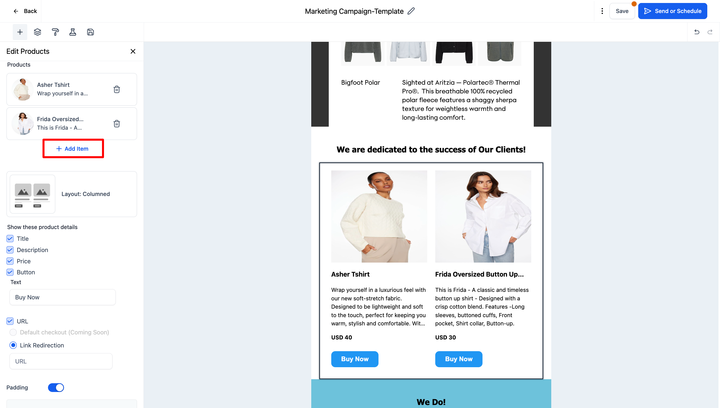
- 5. Add items of product which you would like to add
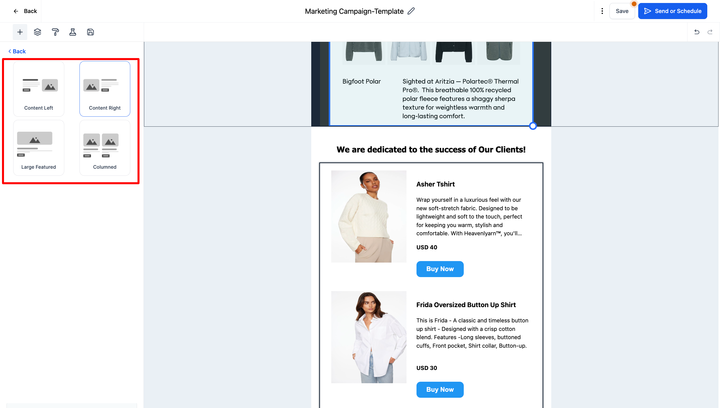
- 6. You can also choose the designs option about how to showcase in your newsletter
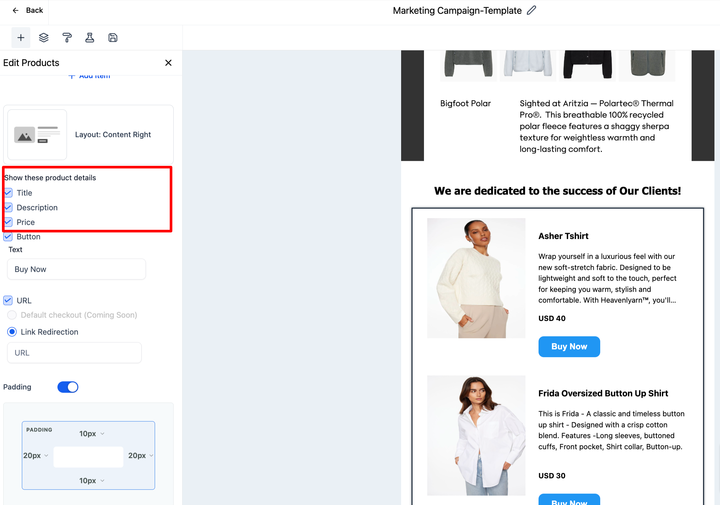
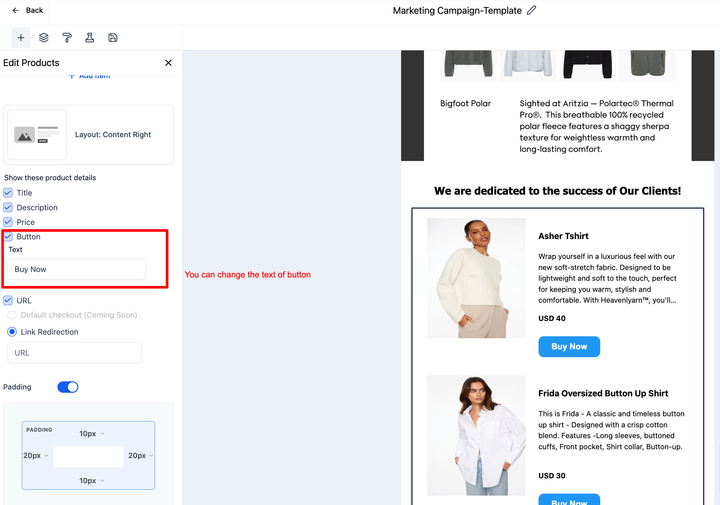
- 7. There are options to show the title, description, prices
- 8. There’s option to rename the button
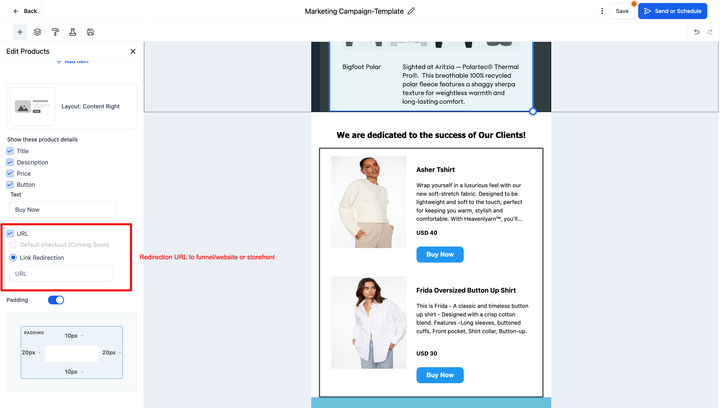
- 9. In the URL, you can add the url redirect of funnel, website or ecom.

What does the future hold with Product Element?
- We will allow direct custom checkout to convert product sales
- There will be option to redirect to specific product detail pages in future with ecommerce
- Product Element will help in recording ROI and revenue per recipient.
Keep learning