
Allow Duplicate Contacts in GHL: What the Setting Actually Does
Updated February 13, 2025
When importing contacts through Zapier or third-party forms, GoHighLevel's default behaviour merges records that share the same email or phone number, which can cause unexpected data loss. This guide explains exactly how the Allow Duplicate Contact setting works and when to enable it to preserve separate contact records.
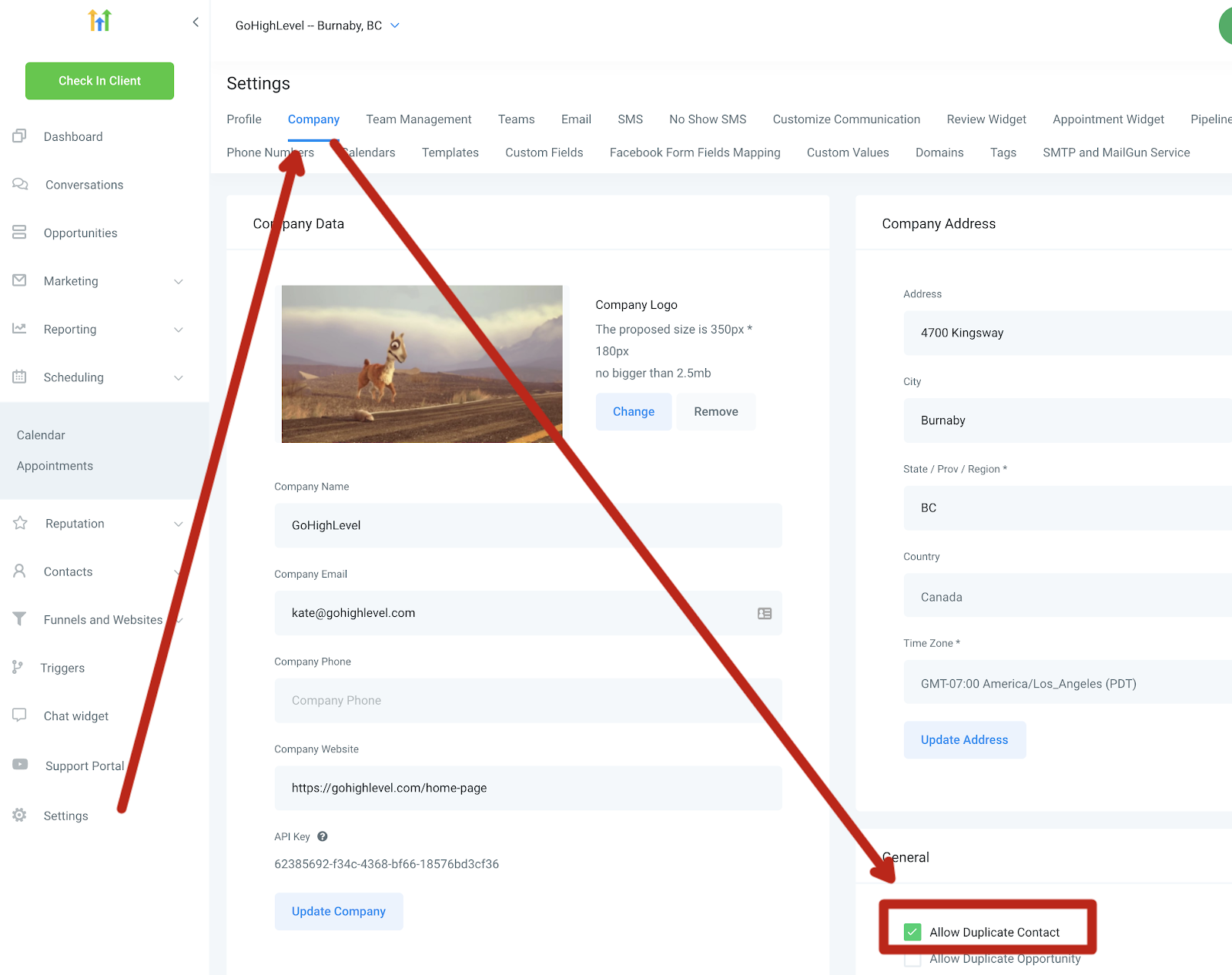
The “Allow duplicate contact” setting is specifically for contacts imported through Zapier or other forms. It does not apply when uploading contacts via CSV, so we can’t create two contacts with the same email or phone number. By default, during the contact import process, we create new contacts and merge them based on the phone number or email address.
Keep learning