
How to Use OAuth2 Authorization in Custom Webhook Workflows
Updated March 12, 2025
Connecting third-party APIs like Google, Facebook, and LinkedIn through GoHighLevel workflows requires secure, scalable authorization that basic methods cannot provide. This guide walks you through configuring OAuth2 in the Custom Webhook action, requesting or reusing tokens, and managing them via Global Workflow Settings.
OAuth2 stands out as a crucial and widely adopted authorization framework, particularly favored for large-scale APIs due to its high level of security.
By utilizing OAuth2, users can seamlessly connect with numerous APIs, including those from Google, Facebook, LinkedIn, and more. These integrations unlock endless opportunities, enhancing the product’s capabilities and reach.
How it works:
- The user will be able to select the OAuth2 as an authorization option in Custom Webhook action.
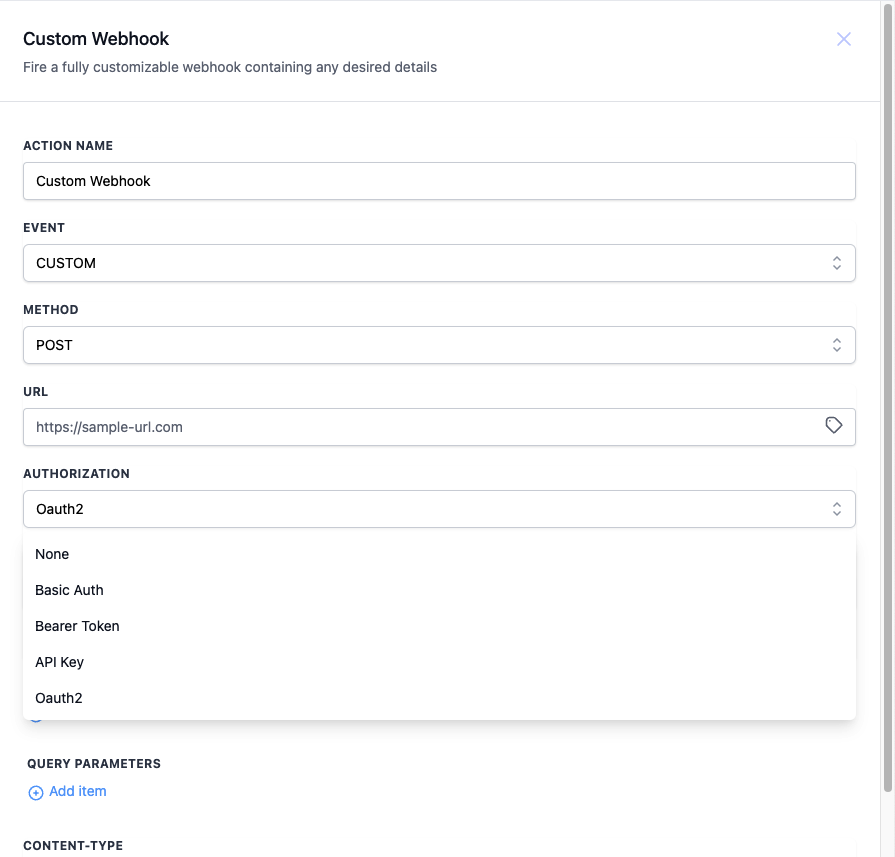
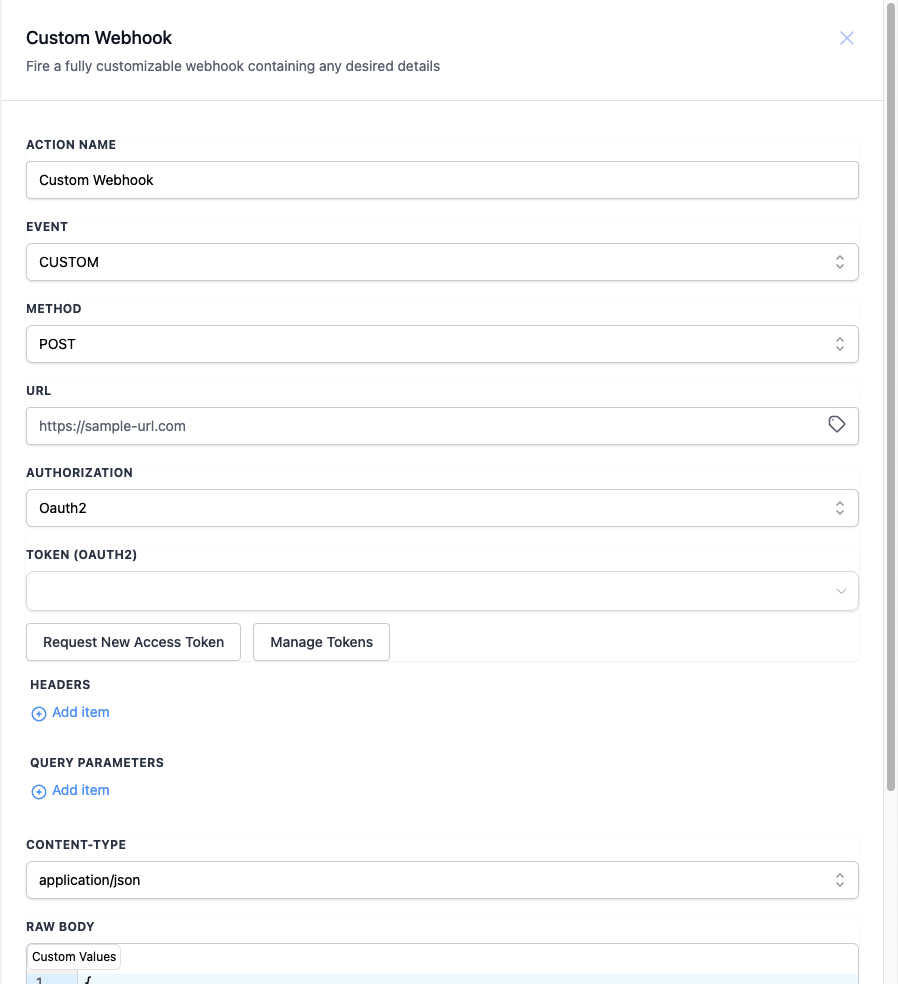
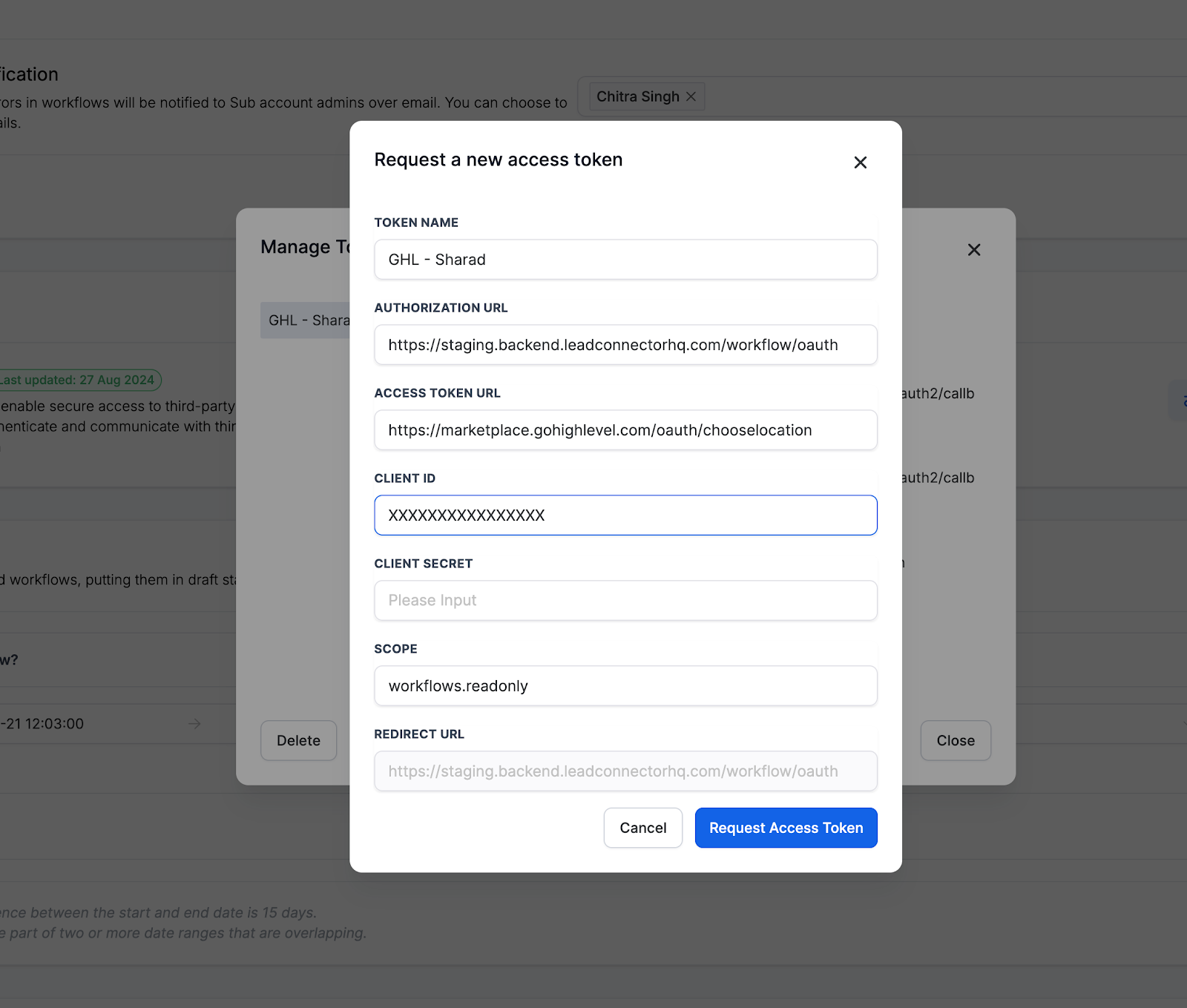
- With this option selected, they can select an existing token or request a new one.
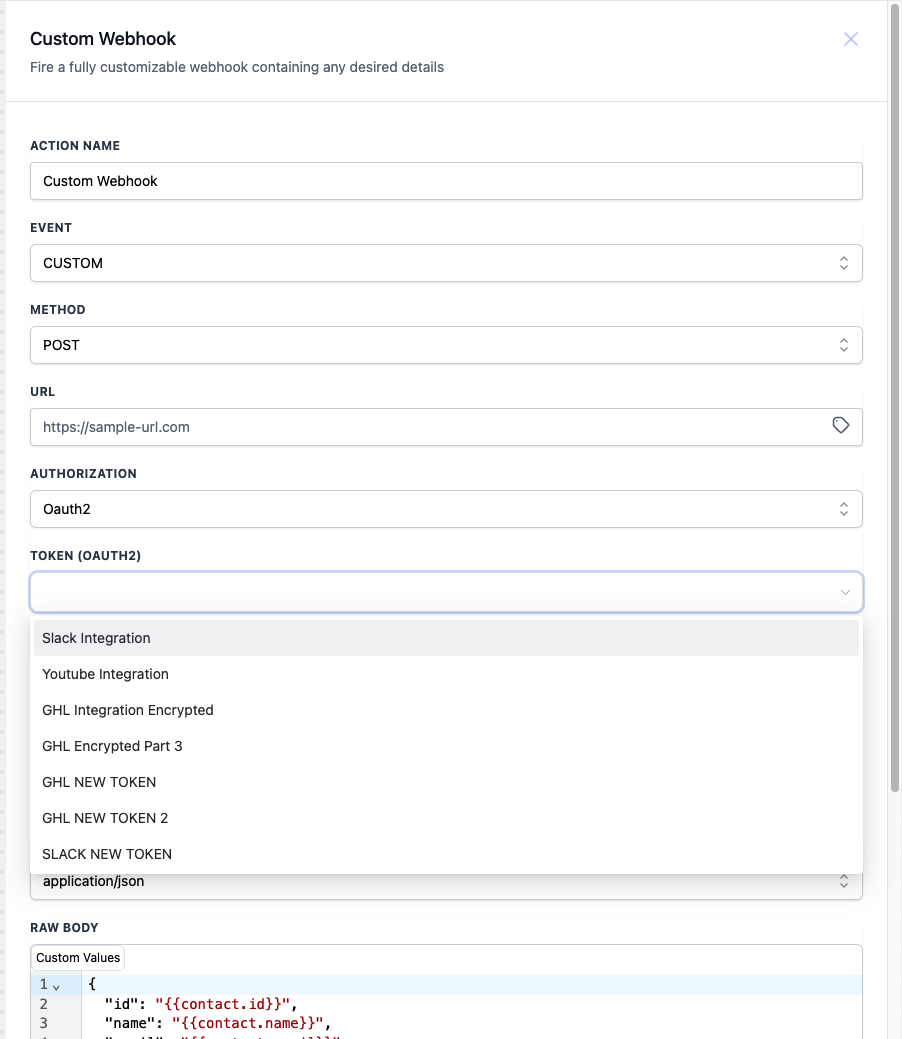
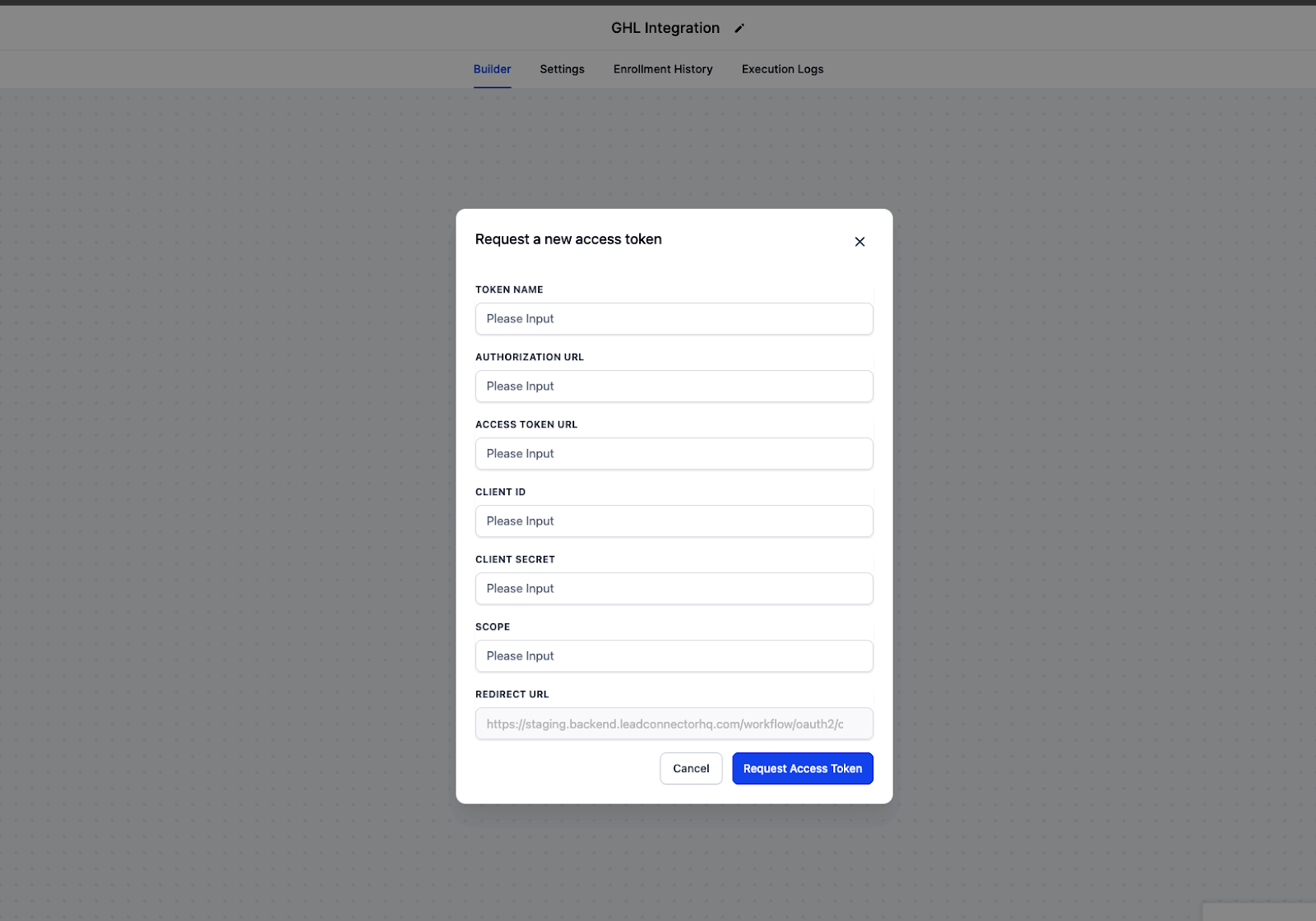
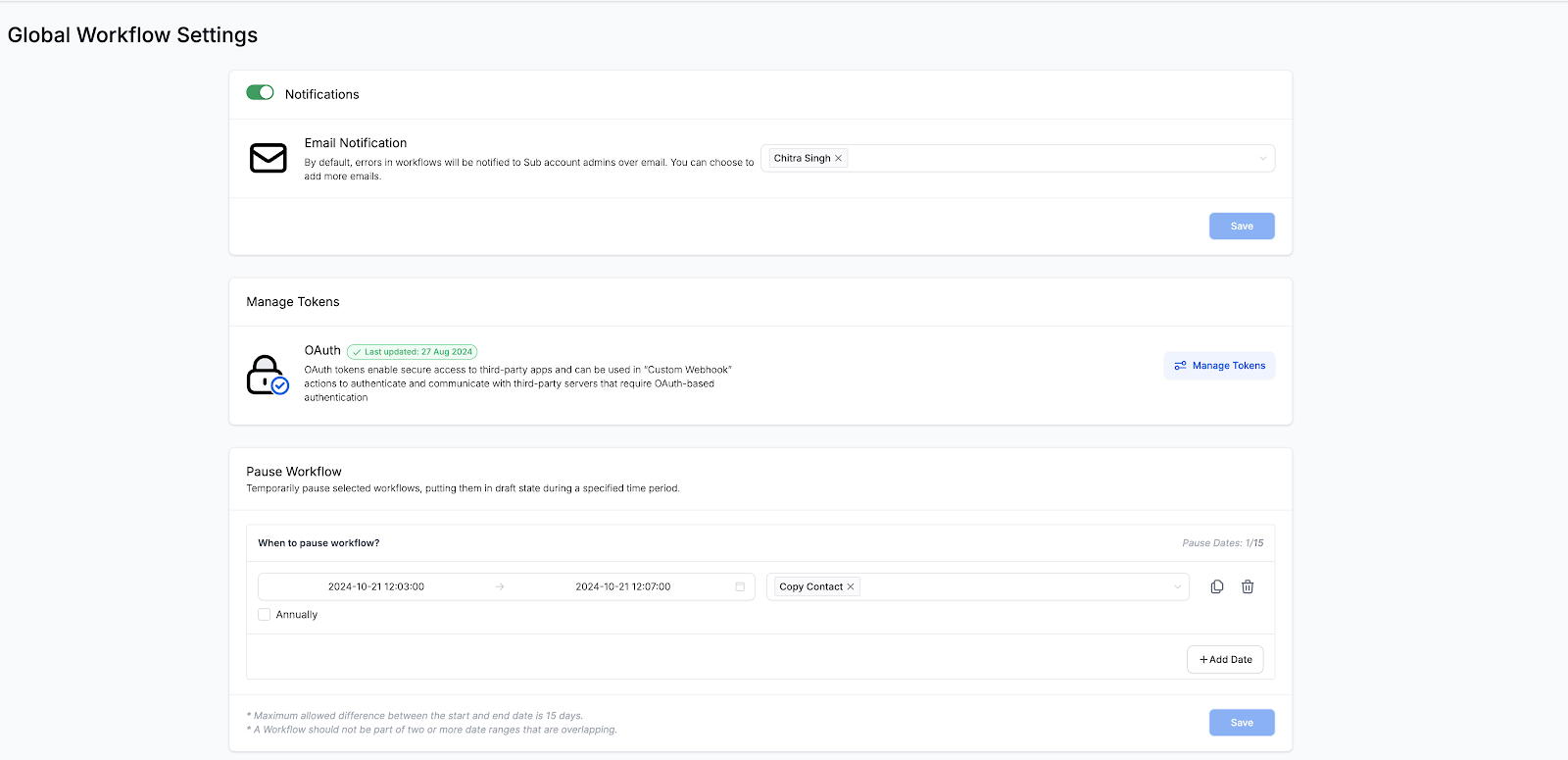
- To Manage the tokens go to “Global Workflow Settings”. There is a section named “Manage Tokens” which can be used to manage the tokens.
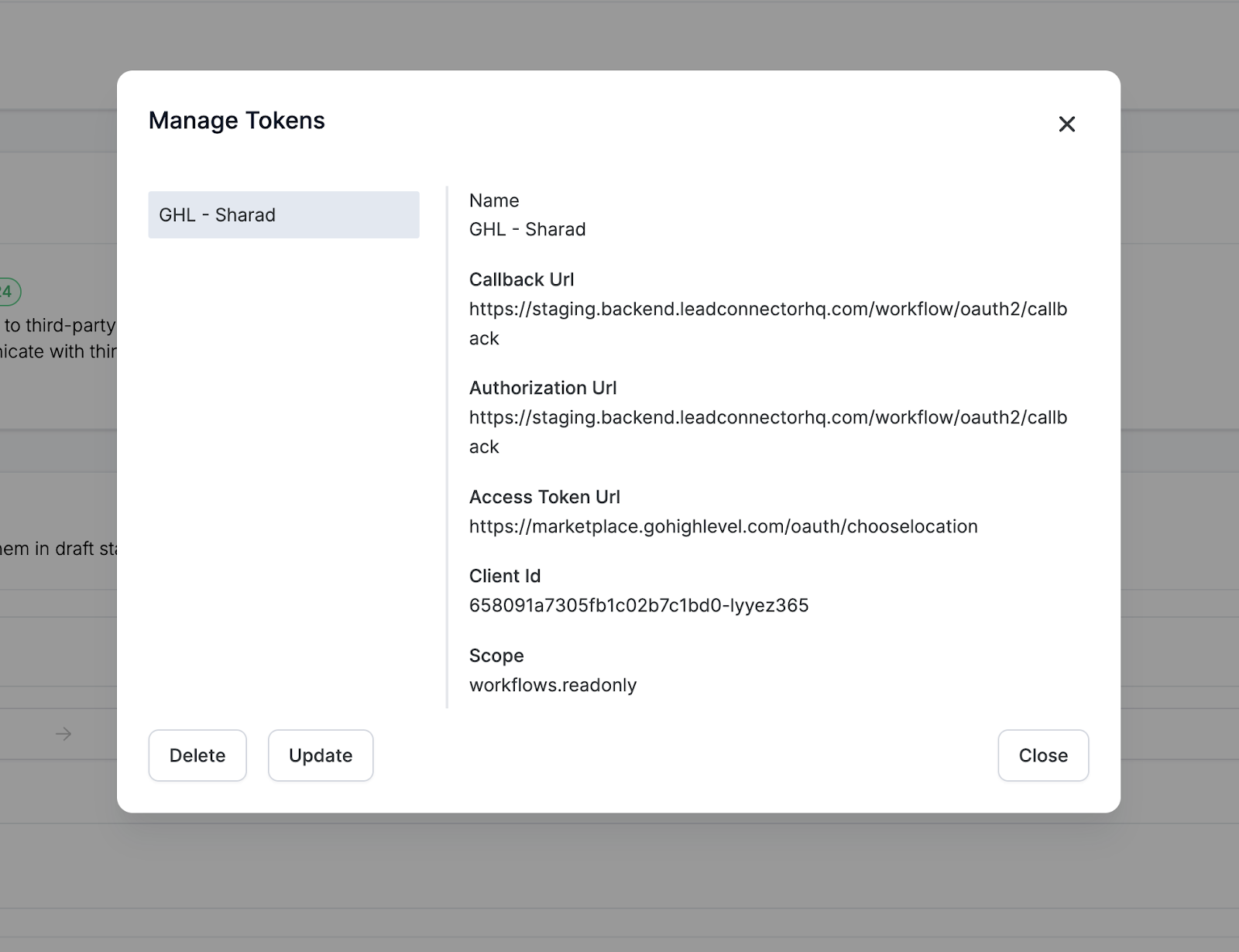
- Click on the “Manage Token”, a new pop up screen will open. with the list of all the tokens.
- You can “Update” and “Delete” the tokens from here.
Keep learning