
How to Use If/Else Conditional Logic in GHL Workflows
Updated April 15, 2024
Building complex automations in GoHighLevel often requires branching logic that adapts to different contact behaviours and trigger outcomes. This tutorial covers the latest If/Else updates — including duplicate branches, drag-and-drop reordering, and custom branch naming — so your workflows are faster to build and easier to manage.
What is If Else?
With If/Else, you can construct sophisticated workflows that execute diverse actions according to specific conditions. This feature harnesses conditional logic: if A occurs within your trigger app, execute action X; if B occurs, execute action Y, and so forth.
New Features
1. Duplicate branch
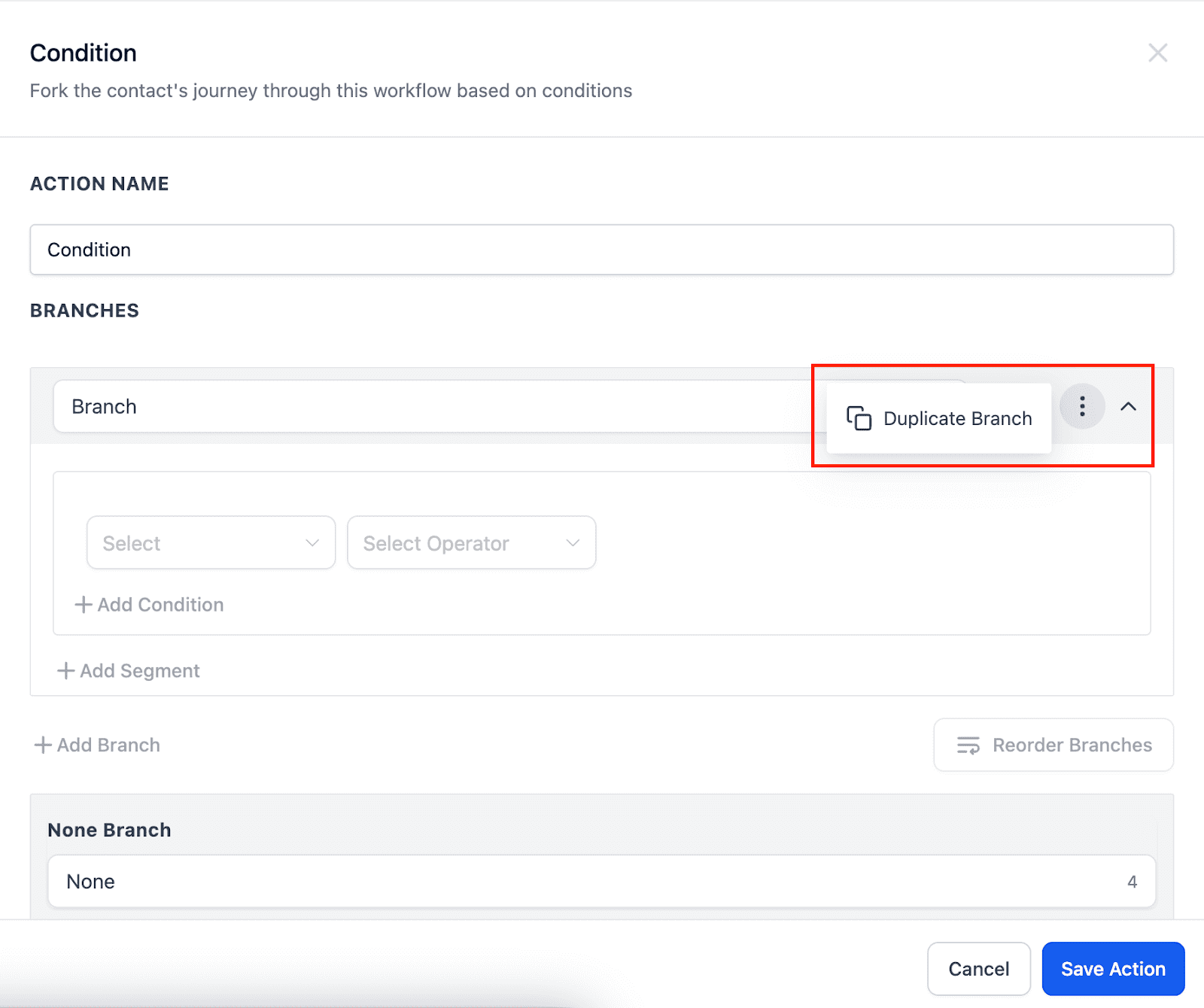
- Save time and effort by effortlessly copying existing branches. No need to rebuild from scratch. Click the three dots menu on a branch and choose “Duplicate Branch.”
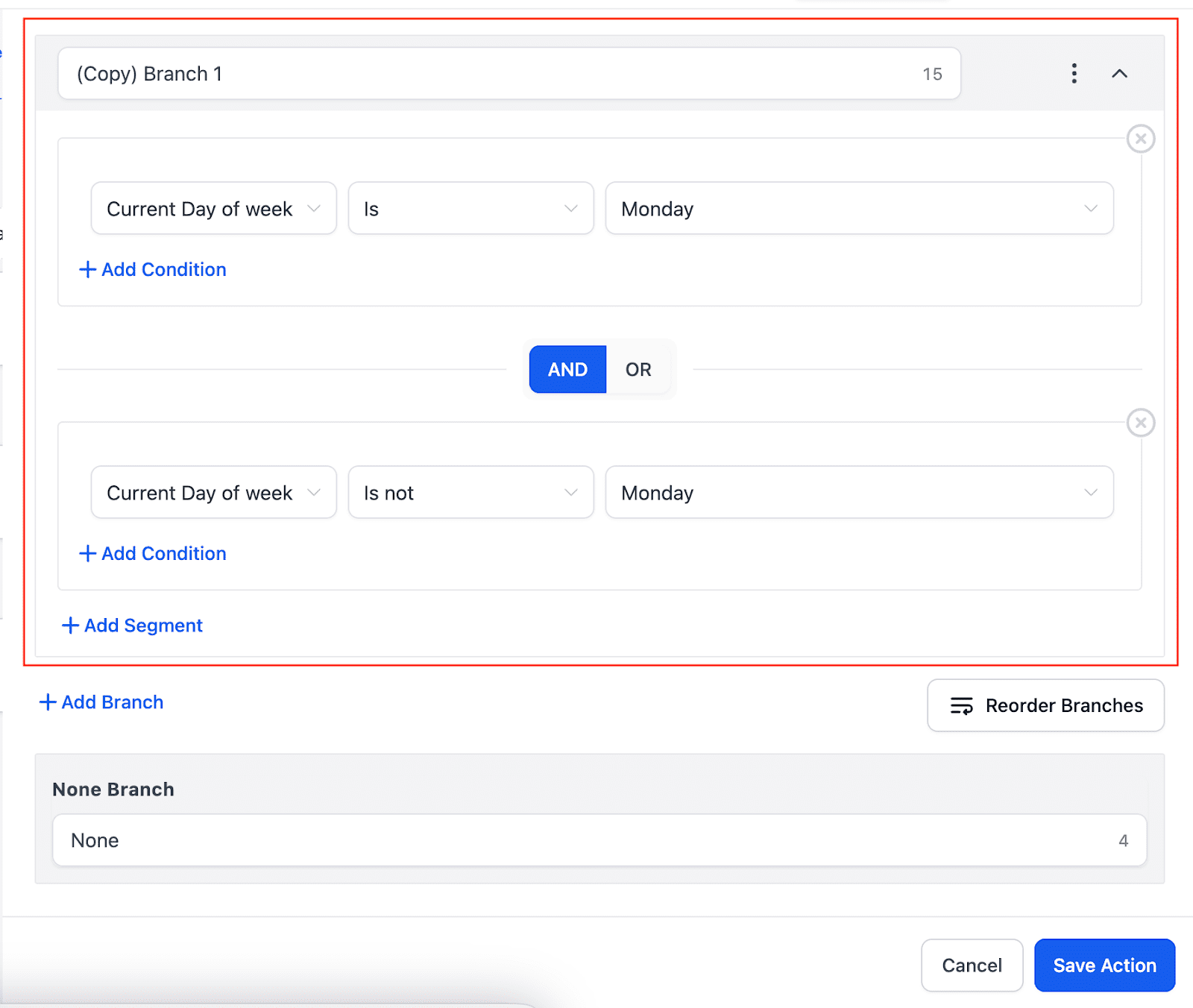
- The copied branch will appear below the original with “(copy)” added to its name. You can rename it as needed.
2. Reorder any branch
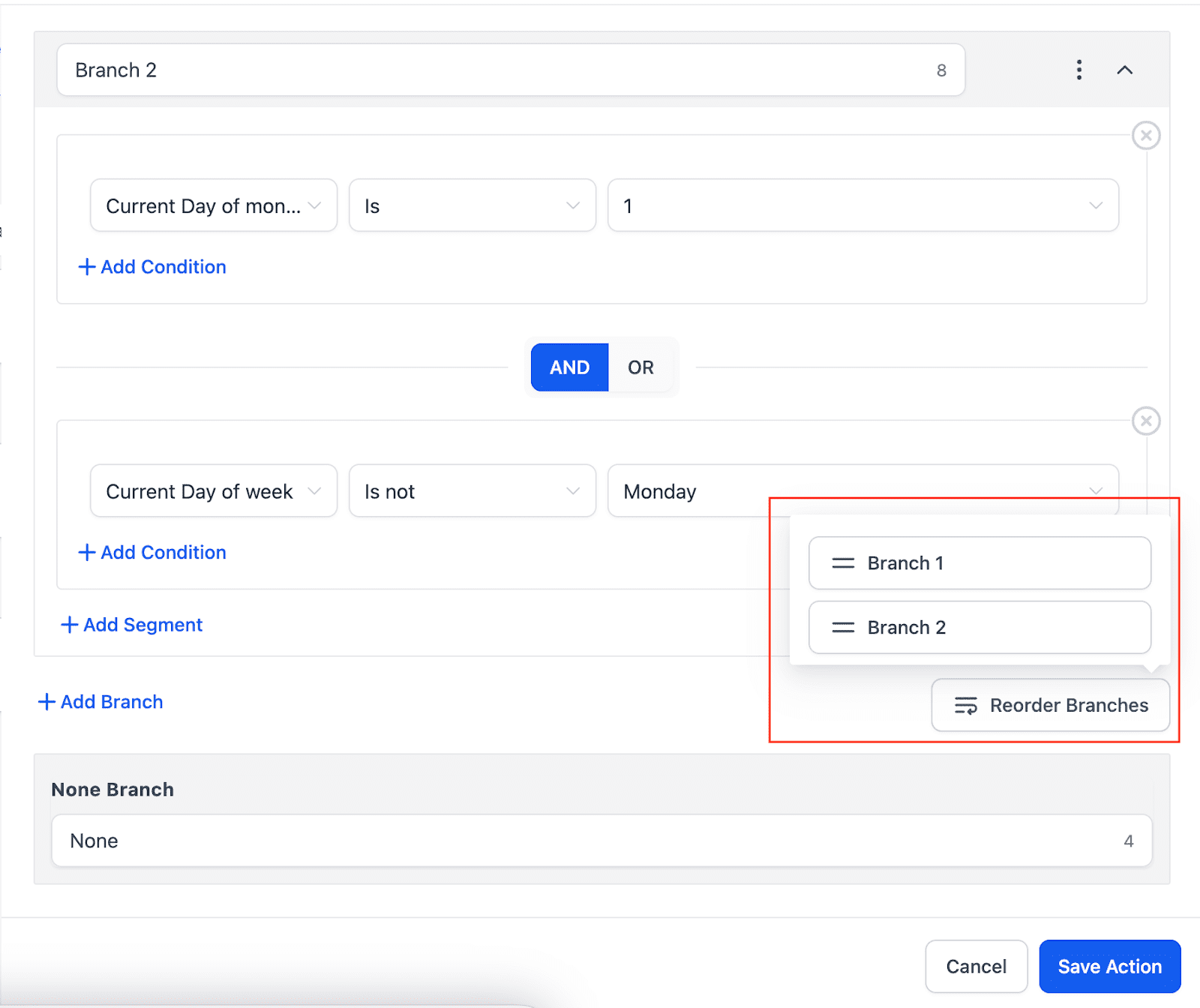
- Organise your workflow visually by dragging and dropping branches.
- Click the “Reorder Branches” icon to reorder the branches.
- You can’t reorder the “None” branch, but you can easily move all other branches.
3. Rename None branch
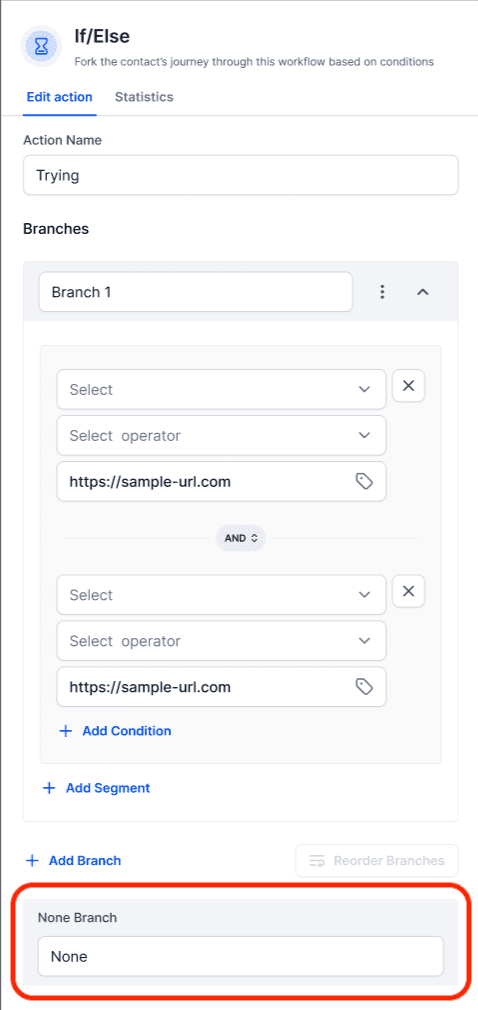
- You can now name the “None” branch for better organisation.
- Just click on the branch name and type in your desired name.
- Make sure to enter a Branch Name as it can’t be left empty.
Keep learning