
How to Test Your GoHighLevel Voice AI Agent Before Going Live
Updated March 20, 2025
Launching a Voice AI Agent without testing risks poor prospect experiences and lost conversions. By running test calls in GoHighLevel, you can review full transcripts, call recordings, and summaries to fine-tune your agent's responses before it handles real leads.
Before launching your agent, testing its functionality is crucial. This allows you to see how your AI Agent responds to specific inquiries from prospects or customers, giving you valuable insights to refine and optimize your Voice AI Agent—ultimately boosting your conversion rate!
Conducting Test Calls
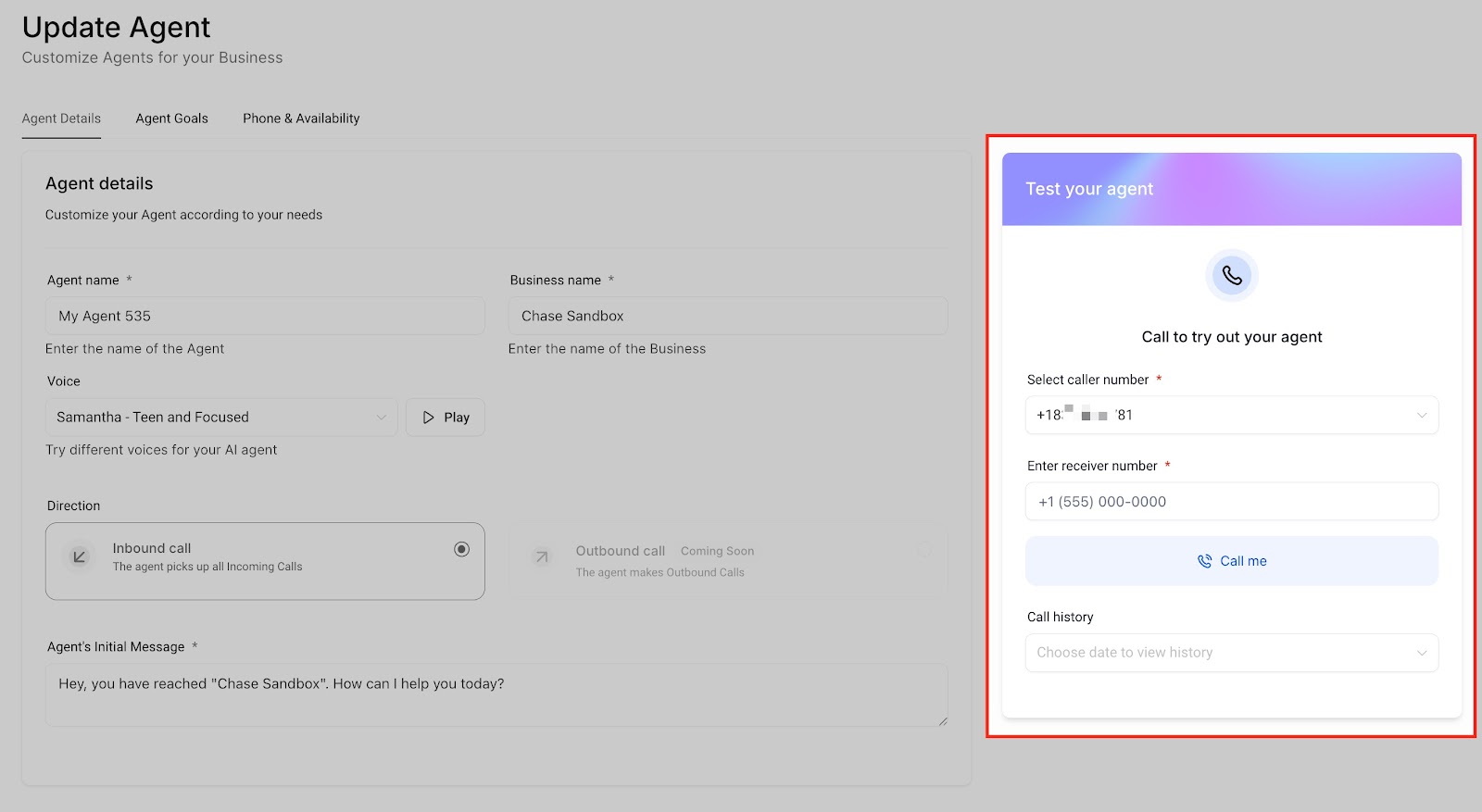
- Select Caller ID: Choose the phone number the agent will use to call you.
- Enter Your Phone Number: Input the number where you want to receive the test call.
- Receive the Call: Answer the incoming call to interact with your AI agent as a caller would.
Reviewing Test Call History
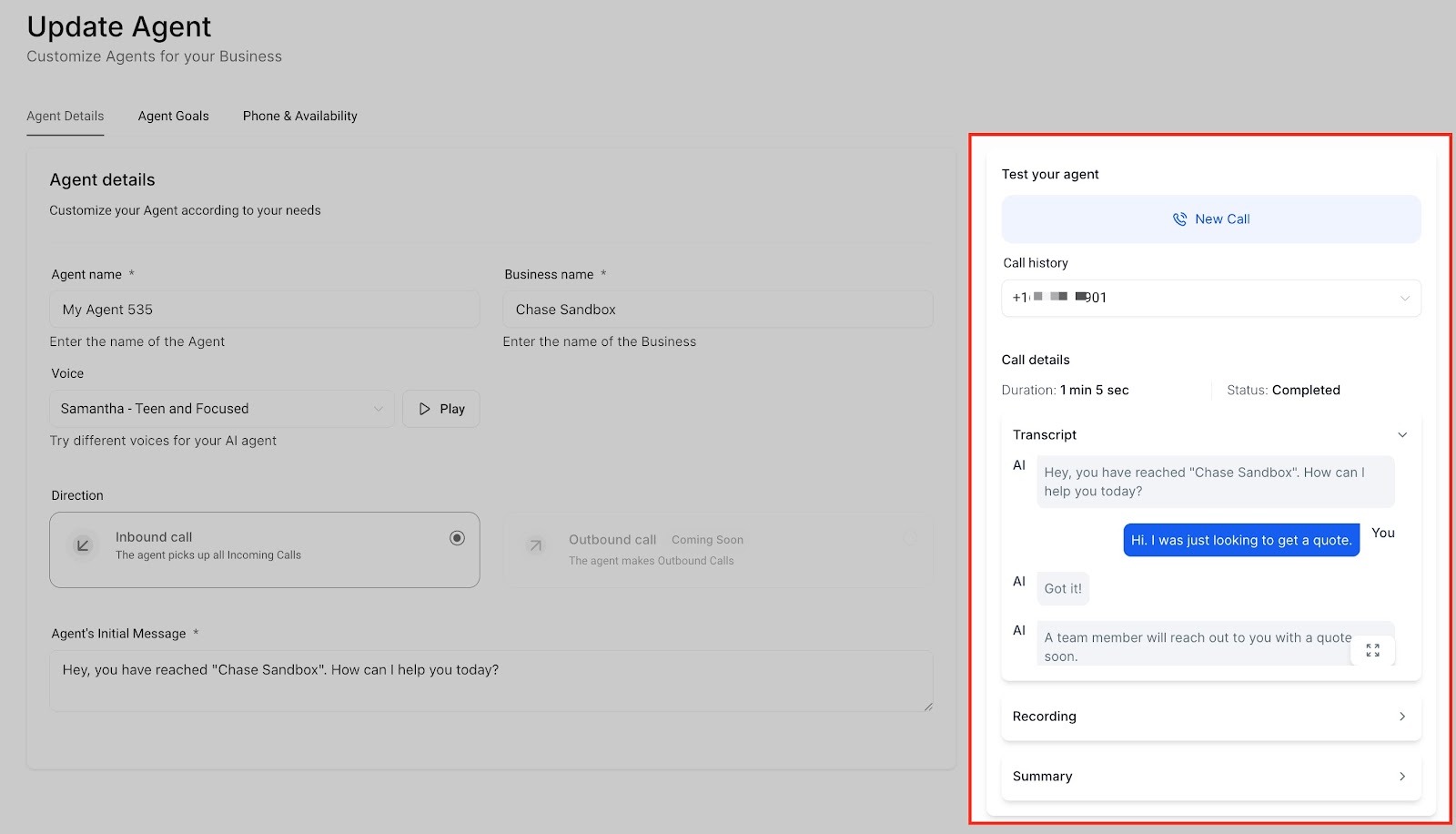
When evaluating your Voice AI Agent, you can review past test calls to gain insights into the conversation and assess how the AI Agent engaged with the caller.
To access previous test calls, simply click on the dropdown labeled “Call History” and select the specific test call you’d like to examine.

By conducting a test call, you can engage in a full conversation with your Voice AI Agent just as a customer or prospect would. This allows you to evaluate how the AI Agent sounds and manages the conversation, enabling you to make any necessary adjustments to its configurations.
The data that is included in the test call results is:
- Duration
- Call Status (e.g., Completed, Missed)
- Transcript of the conversation
- Call recording playback
- Call summary
Keep learning