
How to Stop Endless Call Redirect Loops in GoHighLevel
Updated February 10, 2025
When a Twilio number is assigned to a user who has entered that same number in their profile, or a forwarding number silently routes back to the Twilio number, GoHighLevel enters a phone call redirect loop. This tutorial shows you how to identify the misconfiguration causing the loop and correct your Twilio and forwarding settings to stop calls from stacking up in Conversations.
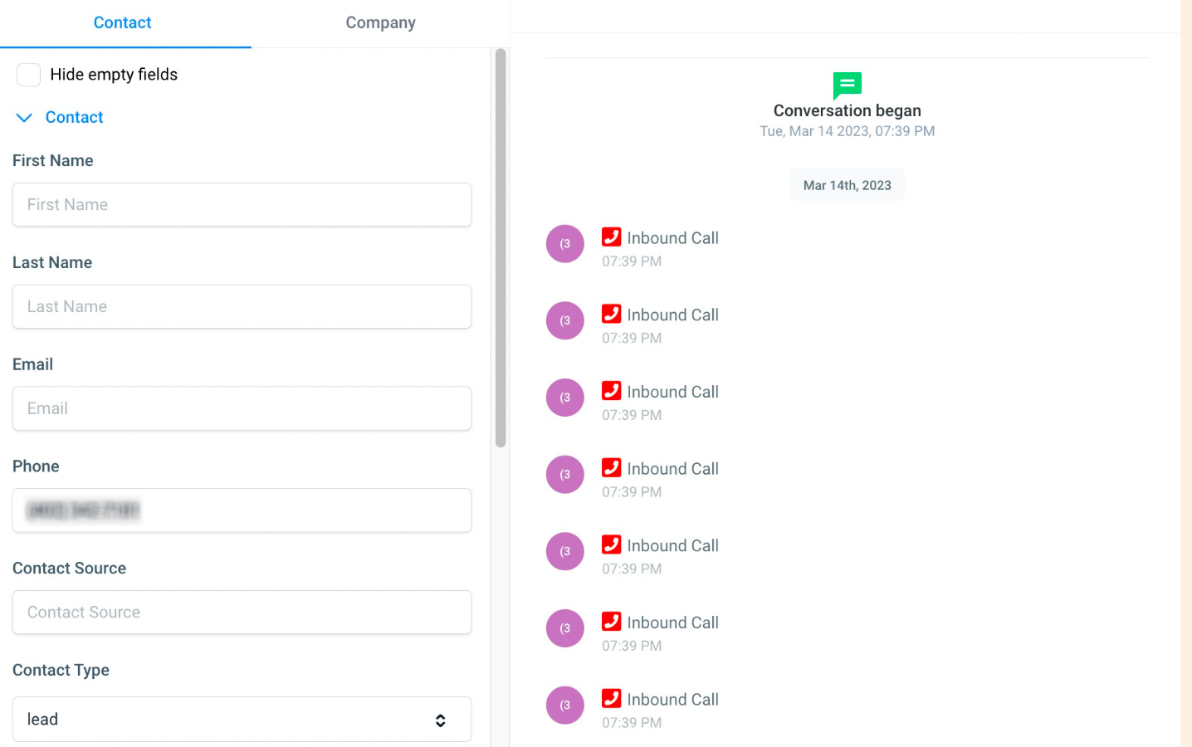
Experiencing endless call loops or a sudden surge of calls piling up in Conversations? It’s likely a user has their Twilio number assigned to them and mistakenly entered that same number in their user profile’s phone field.
Another possible reason is that the business phone number or the forwarding number set might look like a different number from the Twilio number, but it is configured to route back to the Twilio number. So this will cause a call loop because we will try to forward the calls to the business phone number.
Keep learning