
How to Transfer LC Phone Numbers to a Client's Own Twilio Account
Updated February 11, 2025
Migrating phone numbers from an LC Phone sub-account to a client's own Twilio account requires coordinating between GoHighLevel support and Twilio directly. This guide walks you through locating the correct account SIDs, drafting the Twilio support ticket, and submitting the transfer request correctly.
Kindly share the Location ID with our support team for the Twilio number(s) you’re attempting to transfer. This will allow us to locate the ISV account’s Account SID on your behalf.
1. Create a support ticket with Twilio support
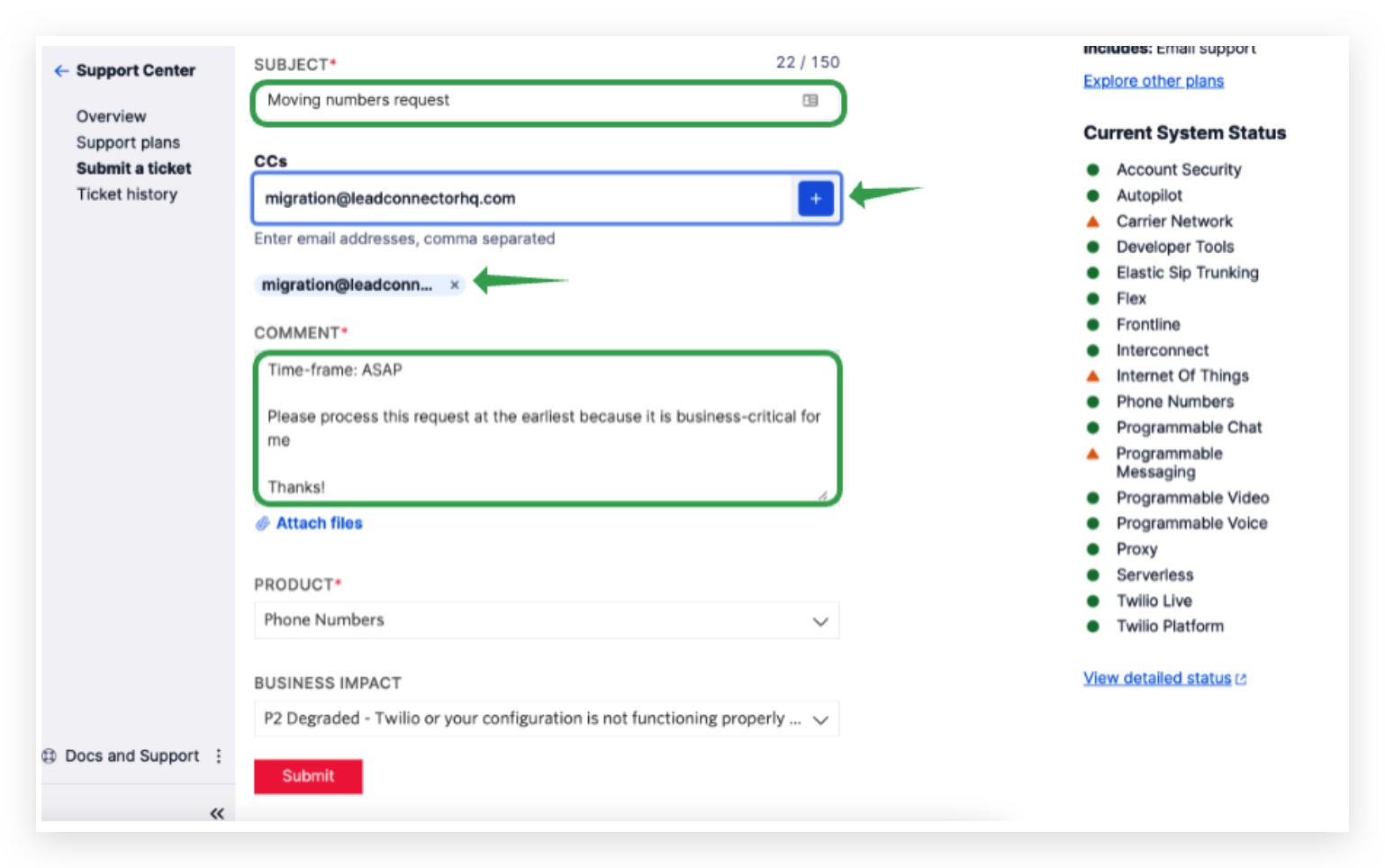
With the Subject: Moving numbers request
2. Copy and paste this email
CC: migration@leadconnectorhq.com and click add ( + ) so we can approve your request.
Hi Twilio Support,
I would like to move the following phone numbers to a new sub-account –
+1 PASTE_TWILIO_NUMBER_HERE
Losing sub-account SID –
please contact HighLevel support to get the ISV location’s Twilio sub-account SID where the number is currently in for you
Gaining sub-account SID –
E.g. AC8a0eac4ea7651eba06137bbf1a907df62d < Replace your own Twilio sub-account SID here
Time-frame: ASAP
Please process this request at the earliest because it is business-critical for me
Thanks!
Product: Phone numbers
Business Impact:
P2 Degraded – Twilio or your configuration is not functioning properly or intermittently
3. Submit Your Request
Please click on “No” at the bottom
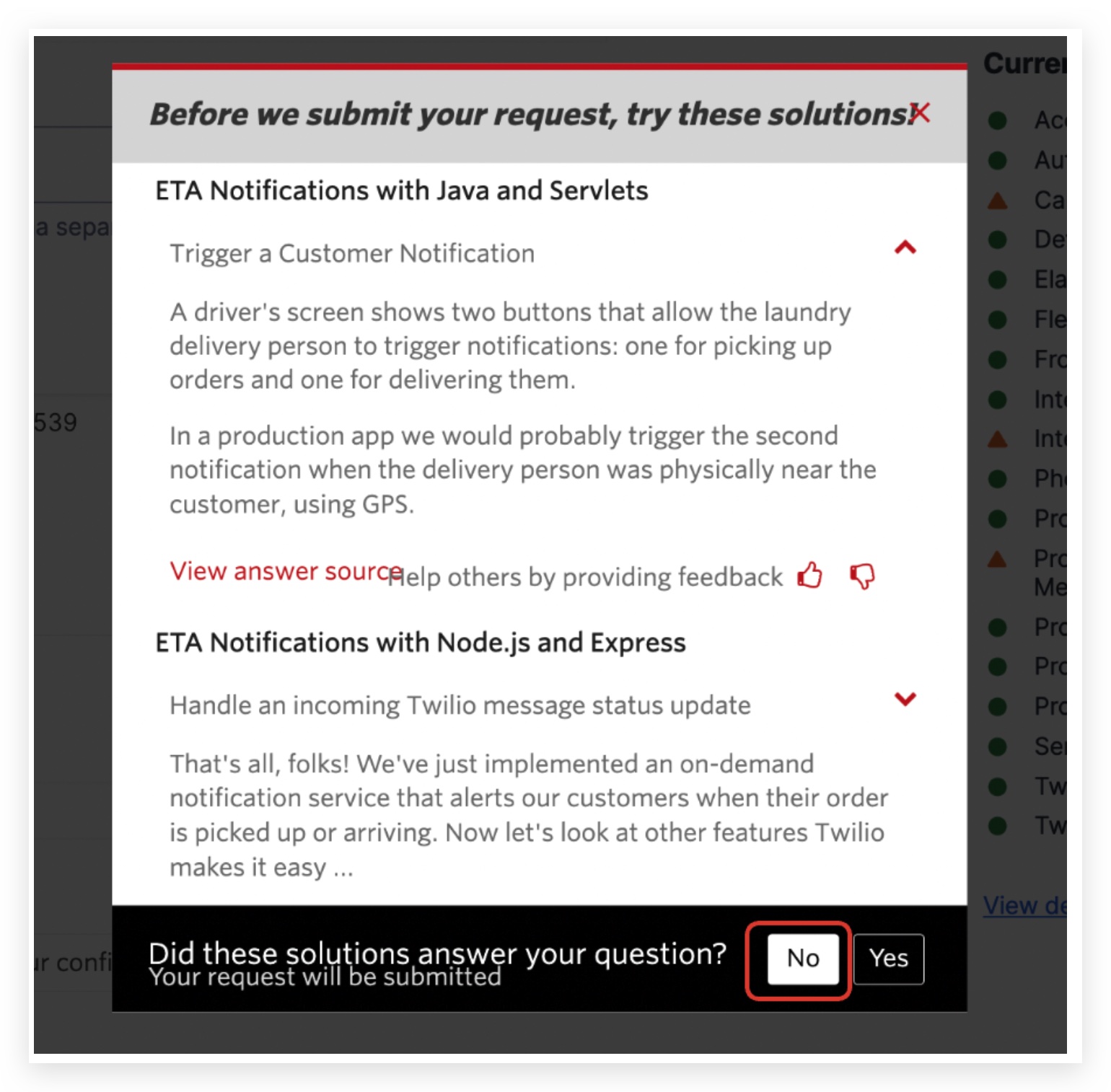
Click on
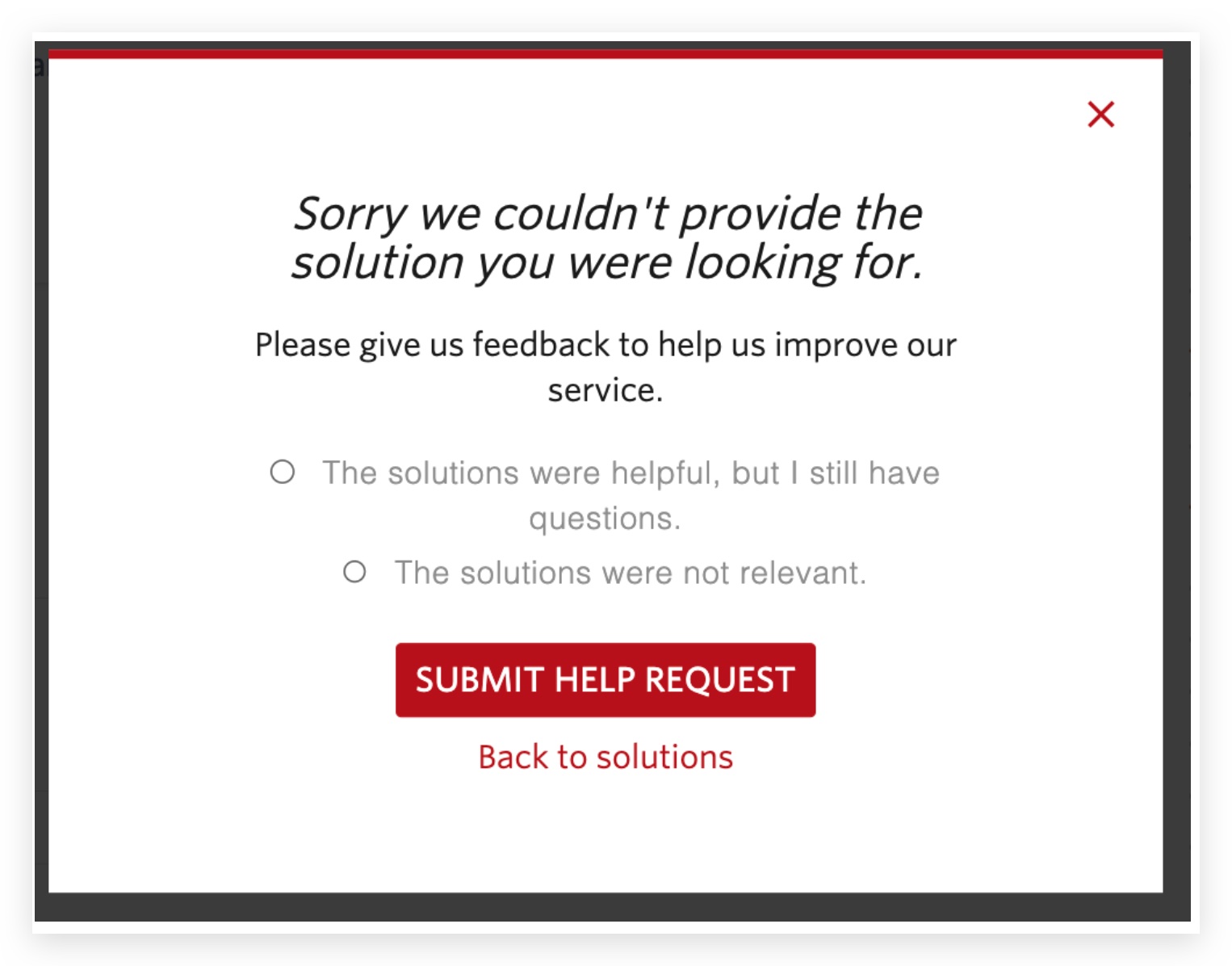
SUBMIT HELP REQUEST
Keep learning