
GoHighLevel SMS Not Forwarding? Here's How to Fix It
Updated February 7, 2025
When incoming SMS messages appear only in the GoHighLevel conversation tab and never reach your forwarding number, your lead responses can slip through unnoticed. This guide walks you through building a Customer Replied workflow with an internal SMS notification to ensure every inbound message reaches the right person instantly.
Troubleshooting SMS Forwarding Issues in CRM
If you’re encountering a situation where incoming SMS messages appear only in the conversation tab and aren’t being forwarded to your designated forwarding number, this guide is here to assist. We’ll walk you through the typical causes of this issue and offer clear, step-by-step solutions to restore proper SMS forwarding. By following the troubleshooting instructions provided, you can fix the problem and make sure all incoming messages are correctly redirected to your forwarding number.
We will only receive the inbound messages in the Conversation tab using CRM’s mobile app and web app.
Incoming SMS will not be forwarded to the forwarding number
You set up a Customer replied workflow trigger like this with the Custom Value {{message.body}}
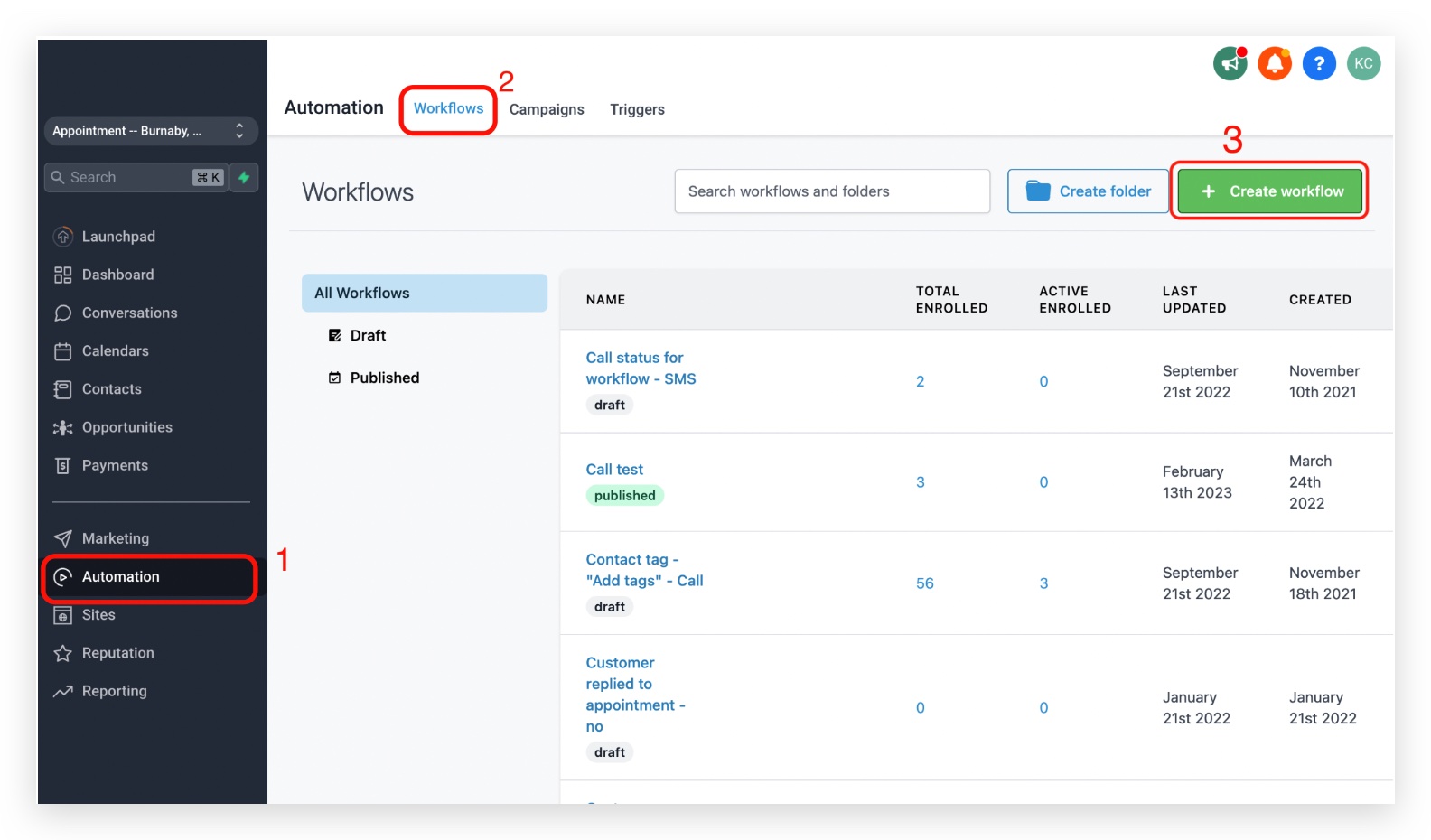
Step 1: Click on Automation > Workflows > Create workflow
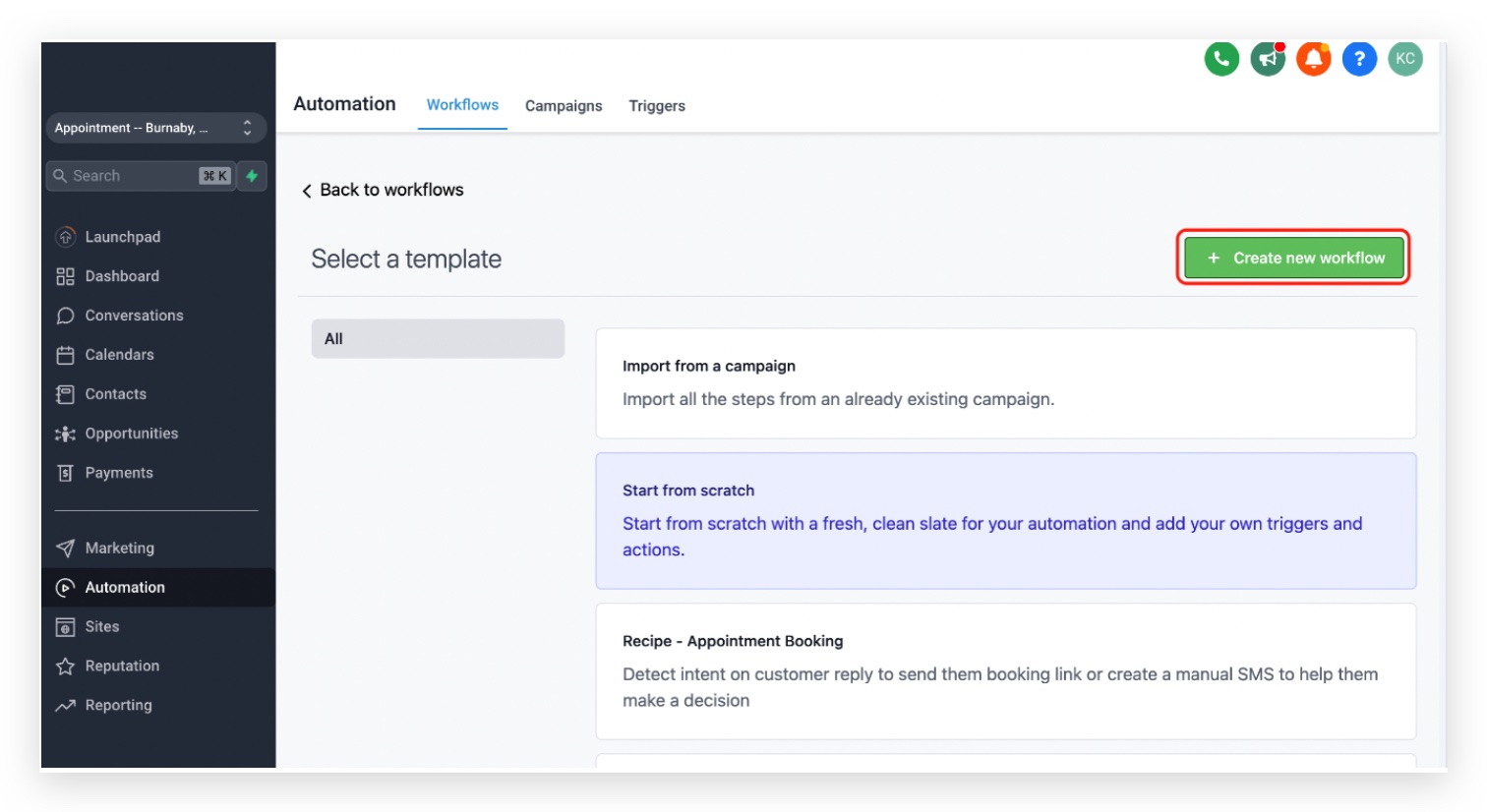
Step 2: Choose Start from scratch
Click on Create new workflow
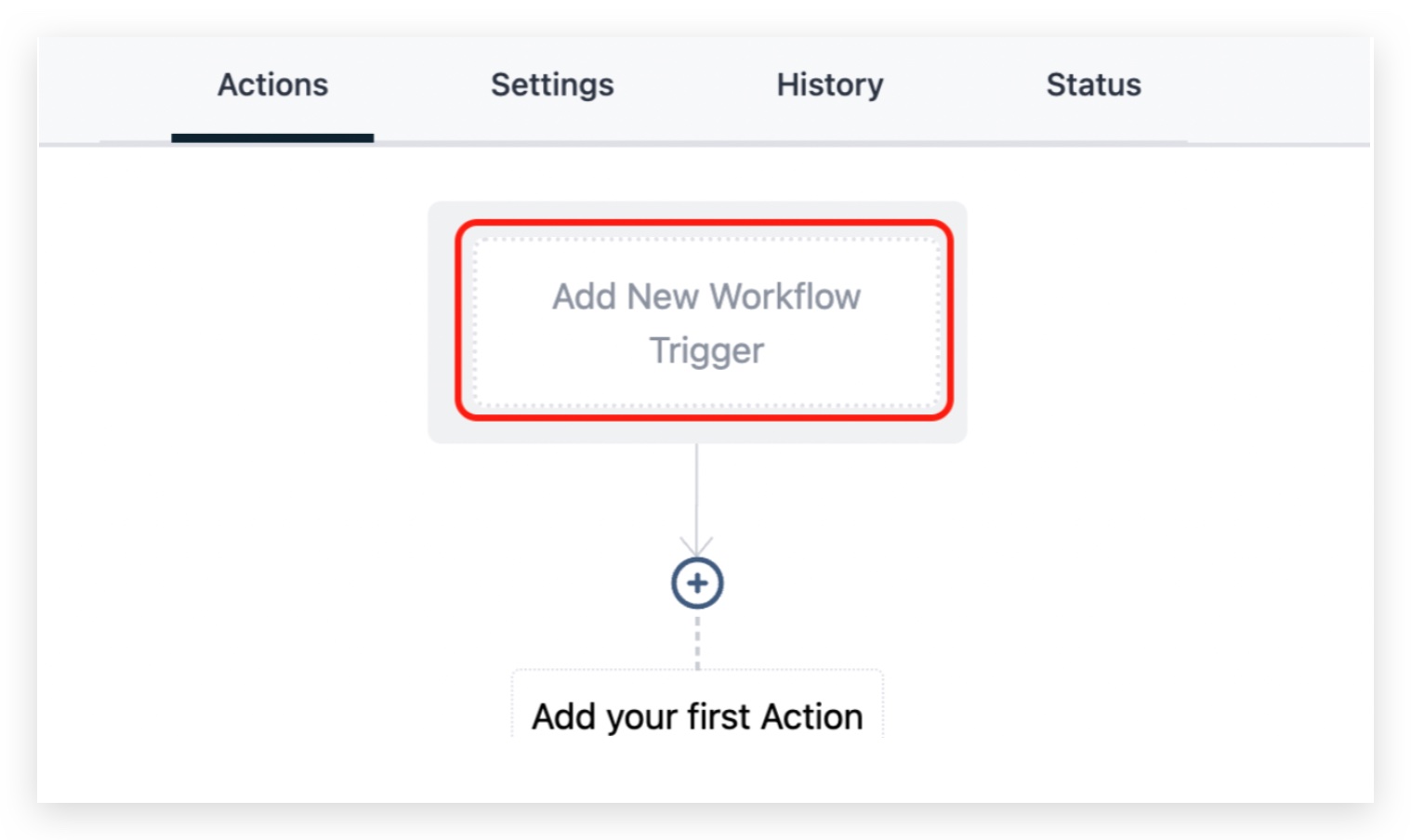
Step 3: Click on Add New Workflow Trigger
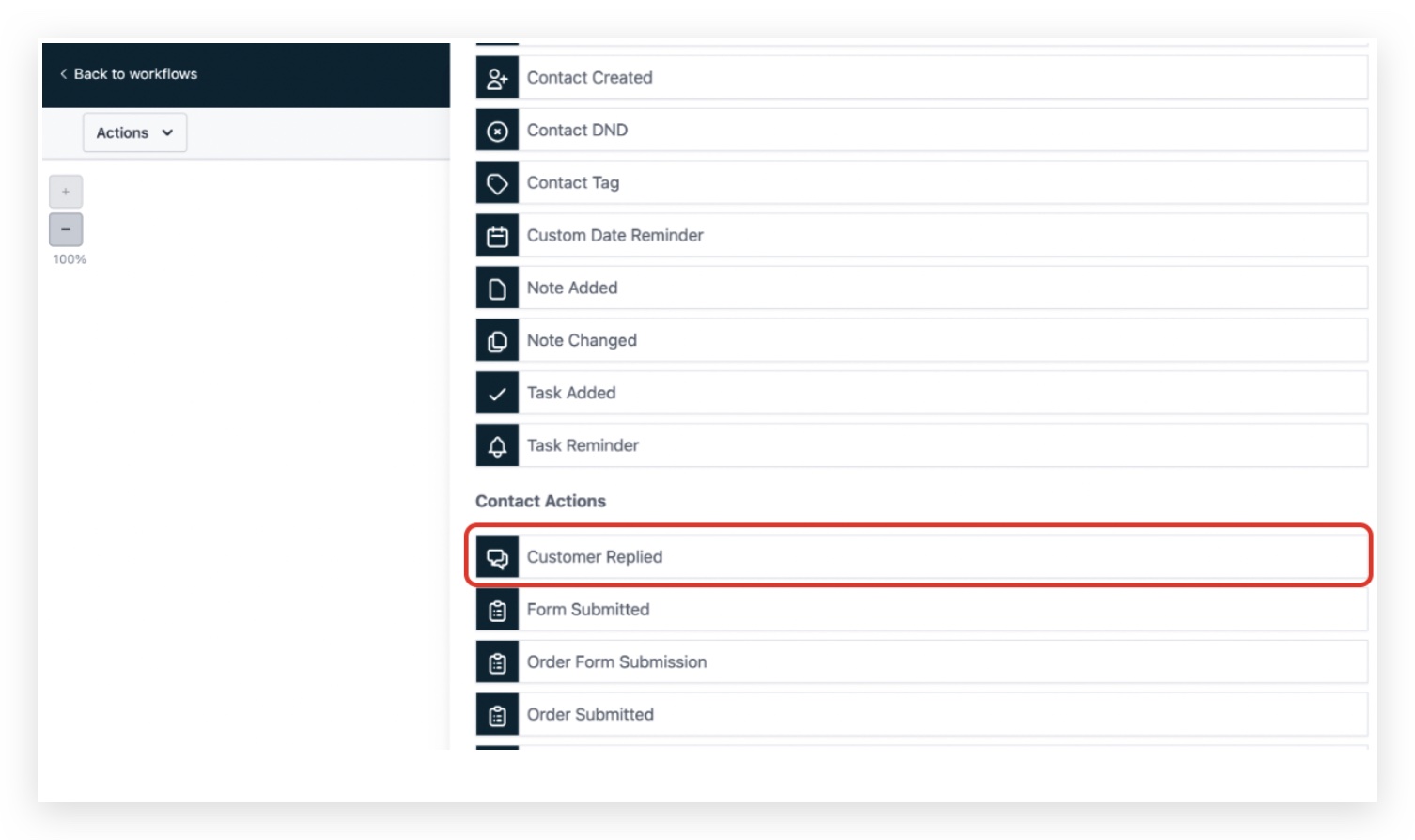
Step 4: Click on Customer Replied
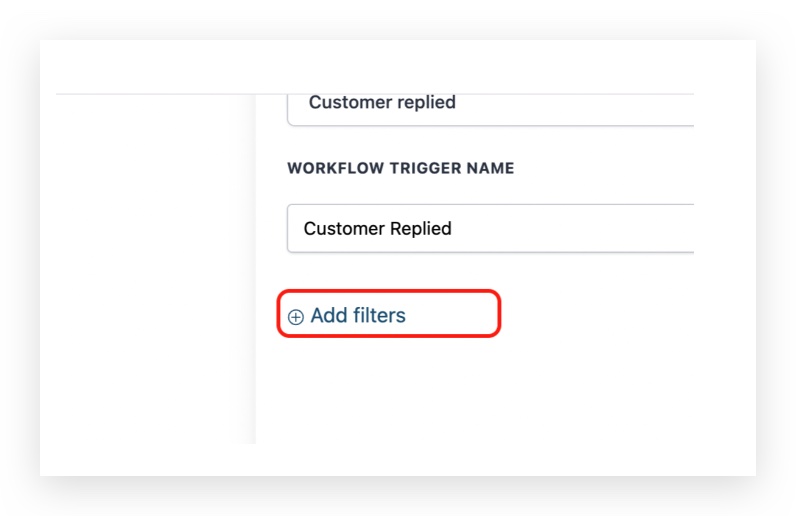
Step 5: Click on Add filters
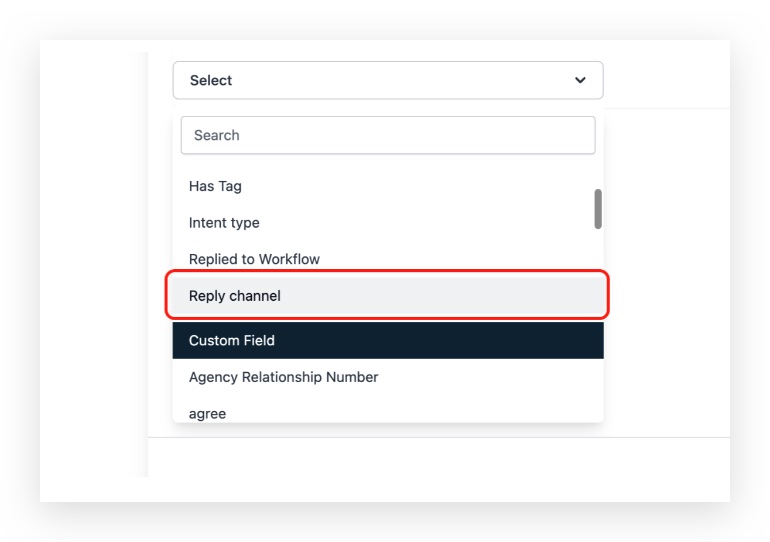
Step 6: Select Reply channel
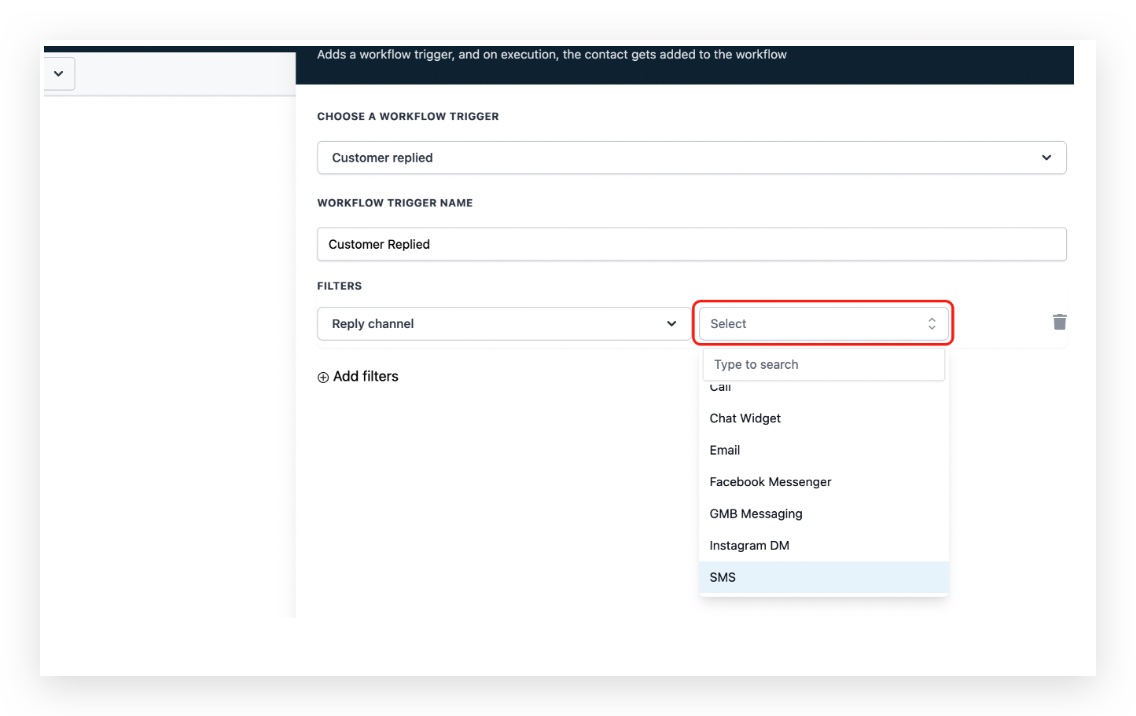
Step 7: In the reply channel dropdown, choose SMS
Step 8: Click on Save Trigger
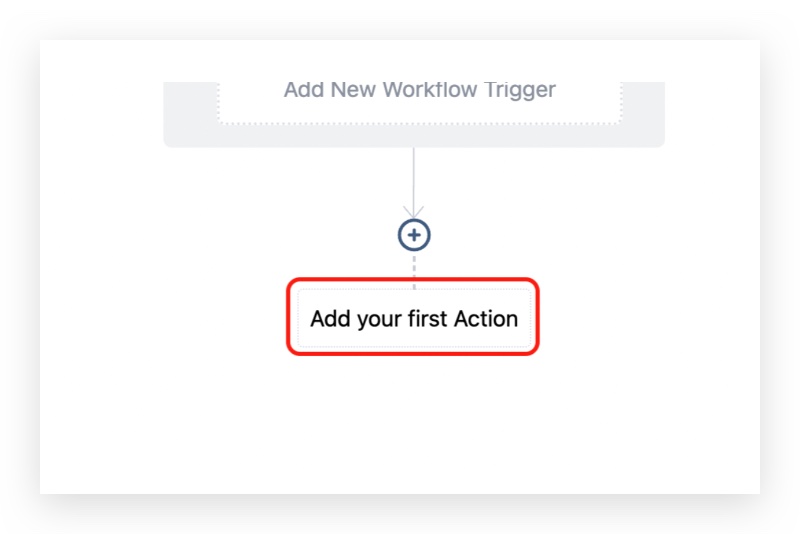
Click on Add your first Action
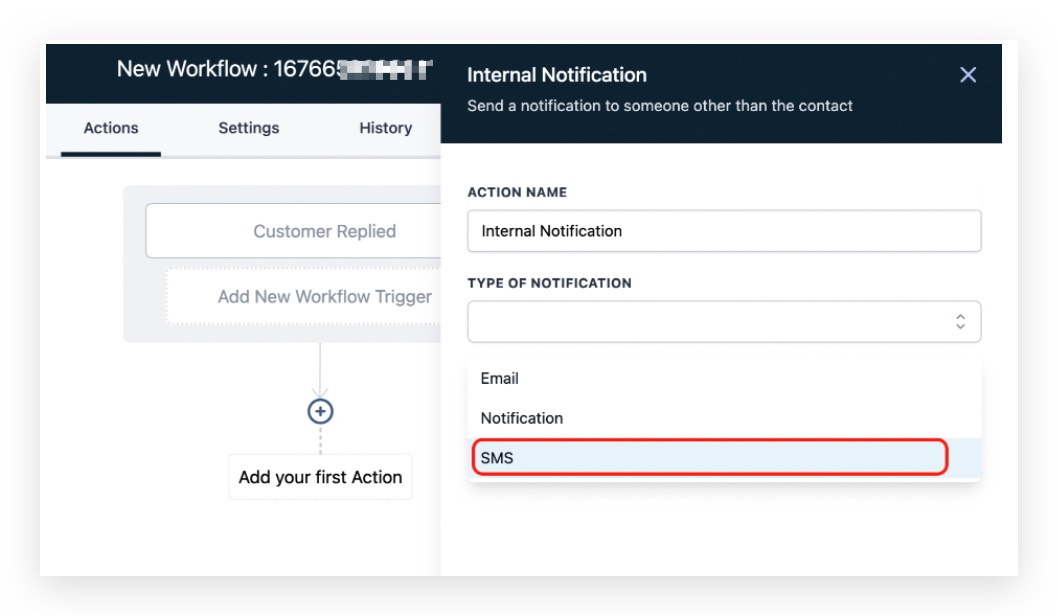
Step 9: Click on Send Internal Notification

Note: SMS notification will create charges for every sms sent
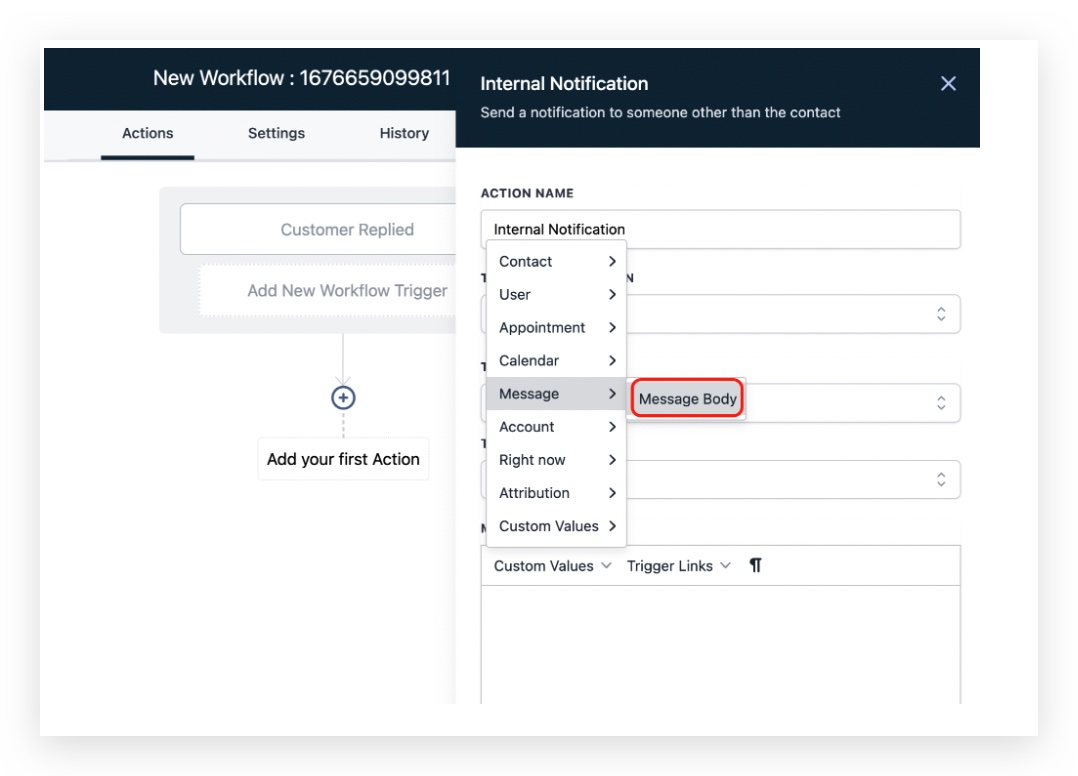
Step 10: Click on Custom Values > Message > Message Body
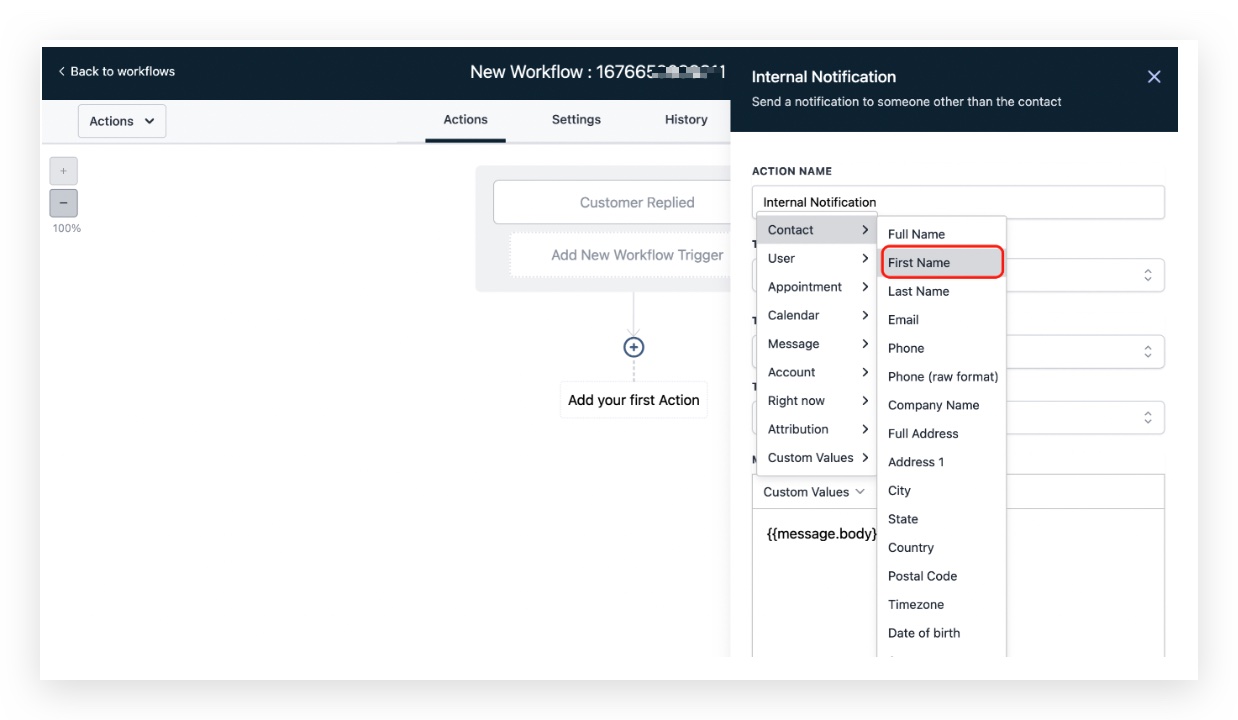
Step 11: Click on Contact > First Name
Keep learning