
Inbound SMS Showing as Calls or Missing in GoHighLevel: Fix It Now
Updated February 7, 2025
When inbound SMS messages fail to appear in GoHighLevel or are mislogged as calls, the root cause is almost always a misconfigured Twilio webhook, messaging service, or subaccount connection. This guide walks you through diagnosing your Twilio setup, correcting webhook configurations, and verifying message delivery so incoming SMS routes correctly into your CRM.
Try to reset Twilio number if you are NOT on Leadconnector phone system:
If resetting the Twilio number is not working, When inbound SMS is not coming into CRM:
1. Login to https://www.twilio.com/login
2. Go to the top right -> Click Account -> Click Subaccounts
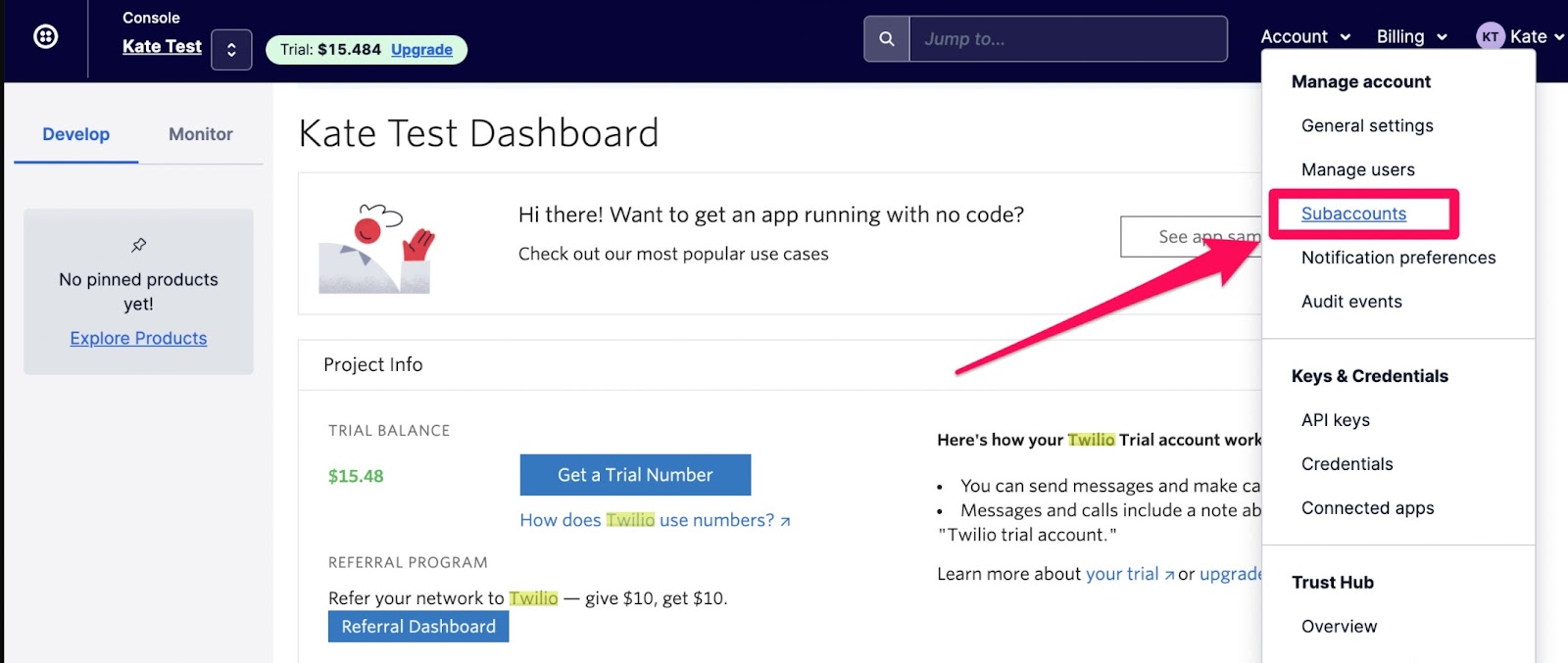
If you have multiple subaccounts in Twilio, you can return to the agency view on the platform, copy the Account SID for the specific location, and use it to search within Twilio.
If you are on LC phone, please contact support
Now go back to Twilio with the copied Account SID
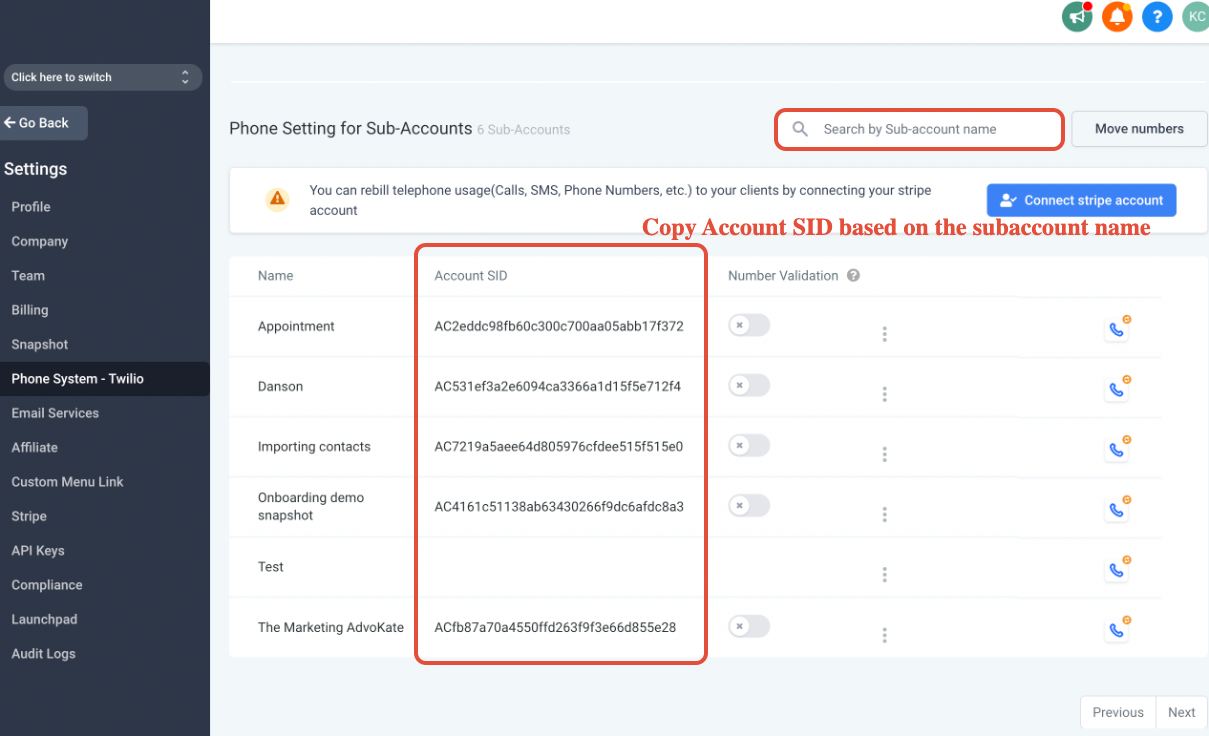
Search based on the Twilio Subaccount SID in CRM agency settings -> Twilio
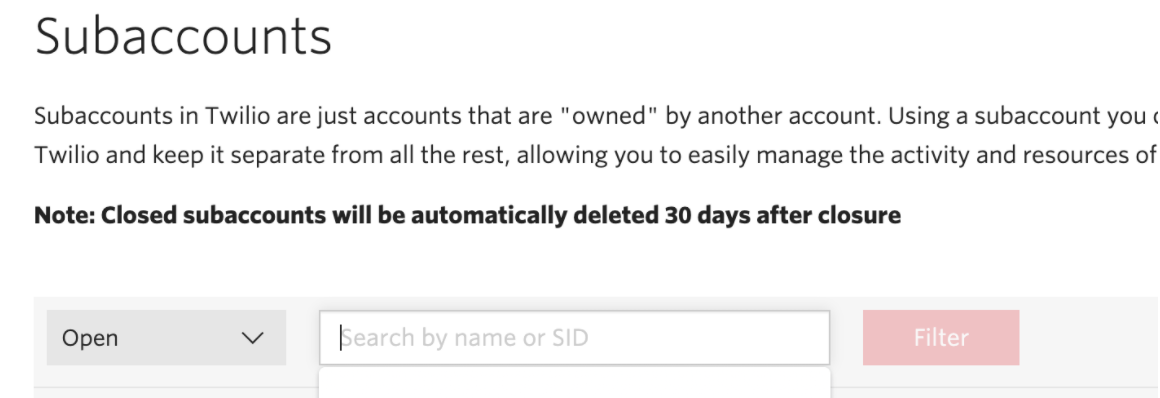
Paste the Account SID here and click on it:
Check if the Twilio number is MMS capable:
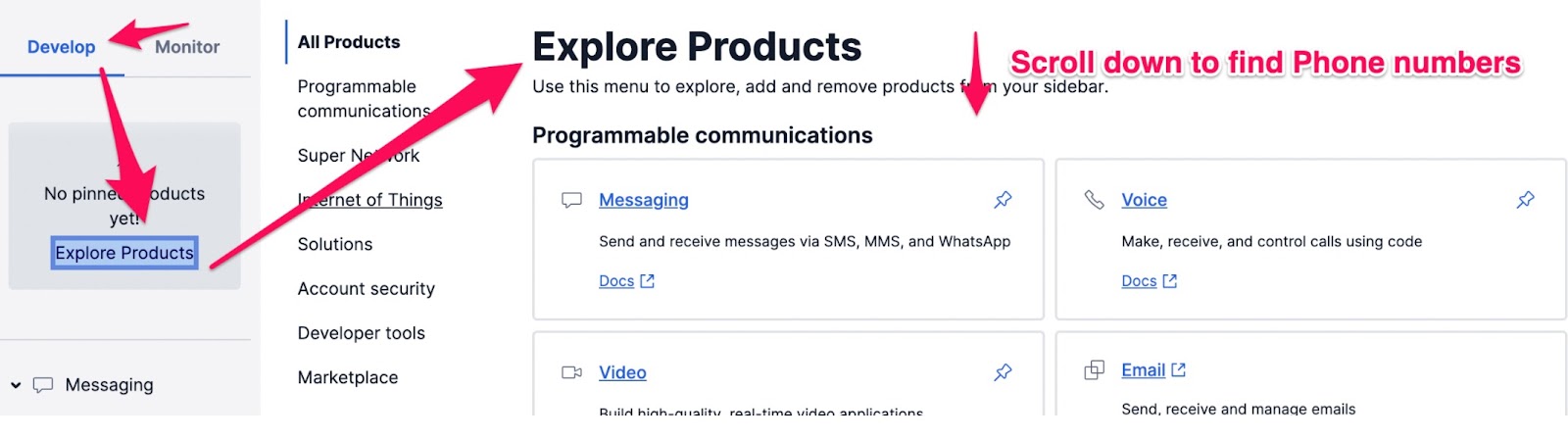
Click on Phone numbers:
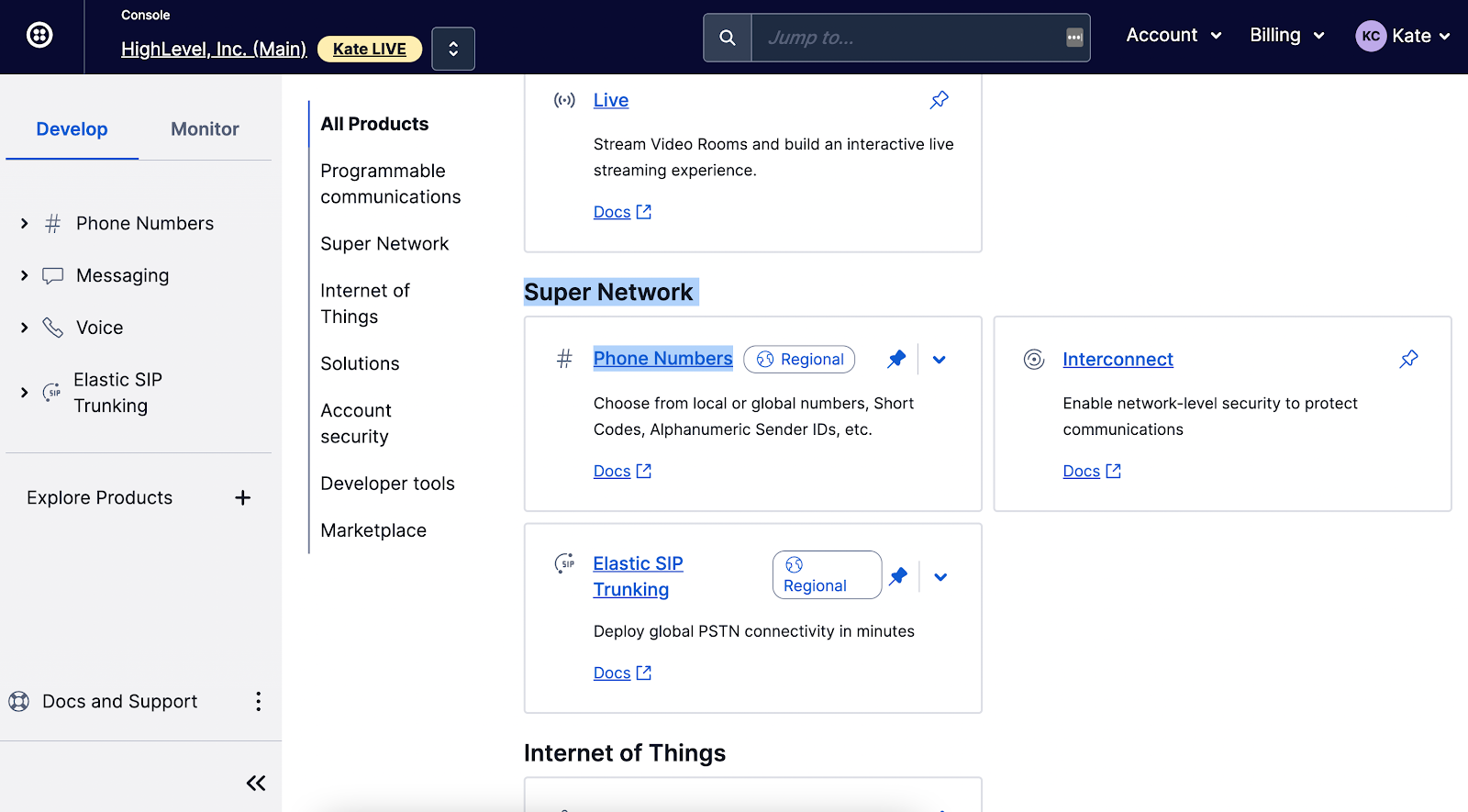
Check if it is configured as:

If not, please click the phone number and scroll down to replace the webhook:
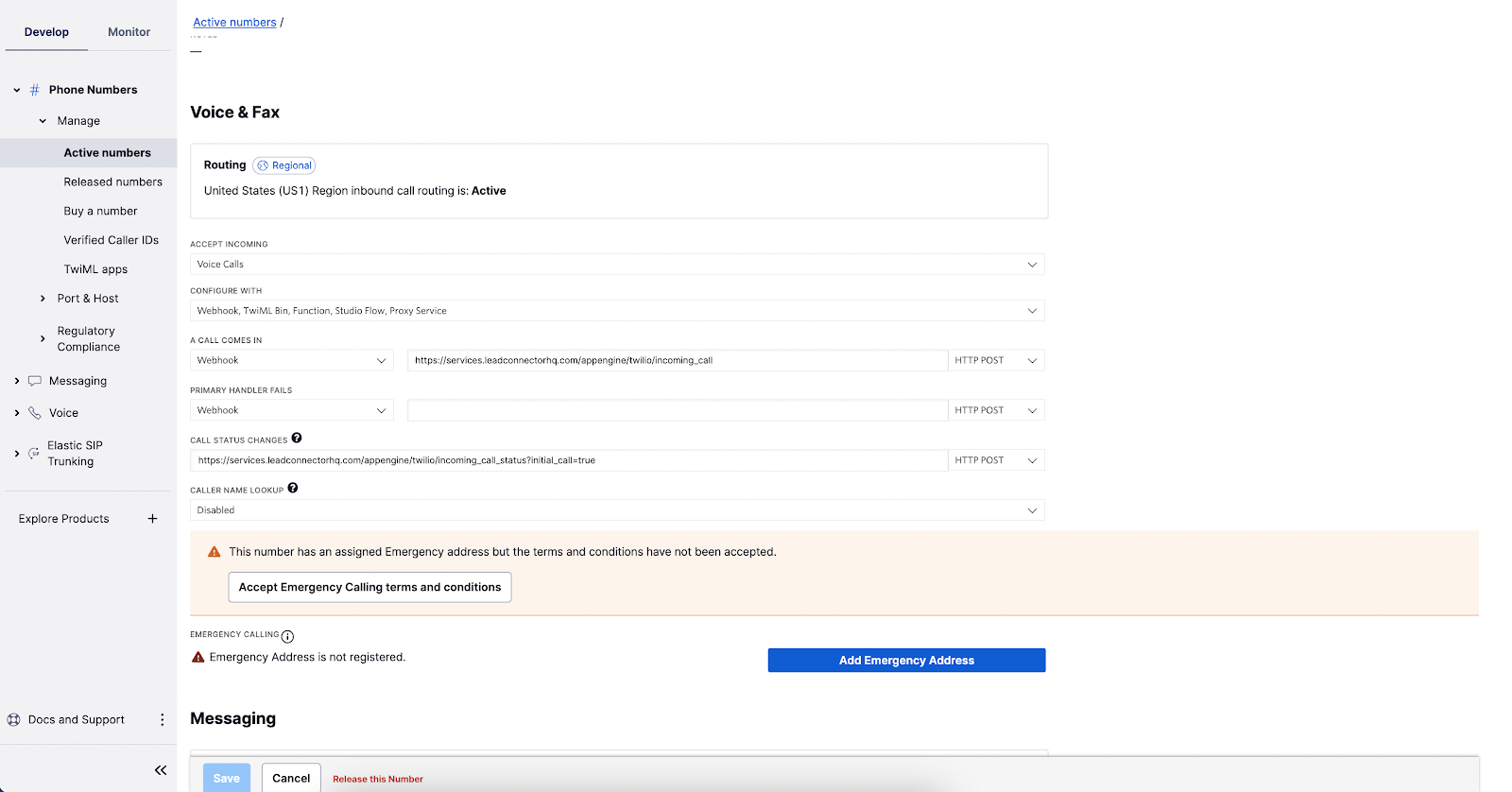
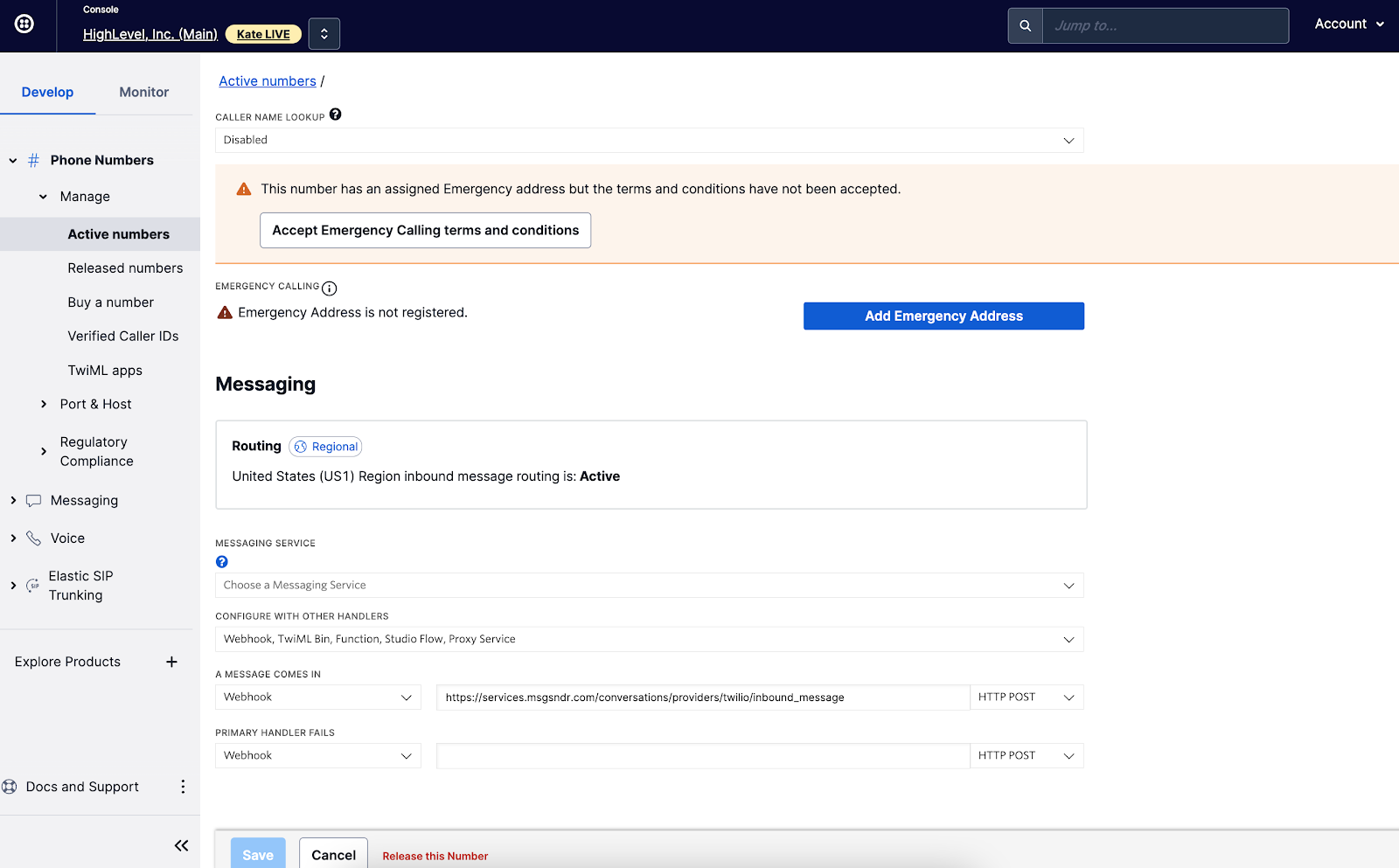
Click save and now you can test again to see if incoming SMS will show up in CRM.
If you have some messaging service that’s connected to the Twilio number, click into the messaging service here:
Note for LC phones that might be the case once signing up for A2P messaging service, don’t follow the steps here.
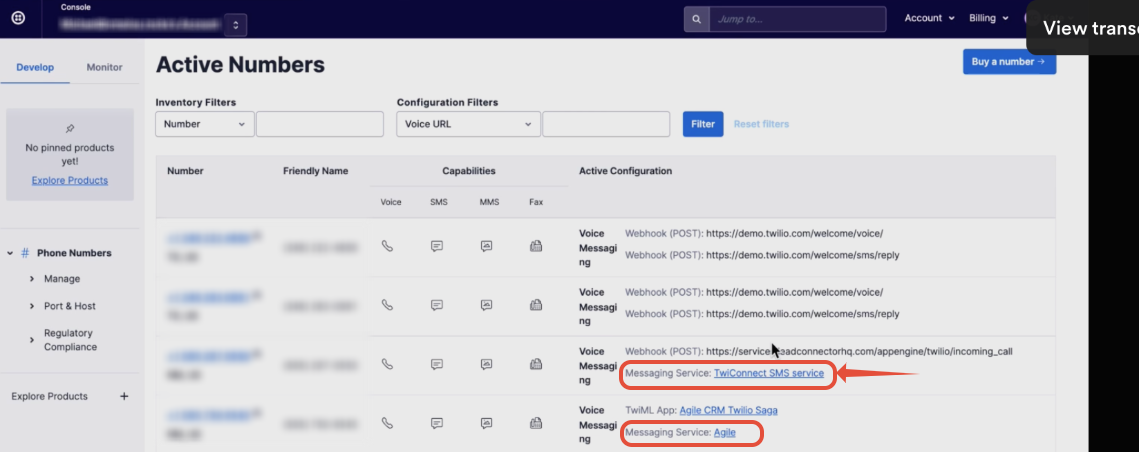
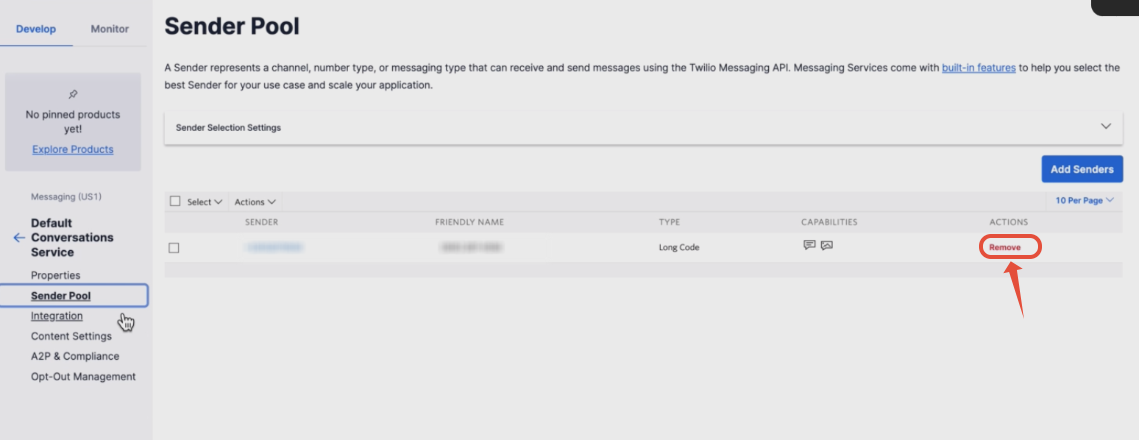
Click Sender Pool on the left
Remove all the Twilio numbers here
If NOT:
Verify if the Twilio number has an icon † next to it
† Can send/receive SMS to domestic numbers only
Left panel, Click Monitor -> Messaging
Put the lead’s phone number (remove all phone format) in the TO field:

Click the Date on the left for further details:
If it says delivered but the contact is not receiving it, grab this Message SID and open a ticket with Twilio support
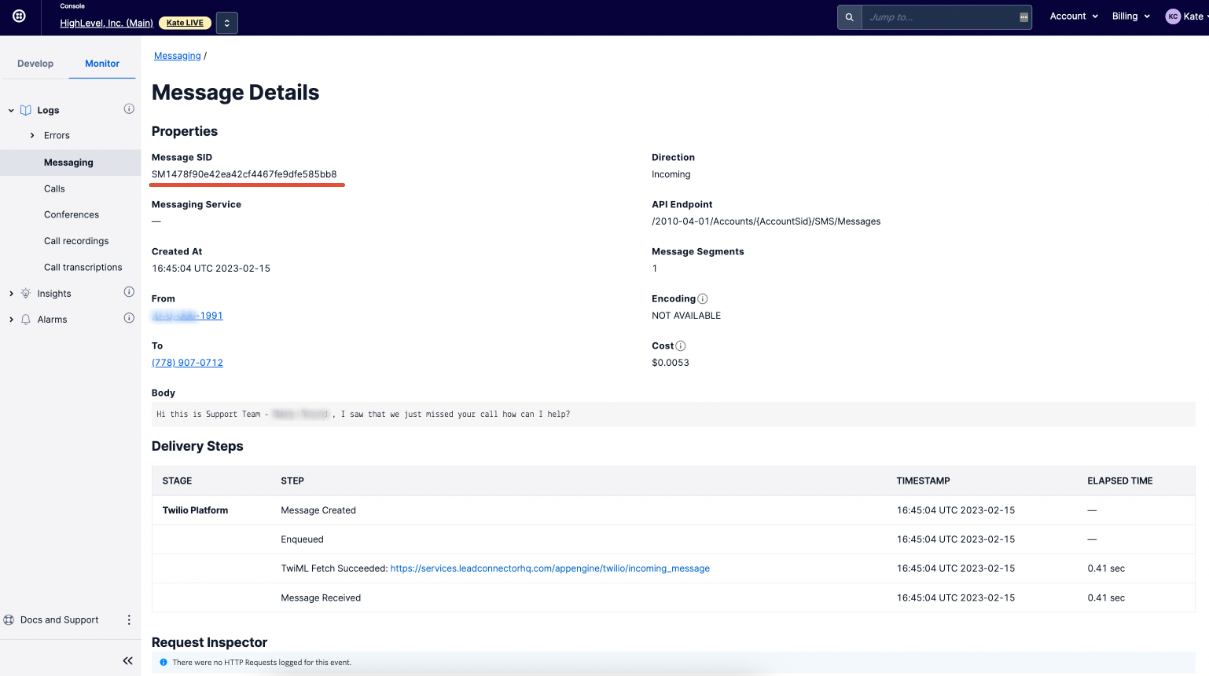
If you hover over the records, it will preview the content of the message. What does the status say?
Keep learning