
How to Transfer Existing Twilio Numbers into Your GHL Account
Updated February 11, 2025
Agencies managing existing Twilio numbers outside GoHighLevel often struggle to consolidate phone assets without disrupting active campaigns. This guide walks you through locating the gaining Account SID and updating credentials to successfully import Twilio numbers into your GHL sub-accounts.
How to locate the gaining SID for the account:
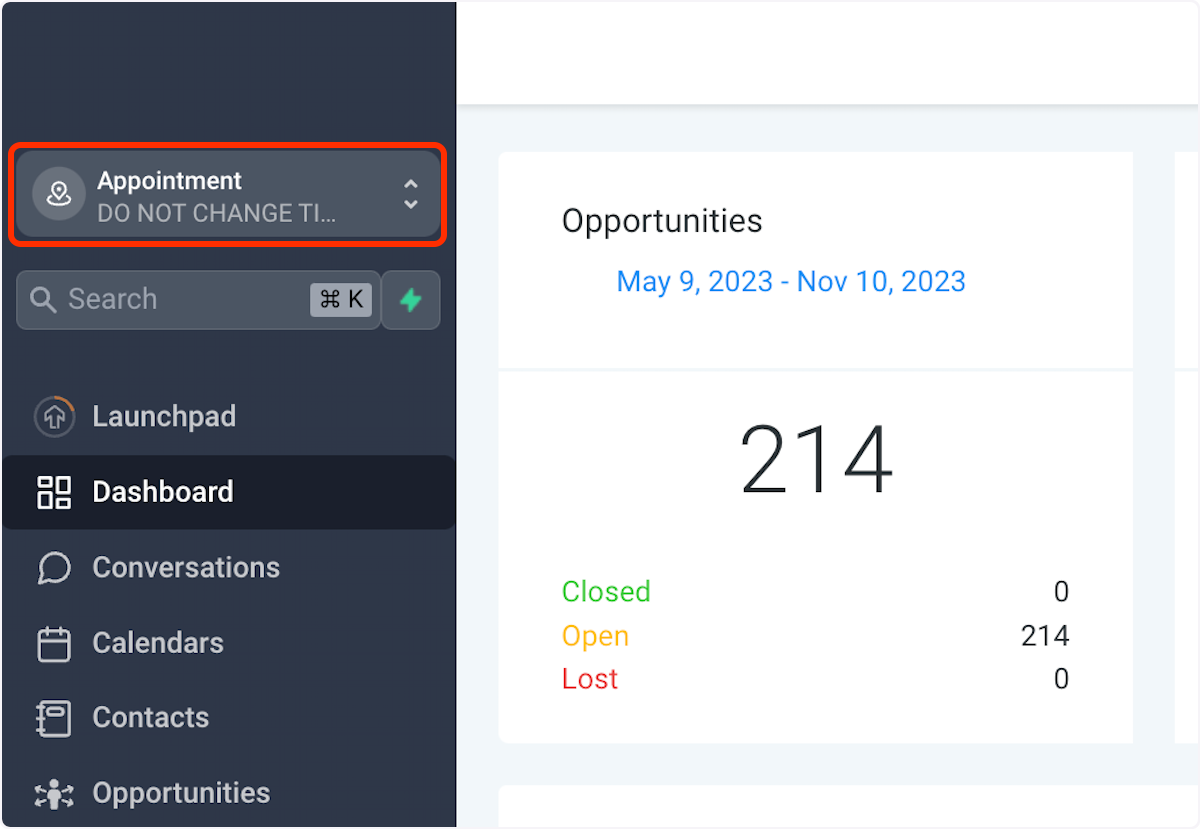
1. Click on sub-account name on the top left
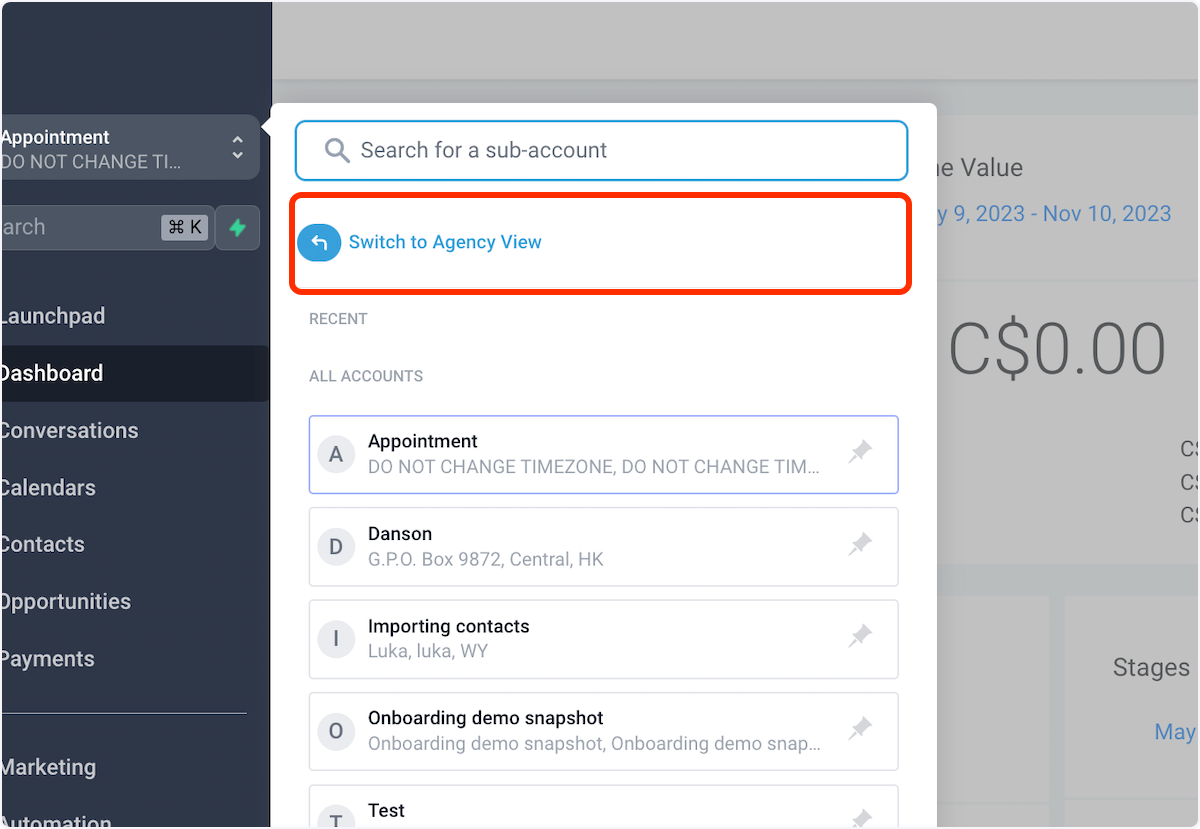
2. Click on Switch to Agency View
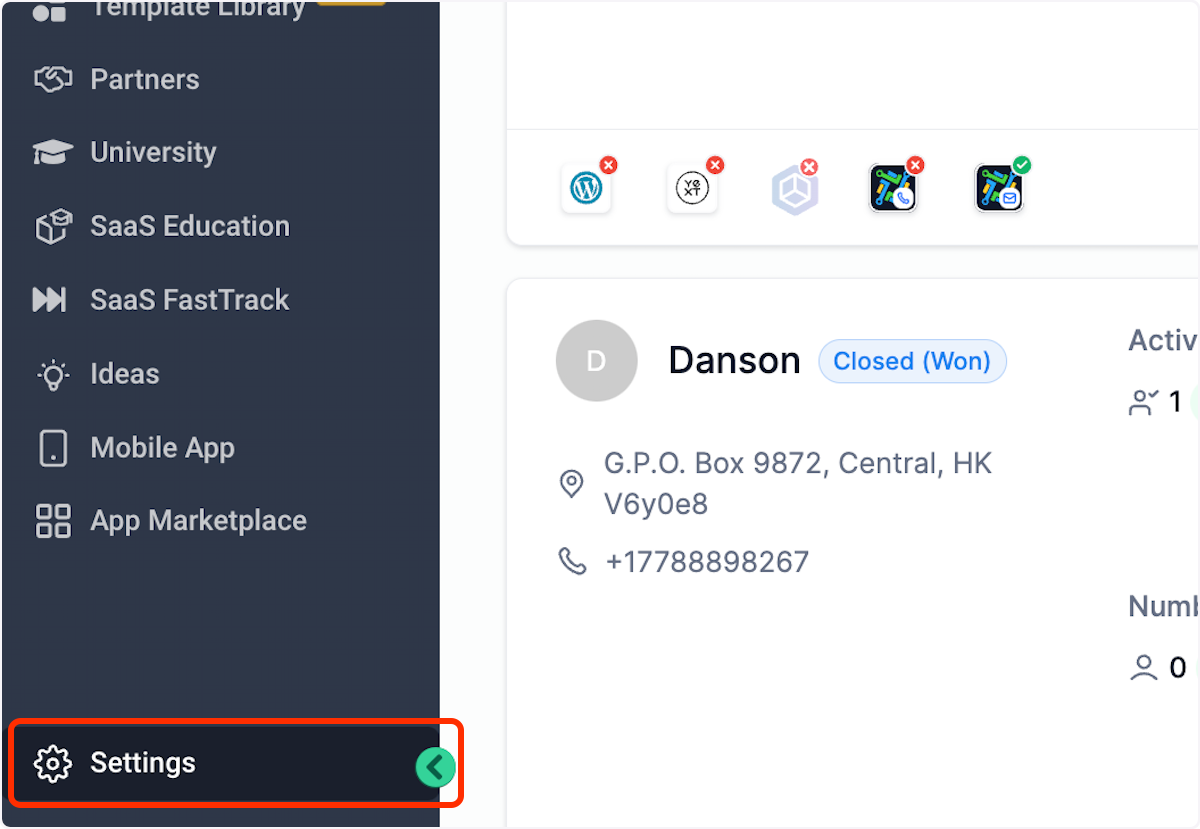
3. Click on Settings
4. Click on Phone Integration
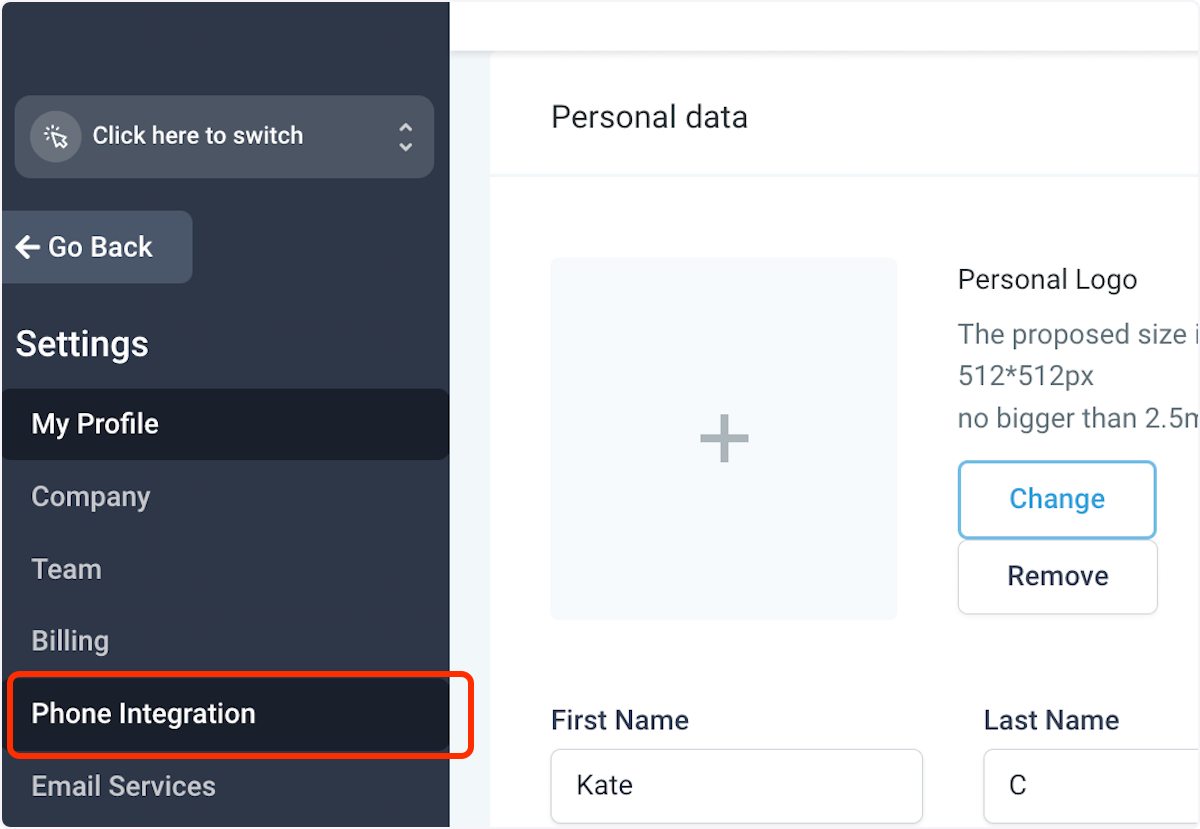
5. That’s the master Twilio account SID

6. Click on Sub Account Settings
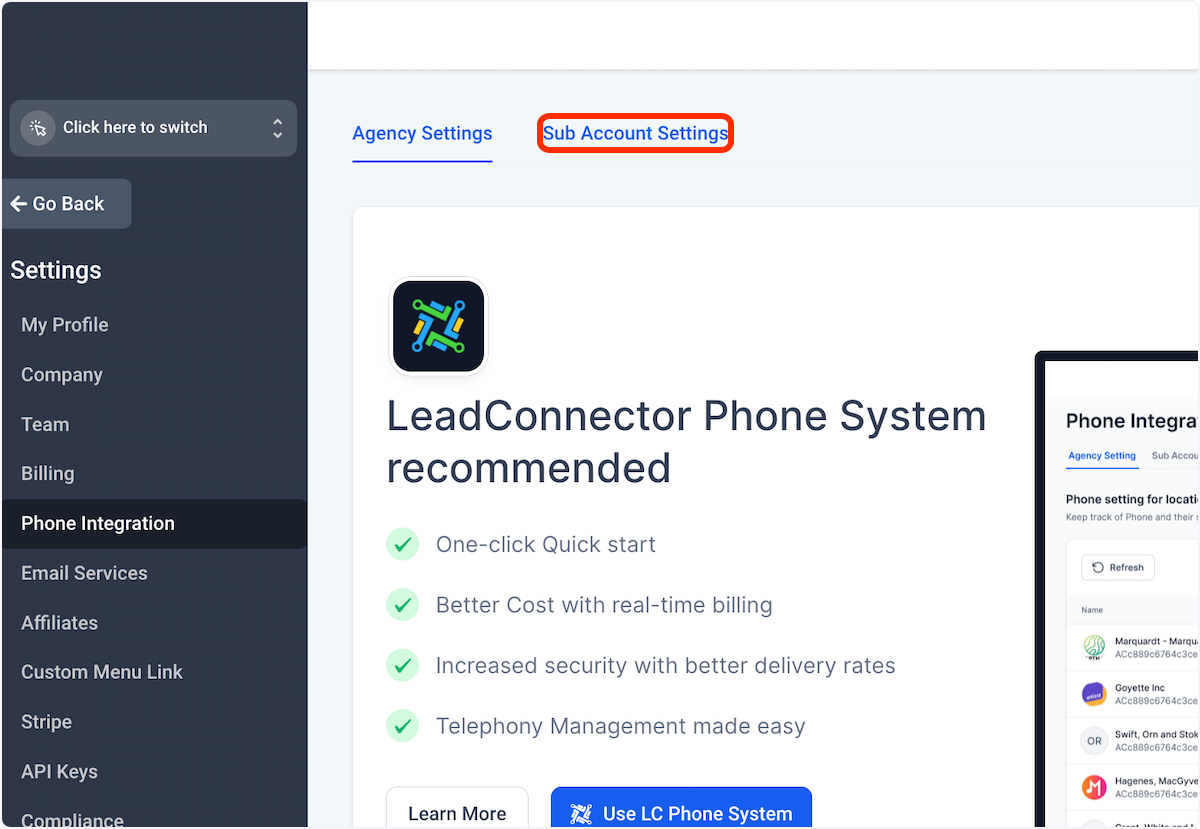
7. Select the pencil icon on the right next to the sub-account where you want to transfer the number.
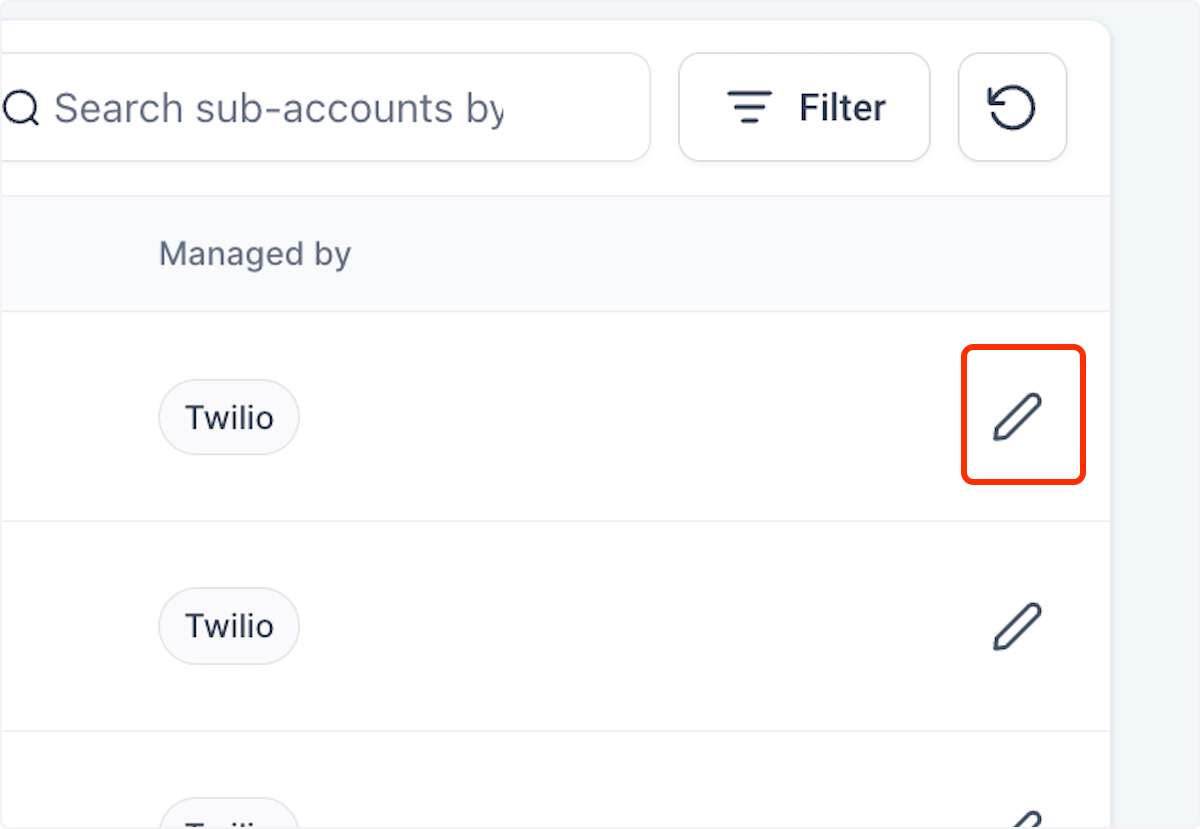
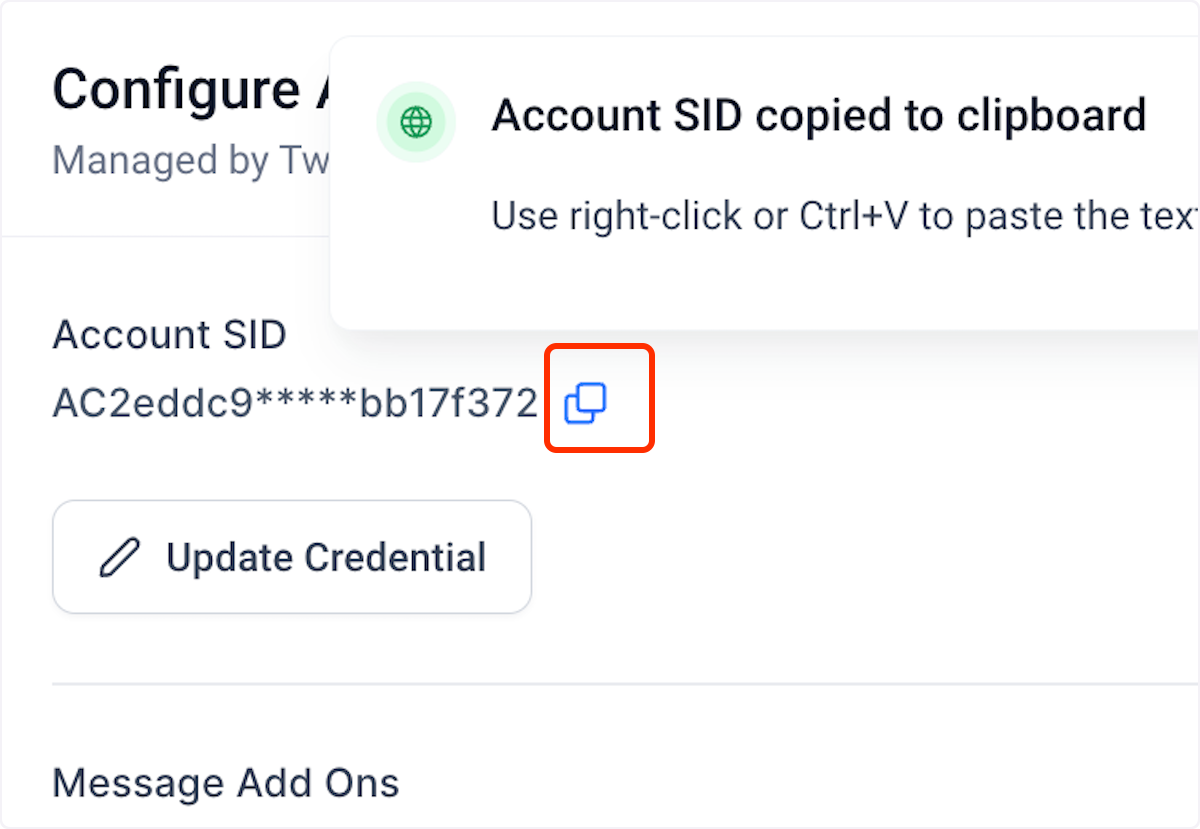
8. That’d be the gaining Account SID for the sub-account you want to move the number to
Click on Update Credential to update the Twilio Account SID and auth token for the sub-account
Keep learning