
Twilio Call Events Broken in GHL: Here's How to Fix It
Updated February 10, 2025
When Twilio call events stop firing in GoHighLevel, workflows and reporting that depend on call data break silently — often without a clear error. This guide walks you through finding your Twilio subaccount SID in GHL agency settings and diagnosing the issue using Twilio's call logs.
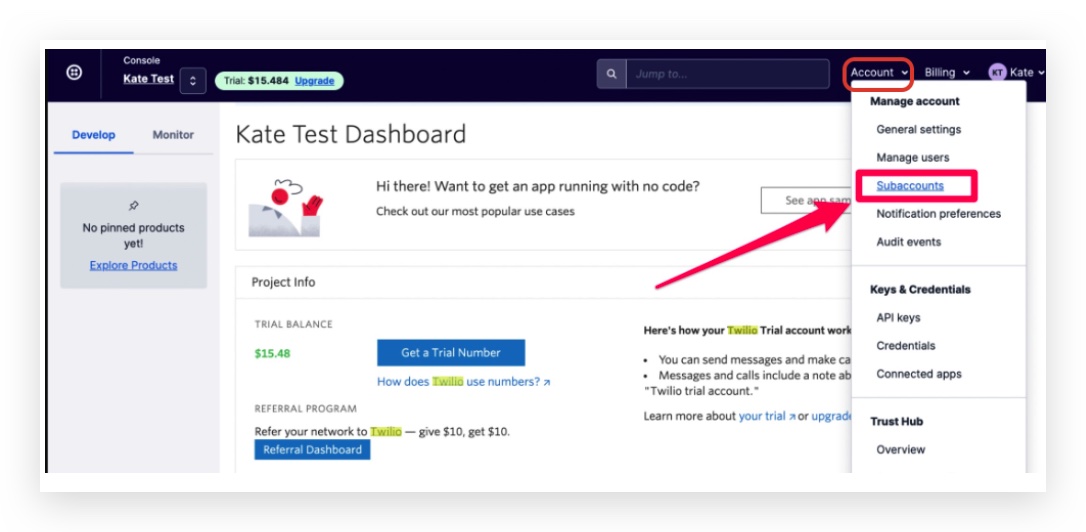
Step 1: Go to the Account dropdown on the top-right menu, click on Subaccounts
Step 2: If there are too many subaccounts inside Twilio, you can go back to CRM and copy the Account SIN for that location to search in Twilio:
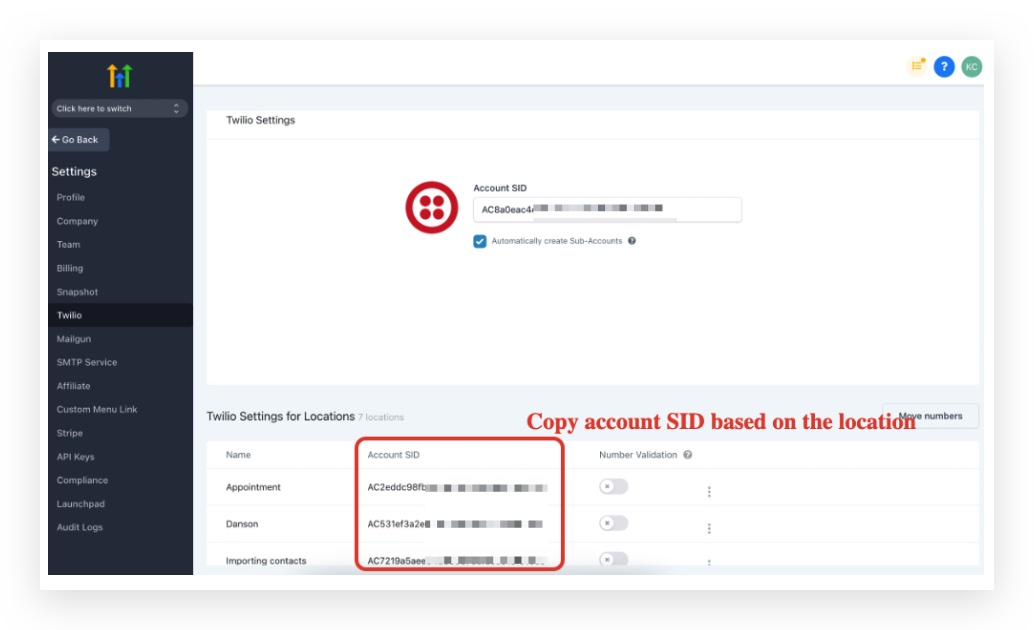
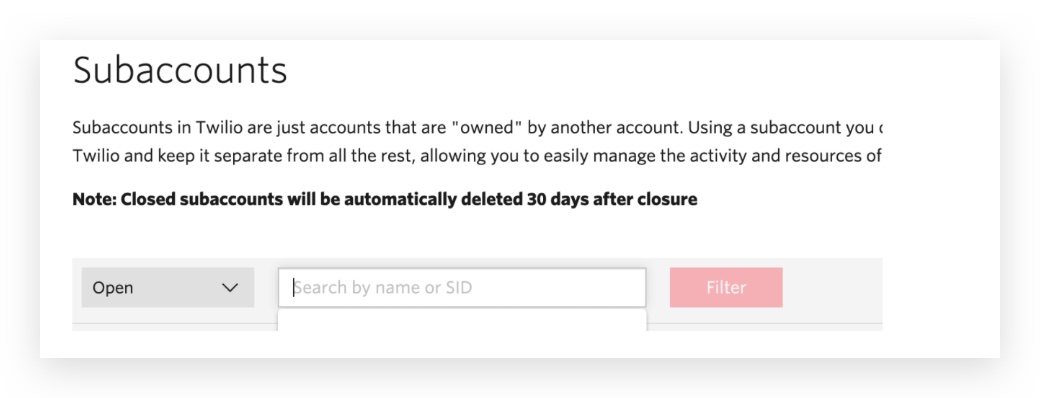
Step 3: Search based on the Twilio Subaccount SID in CRM agency settings -> Twilio
Paste the Account SID here and click on it:
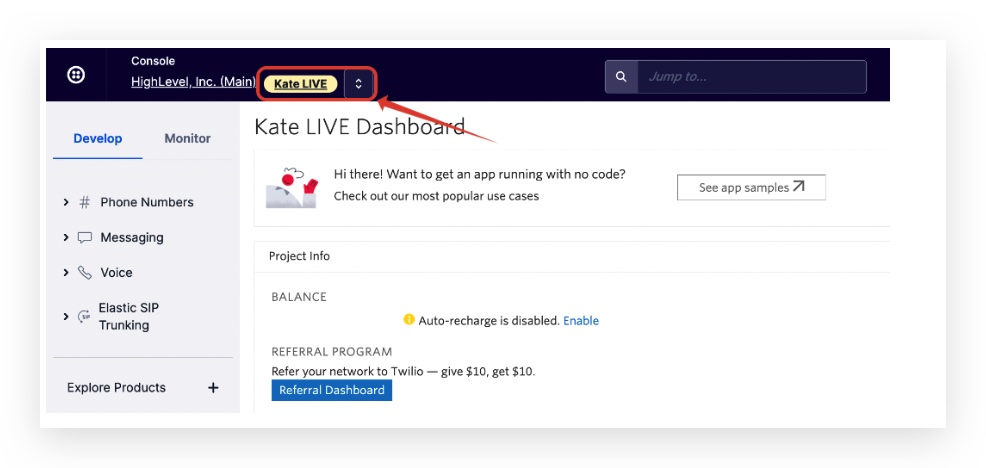
Step 4: Click into the subaccount so you will see there’s an orange text on the top left:
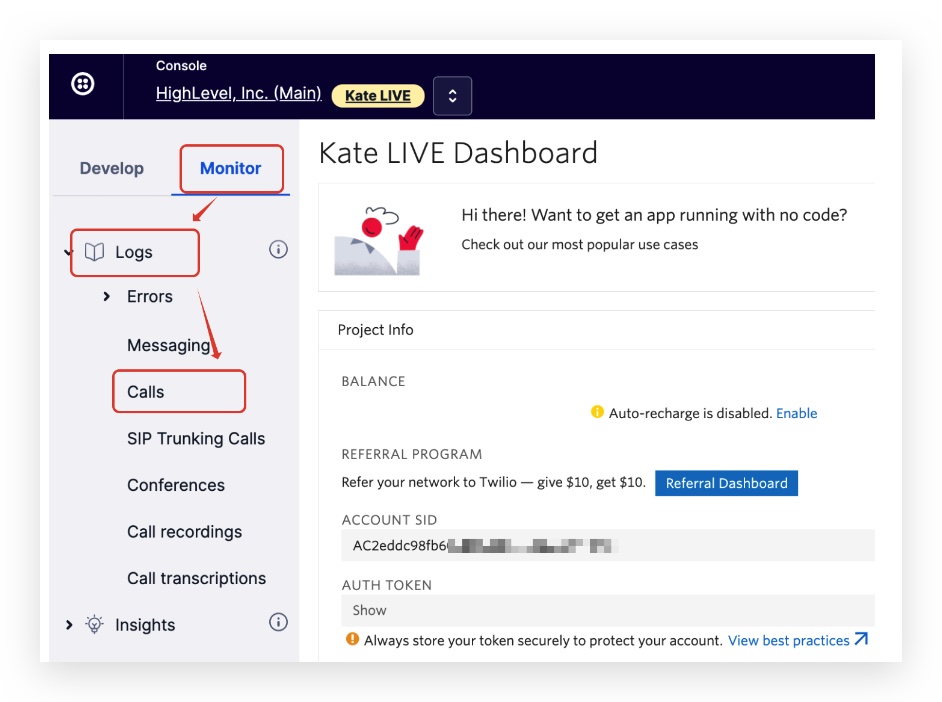
Step 5: Click Monitor -> Logs -> Calls
Keep learning