
How to Check Email Campaign Statistics in GoHighLevel
Updated November 18, 2022
Without clear email performance data, it's impossible to know which campaigns are working and which are falling flat. Using GoHighLevel's email statistics panel, you'll be able to review opens, clicks, and delivery failures for every contact across sent and scheduled campaigns.
This tutorial will show you how to check email stats for sent and scheduled emails.
- Navigate to the Email section.
- Choose “Email Campaigns”.
- Click the Actions dropdown menu and select “Statistics”
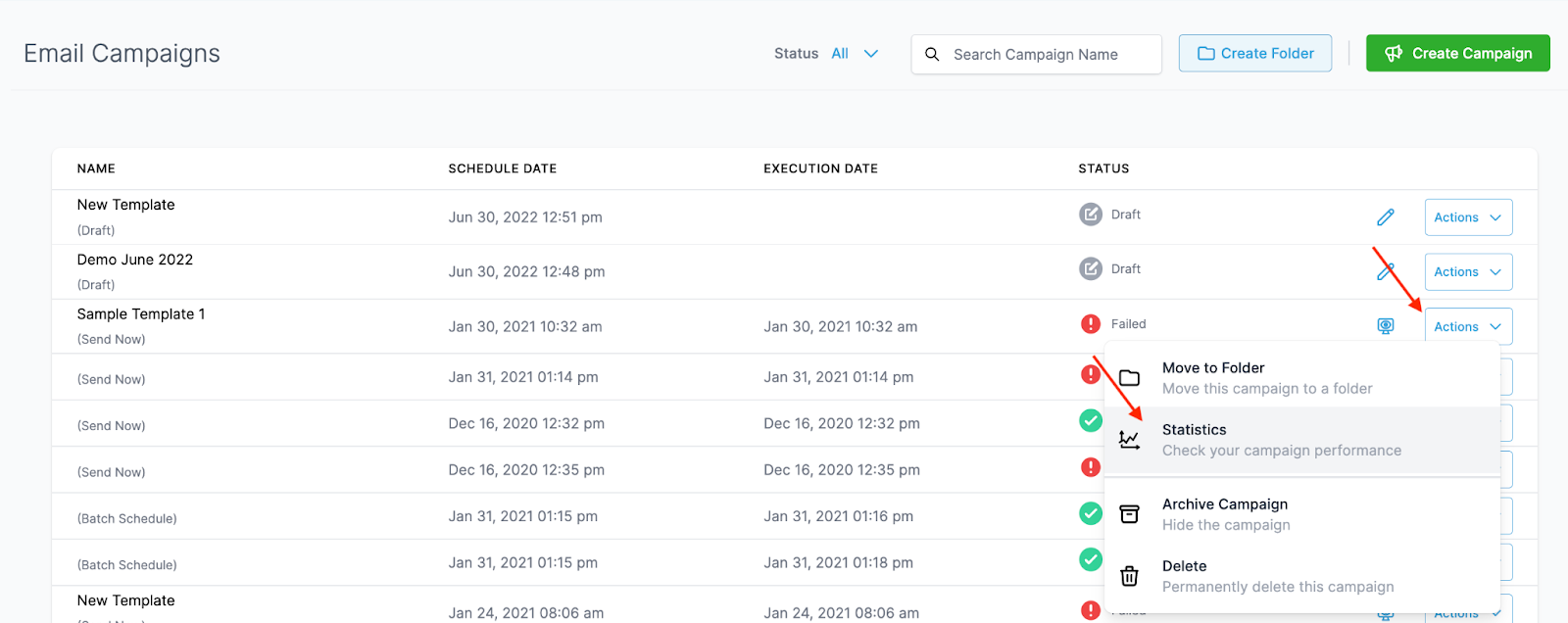
- In the popup window on the right hand side, you’ll be able to view all the Statistics for that email.

Click “Load more Statistics” to open a popup window that displays detailed information on specific contact records and their status as opened, clicked, failed, etc.
Keep learning