
Set Up an AI Conversational Appointment Booking Workflow in GHL
Updated March 27, 2025
Manually chasing leads to book appointments creates delays and gaps in your sales process. Using GoHighLevel's AI appointment booking workflow, you'll configure the conversation bot, set timeout rules, and build conditional paths that handle every booking outcome automatically.
1. Create Workflow
Add a trigger with customer Replied (or any other trigger)
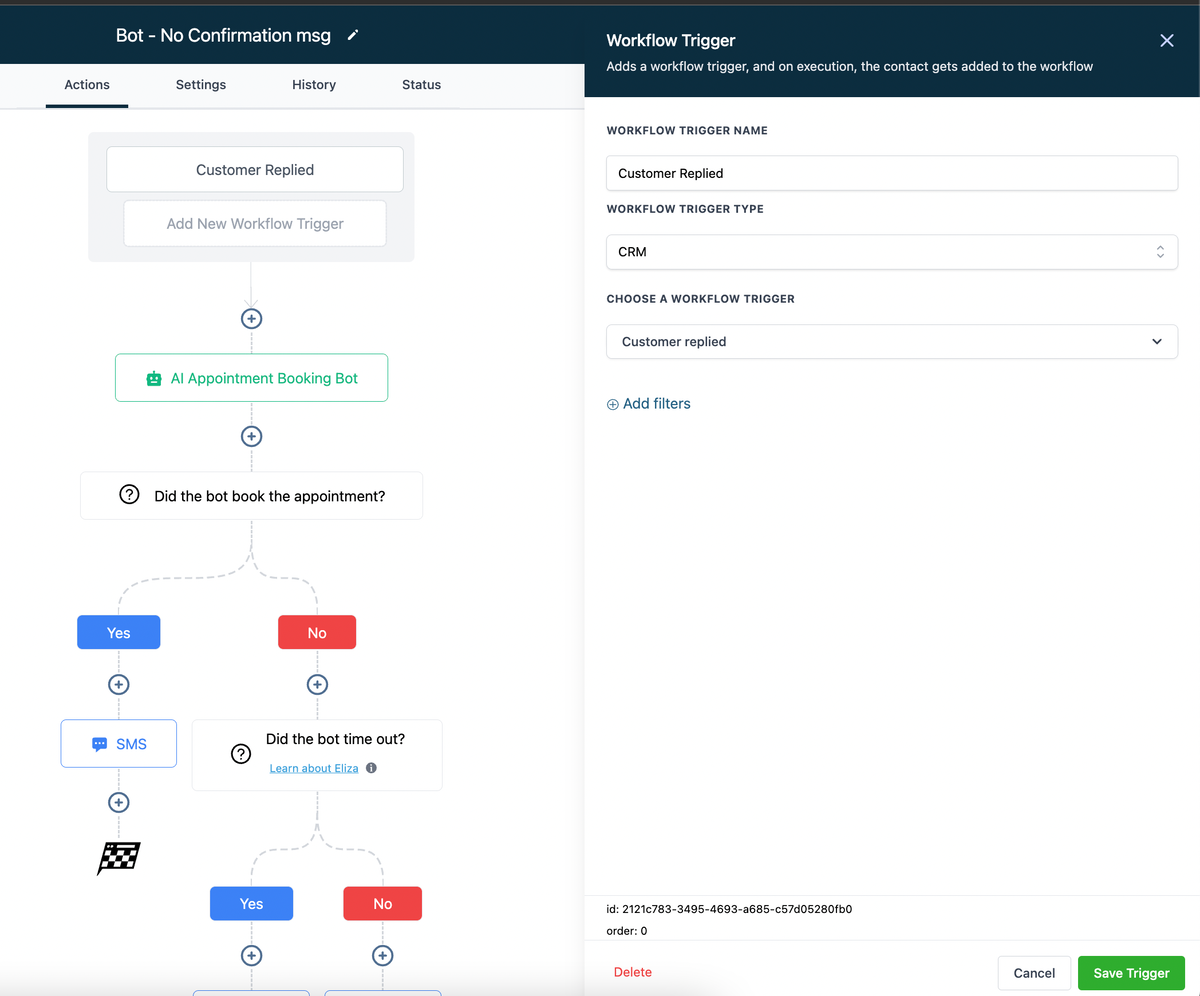
2. Select the AI appointment bot in the workflow options
Configure an action for the appointment bot using the preferred calendar.
Set the “Total bot processing duration,” which determines the maximum time the bot will wait before timing out due to no response from the contact.
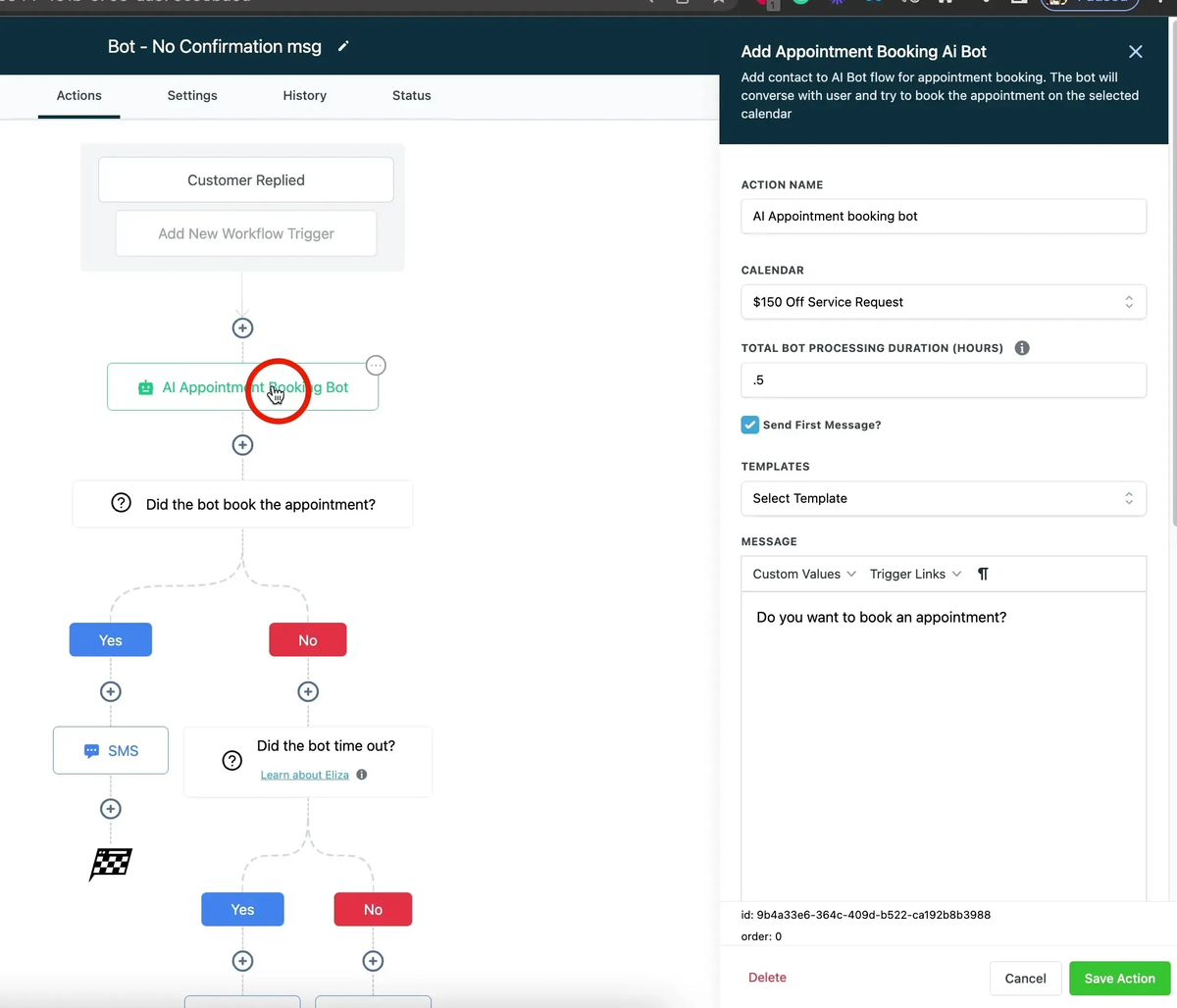
3. The AI conversation will end in one of the three ways.
1. The bot successfully books the appointment
2. Bot timed out: The appointment was not booked as the lead didn’t respond to the prompts by the bot.
3. Appointment could not be booked for other reasons, – no suitable slot, the bot could not understand the query or other technical issues.
4. Create a condition if the bot booked an appointment.
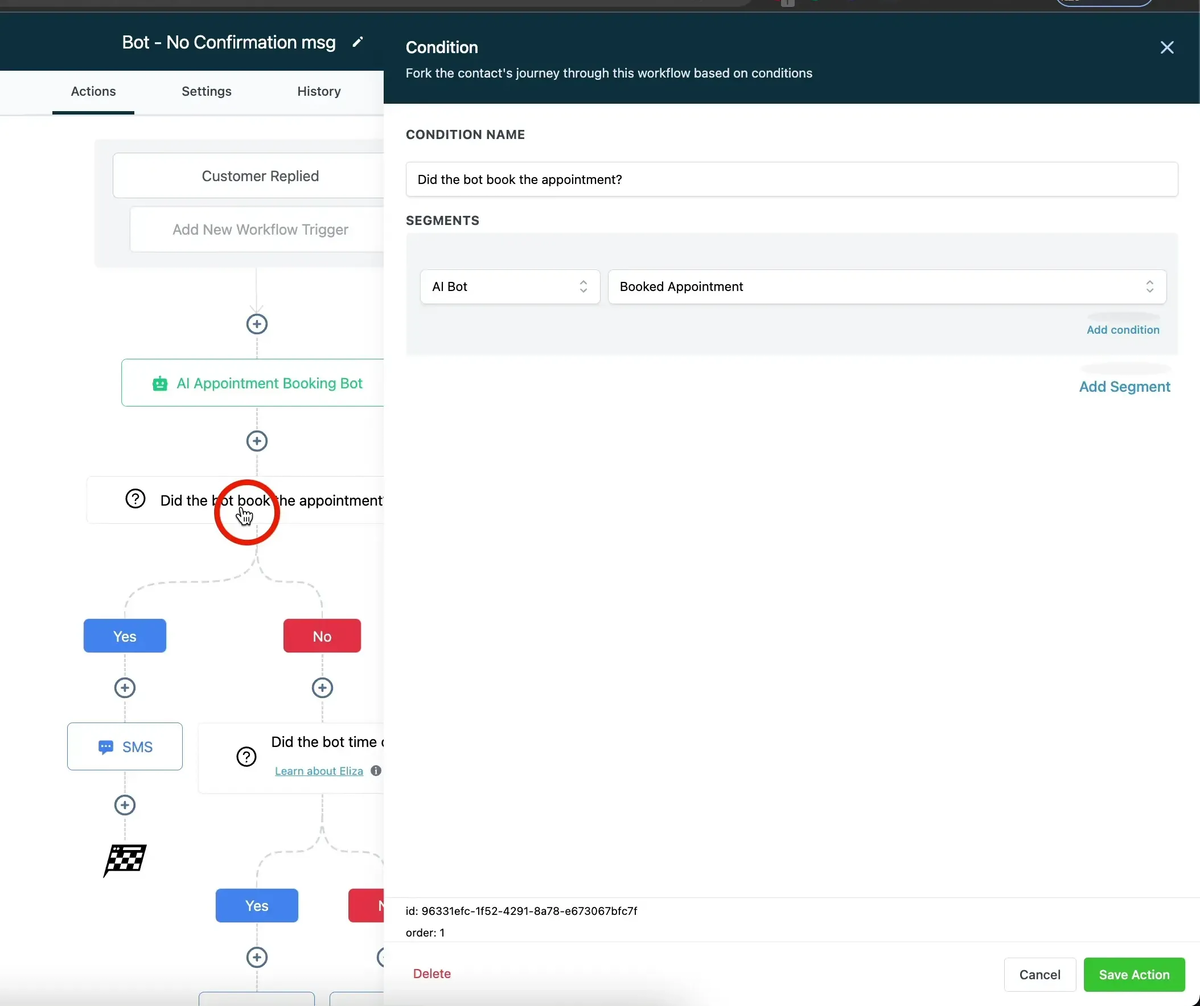
5. Create a message or any action for the appointment booked condition
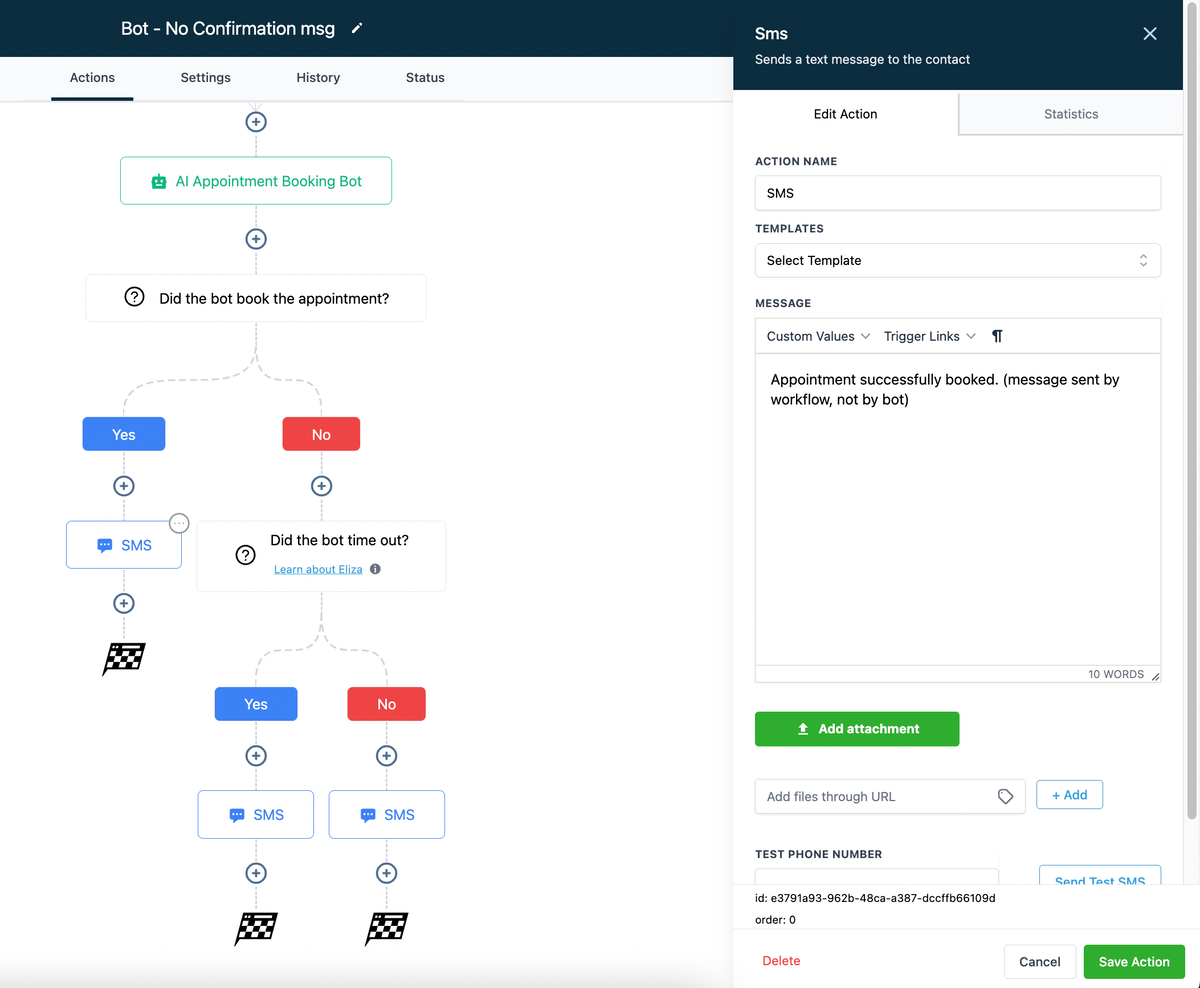
6. Secondary condition if the appointment is not booked due to bot timeout
Here we want to know if the appointment was not booked because the bot timed out or for some other reason.
Common reasons could be that no slots were available or the bot failed to understand the conversation.
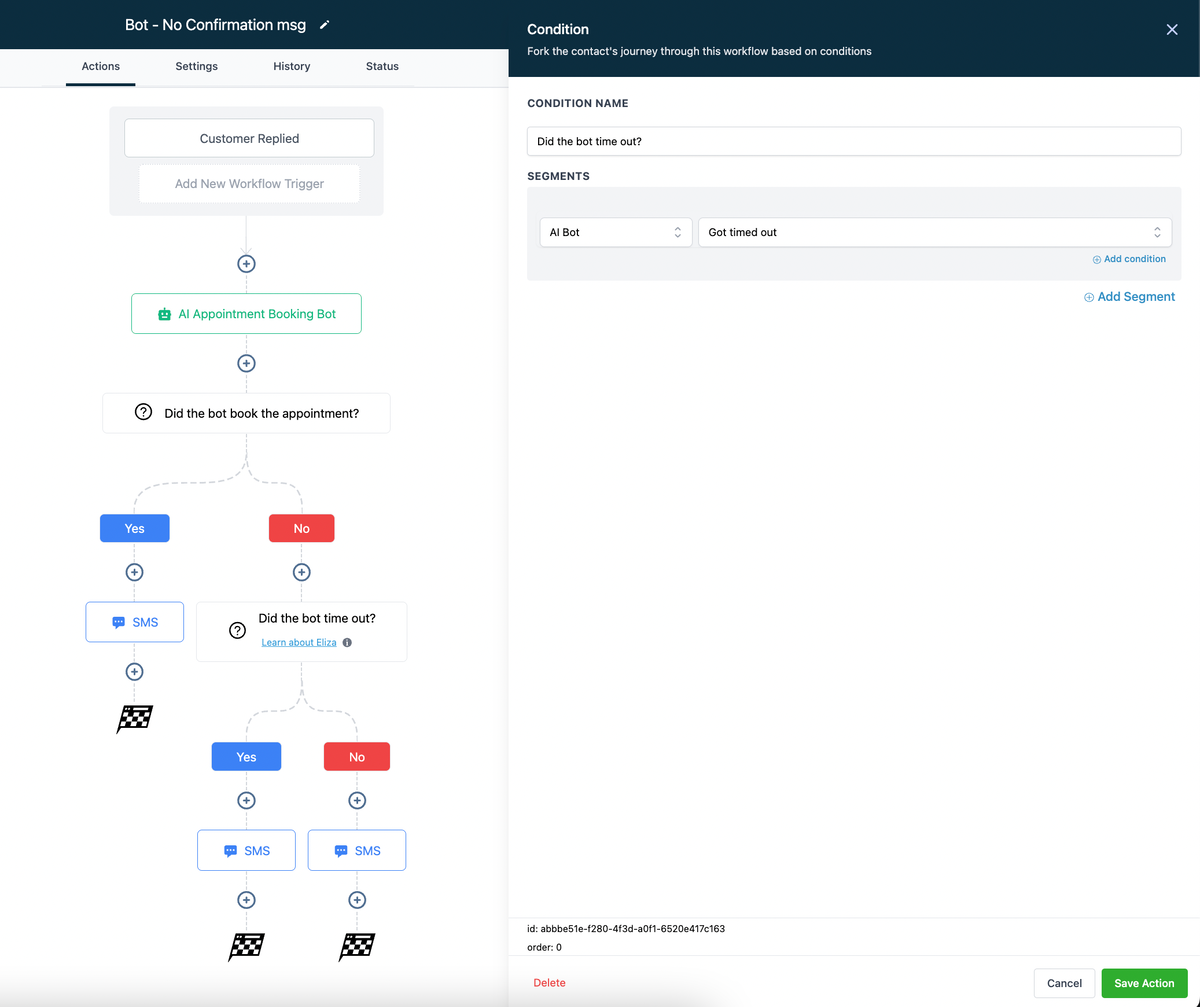
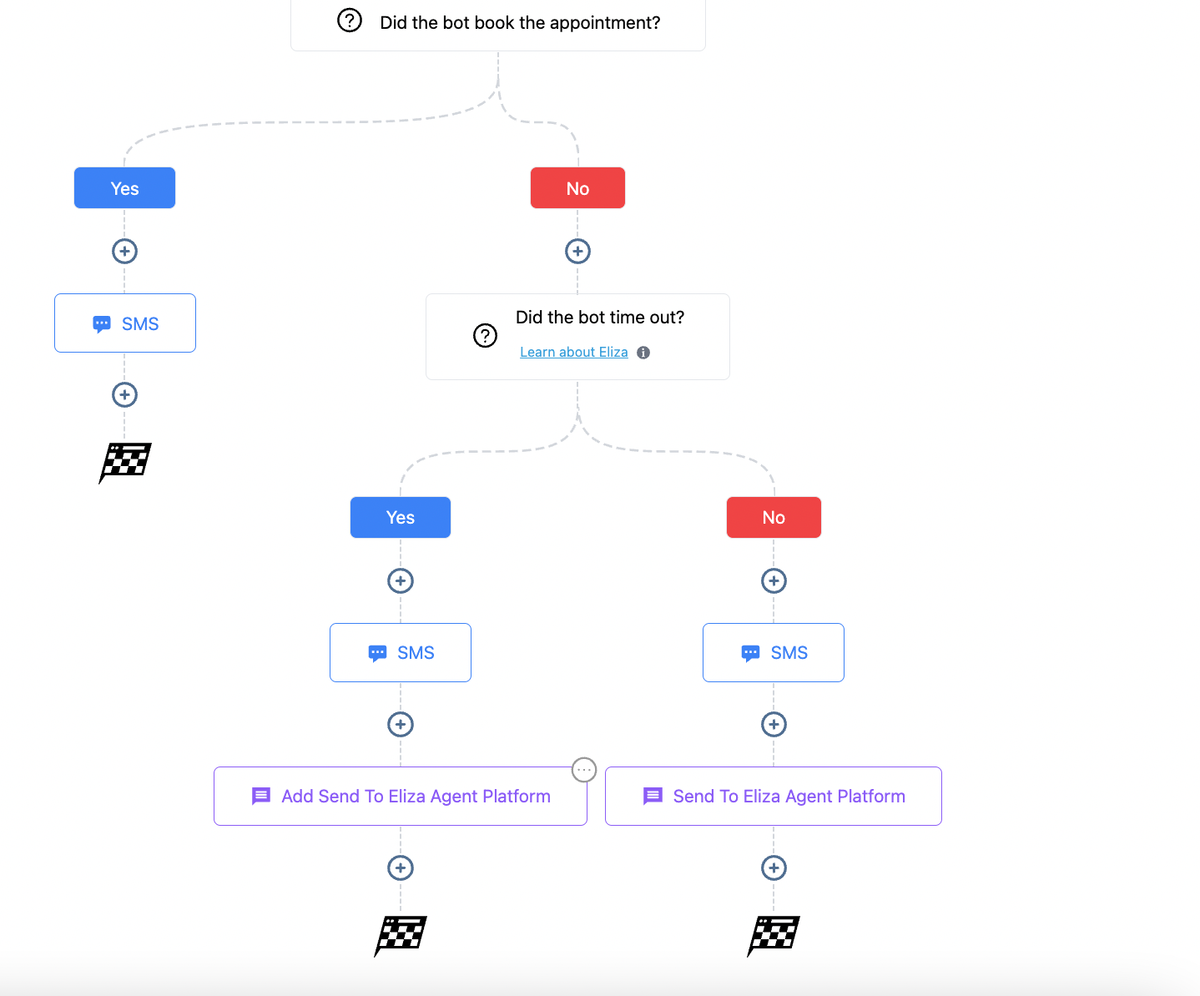
7. Third Condition – Appointment not booked for any other reason.
Set up the proper actions for bot failures due to any other reason. If you have an Eliza Agent Platform Subscription, you can transfer the lead there to maintain the nurturing process.
Keep learning