
How to Use the Contact Changed Trigger in GHL Workflows
Updated January 19, 2023
Manually tracking contact record updates in GoHighLevel wastes time and creates gaps in your automation coverage. This guide walks you through configuring the Contact Changed workflow trigger to fire automated actions based on tags, DND status, user assignments, and custom field updates.
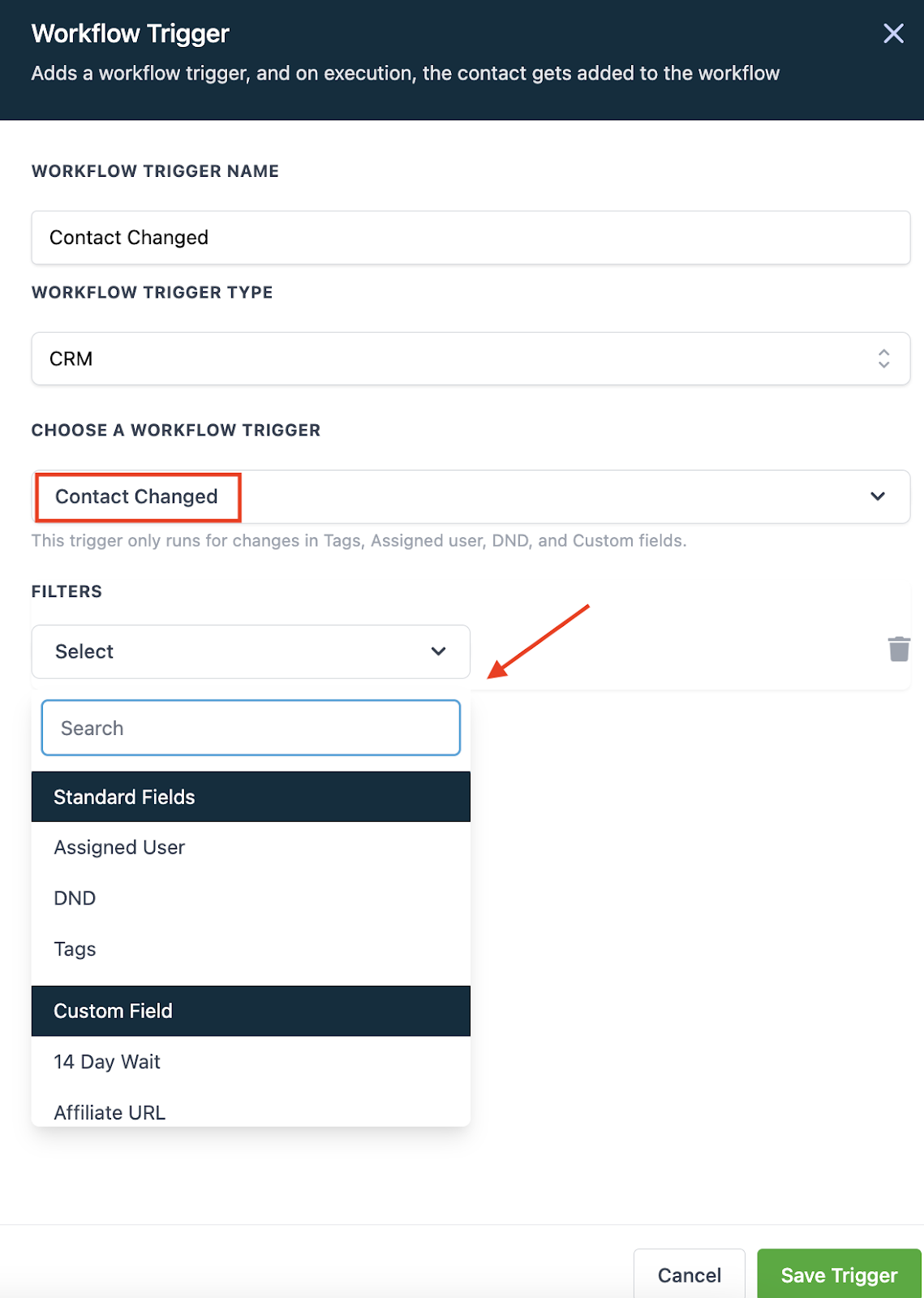
Within the Workflow builder, the “Contact Changed” workflow trigger allows you to automate actions when a contact record is modified. You can trigger events in a Workflow when a contact record is changed based on the following items:
- Tags being added
- Tags being removed
- DND being activated or removed
- Contact being assigned to a user, or reassigned to a user
- Custom field being populated
- Custom field changing to something specific
Follow these simple steps to use this Workflow Trigger:
- In the Workflow, click to add a Trigger.
- Choose “Contact Changed” as the Workflow Trigger.
- Select a filter from the dropdown menu.
- Save Trigger to add to the Workflow.
Keep learning