
How to Add and Customize Products in GHL Forms Payment Element
Updated August 12, 2024
Collecting payments through forms often requires a separate checkout tool, creating friction and lost conversions for agencies. By adding the Payment element with product support in GoHighLevel forms, you can sell products, manage inventory, apply tax calculations, and track orders — all within a single embeddable form.
We’re thrilled to unveil the new “Products” feature in Forms, designed to elevate your experience! This update allows users to effortlessly integrate products into their forms with enhanced customization and layout options.
What’s New
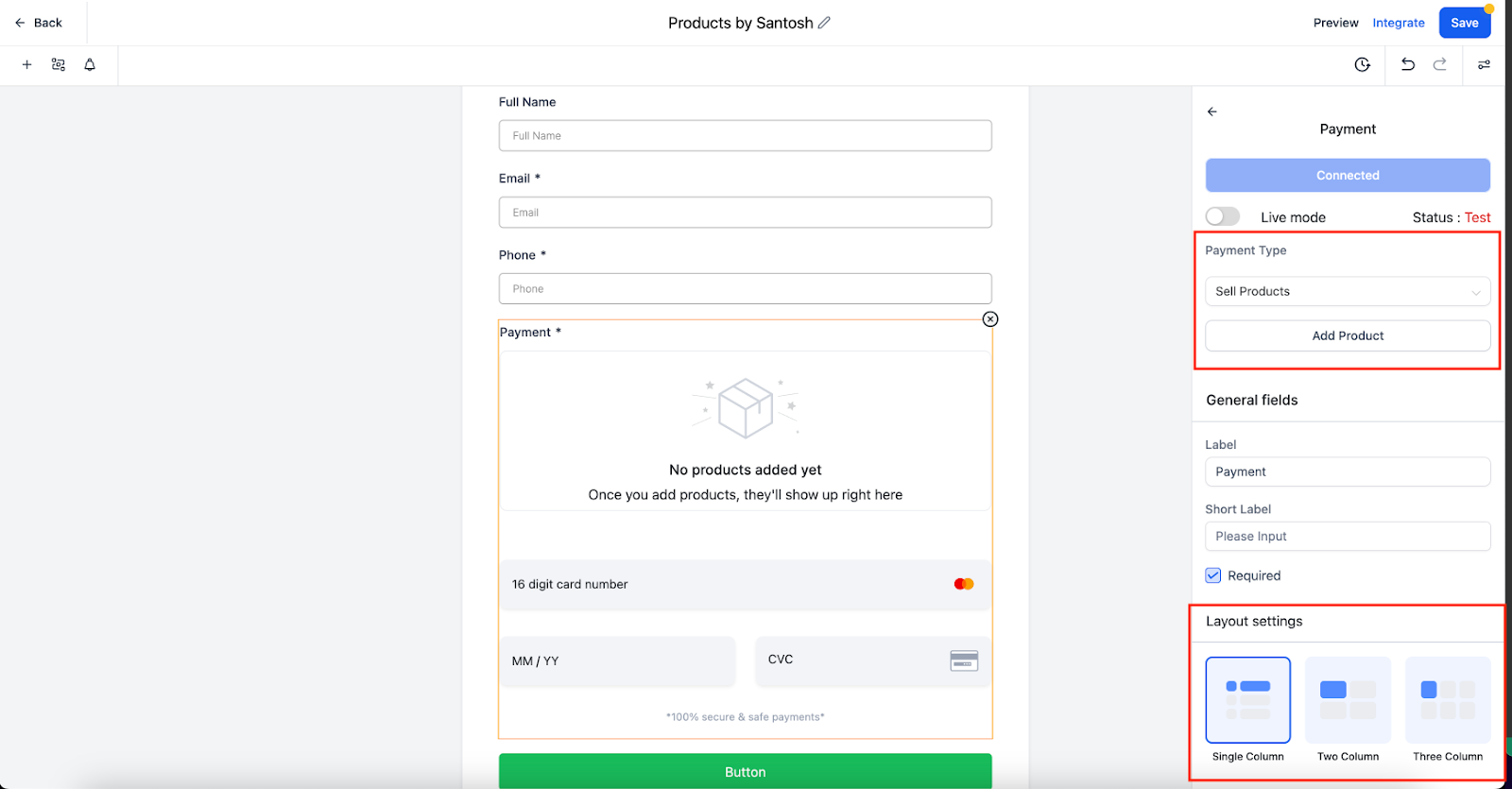
Payment Type: Now you have an option to either sell a product or collect a custom amount from the forms.
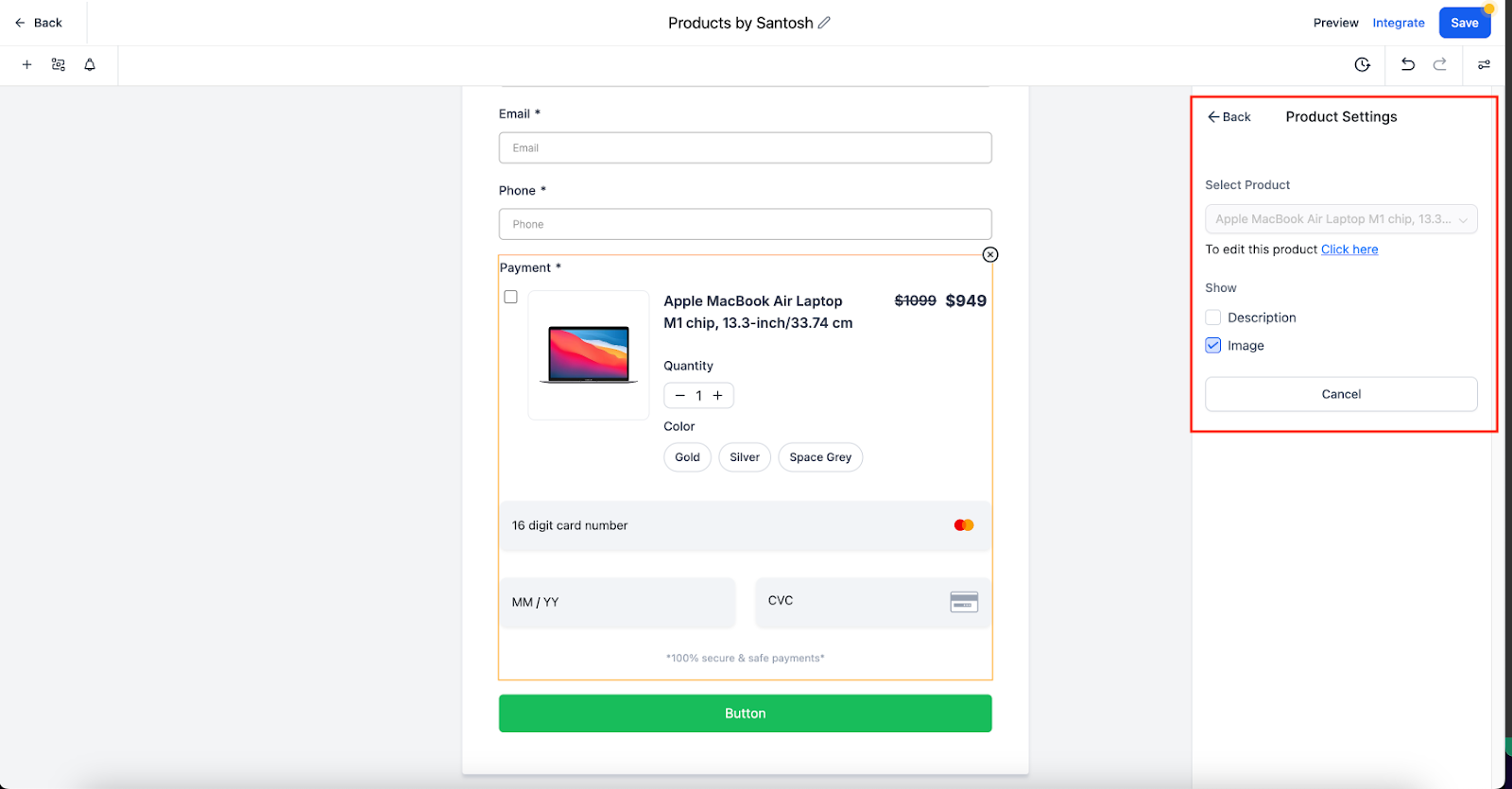
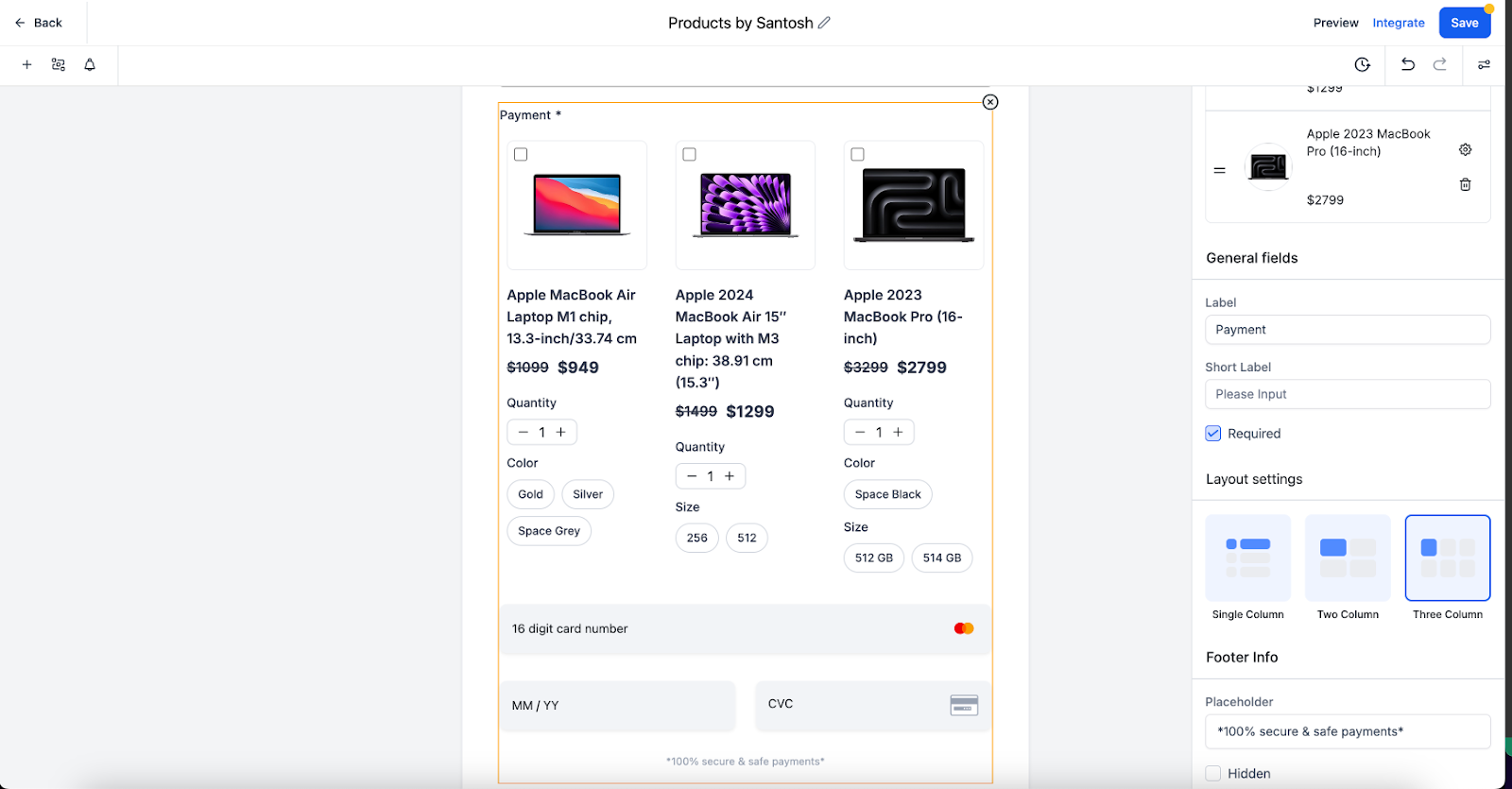
- Ability to select products, include descriptions and images, and choose layouts.
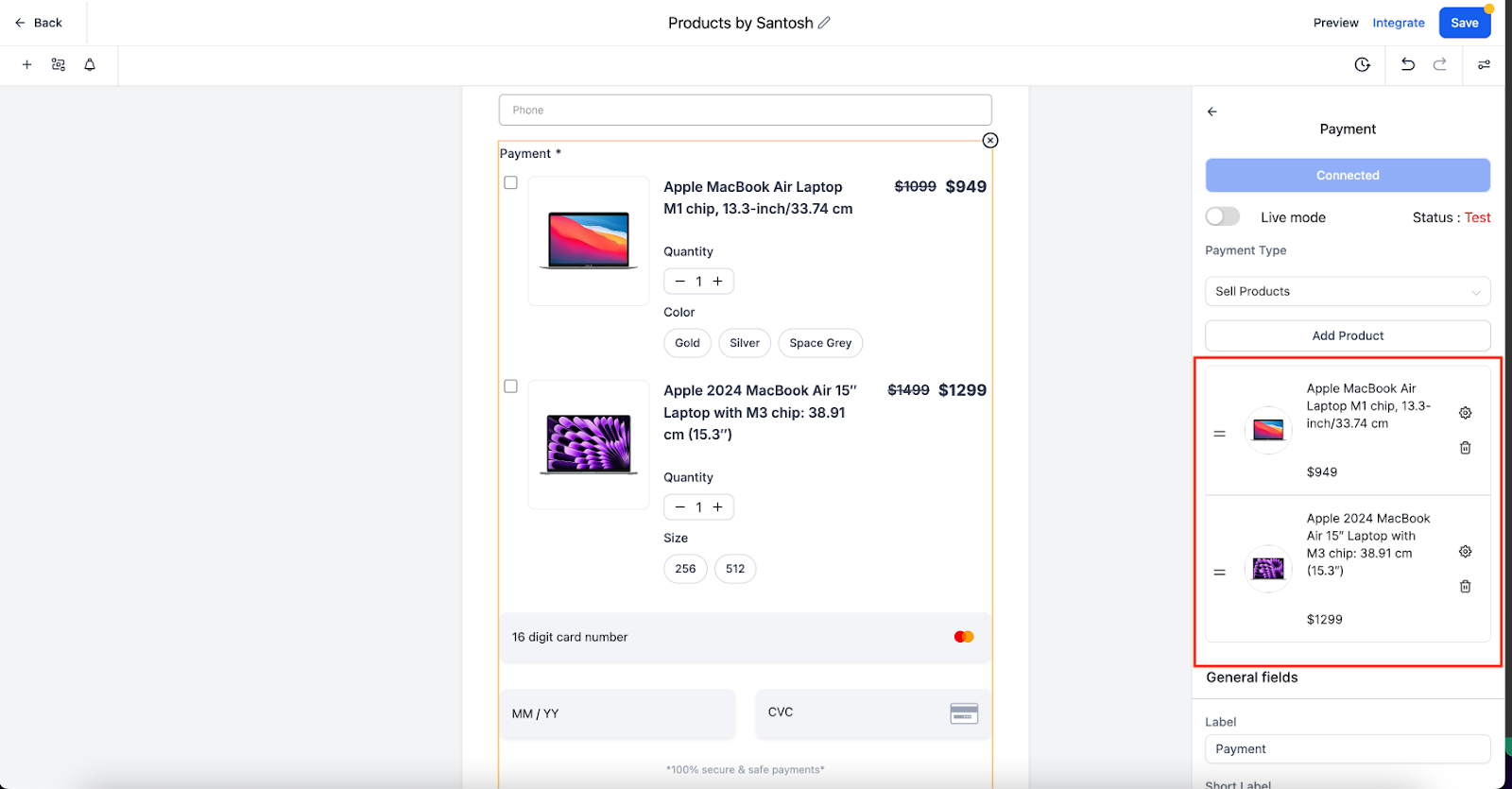
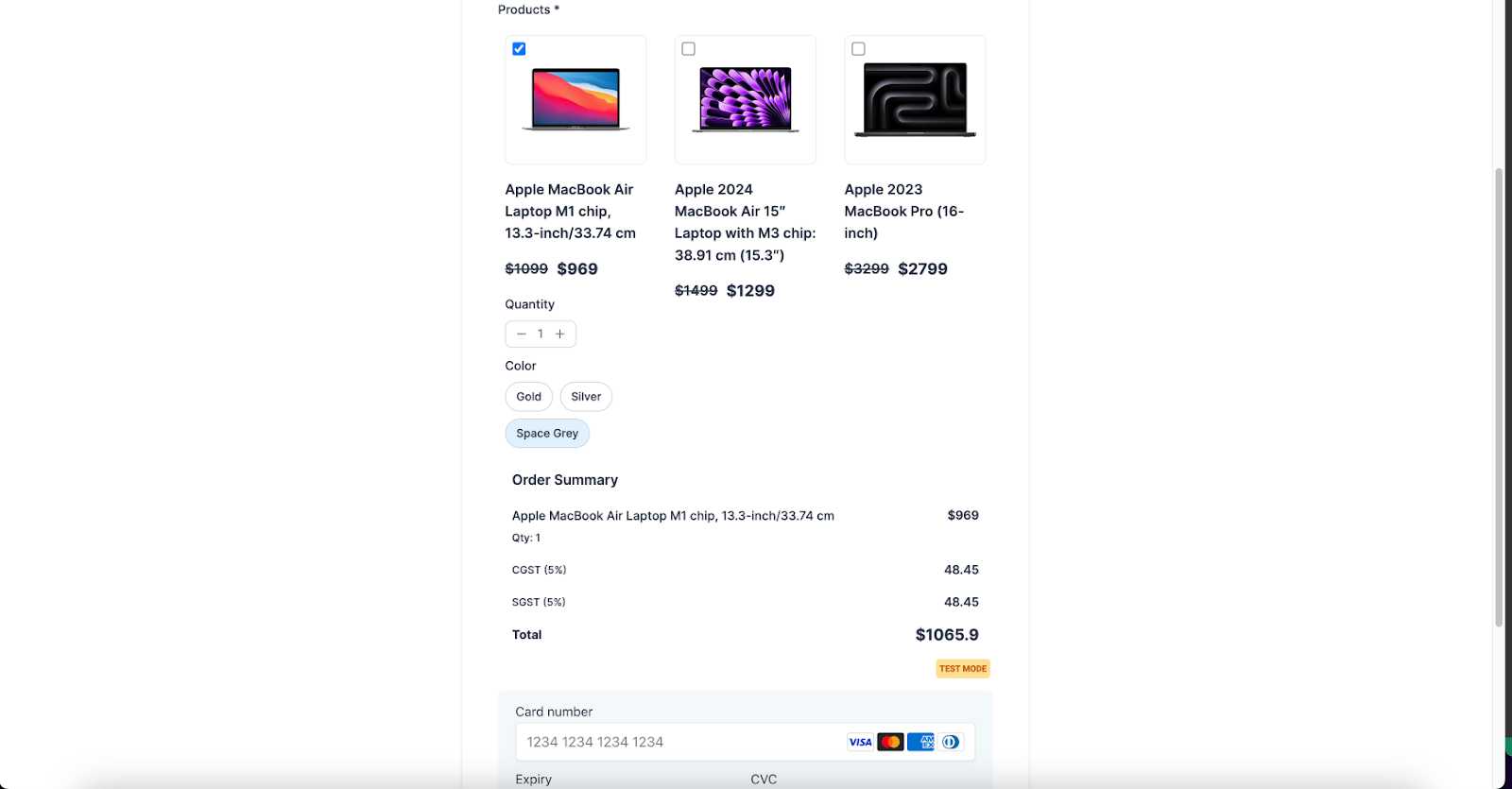
- Users will also be able to select different variants which are available for the specific product
- Quantity of product will be respected as per inventory management.
- Inclusion of tax calculation when someone purchases the product.
How to Use
Under the Integrations, locate the “Payment” element.
- Drag and drop the payment element onto your form canvas.
- Connect the payment gateway
- Toggle between live and test modes.
- Click on “Add Product” to select from available options.
- Customize product details, including description, image, and layout.
- You can customize the look by choosing themes and styling options.
- Save your changes and preview the form to see the products in action.
Key Highlights
Customizations:
- You can add up to 20 products
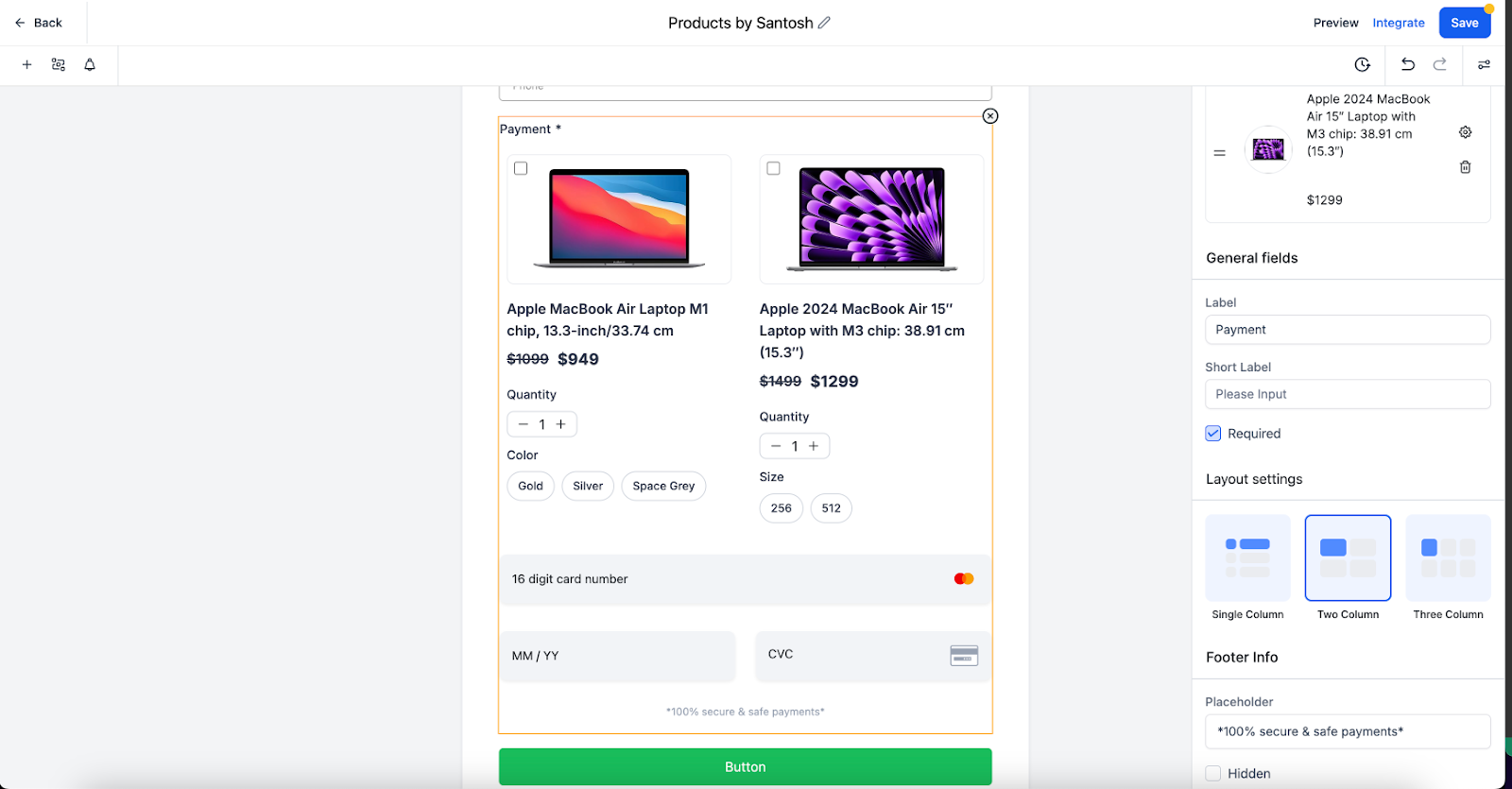
- Three different layout options are available.
- These forms can be easily added in the funnels and can be used as one step order form with unlimited customization.
Tracking payments:
- Upon form submission, the payment amount, order id and payment status are included in the submission details.
- On clicking Order ID, users will be able to order details.
- These details can also be exported via export options.
Email Notifications:
Email notifications also reflect the status and amount of payment.
Workflow Trigger:
Payment received triggers can be used with “Forms” as source.
Notes:
- Recurring products are not supported right now.
- NMI and Authorize.net require First Name as mandatory field while having payment element in the form.
- Refund amount will not be captured right now
- Old way of API based Stripe connect is not supported.
- In Calendars with a custom form payment element, the Payment element will not display.
- Multi payments with Multi native forms not supported in funnel yet
- Undo/Redo is not supported with Payment element yet
Examples:
Keep learning