
How to Automate Subscriptions and Refunds in GoHighLevel Payments
Updated April 18, 2024
Managing payment events manually breaks automation continuity and slows down lead conversion workflows in GoHighLevel. This guide covers how to configure subscription and refund triggers to automate status changes, cancellations, trial conversions, and full or partial refund outcomes.
By expanding triggers related to payments, business users gain enhanced command over automations tailored to lead conversion workflows.
In addition to the existing support for triggers like Payment Received, Order Submitted, and Invoice, we’ve introduced two new additional triggers to further empower your automation capabilities.
1. Subscription Trigger
Allows to automate processes around the status changes for subscriptions
- When a subscription is created for a customer
- When the subscription moves over from trial to active
- When a subscription is cancelled
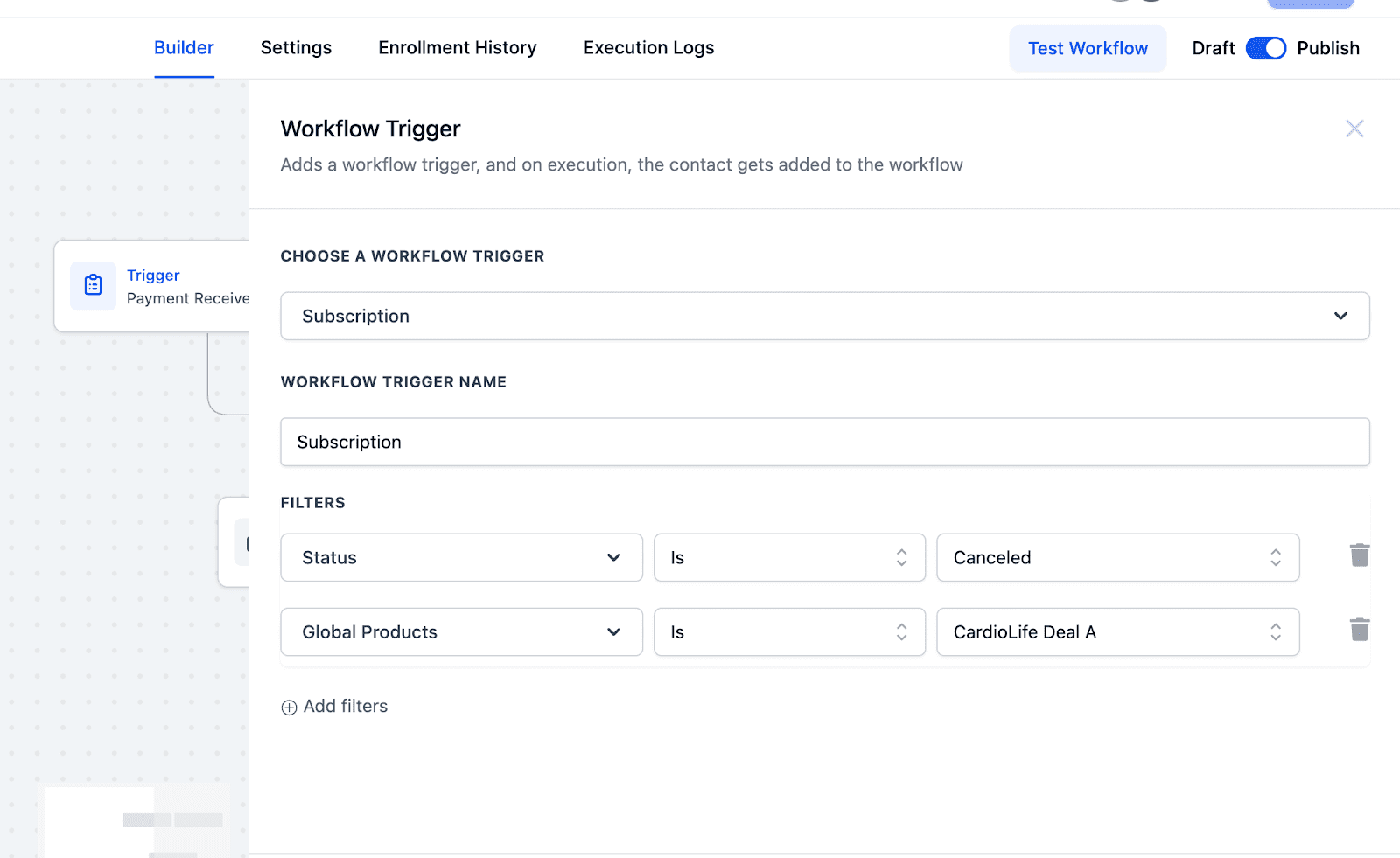
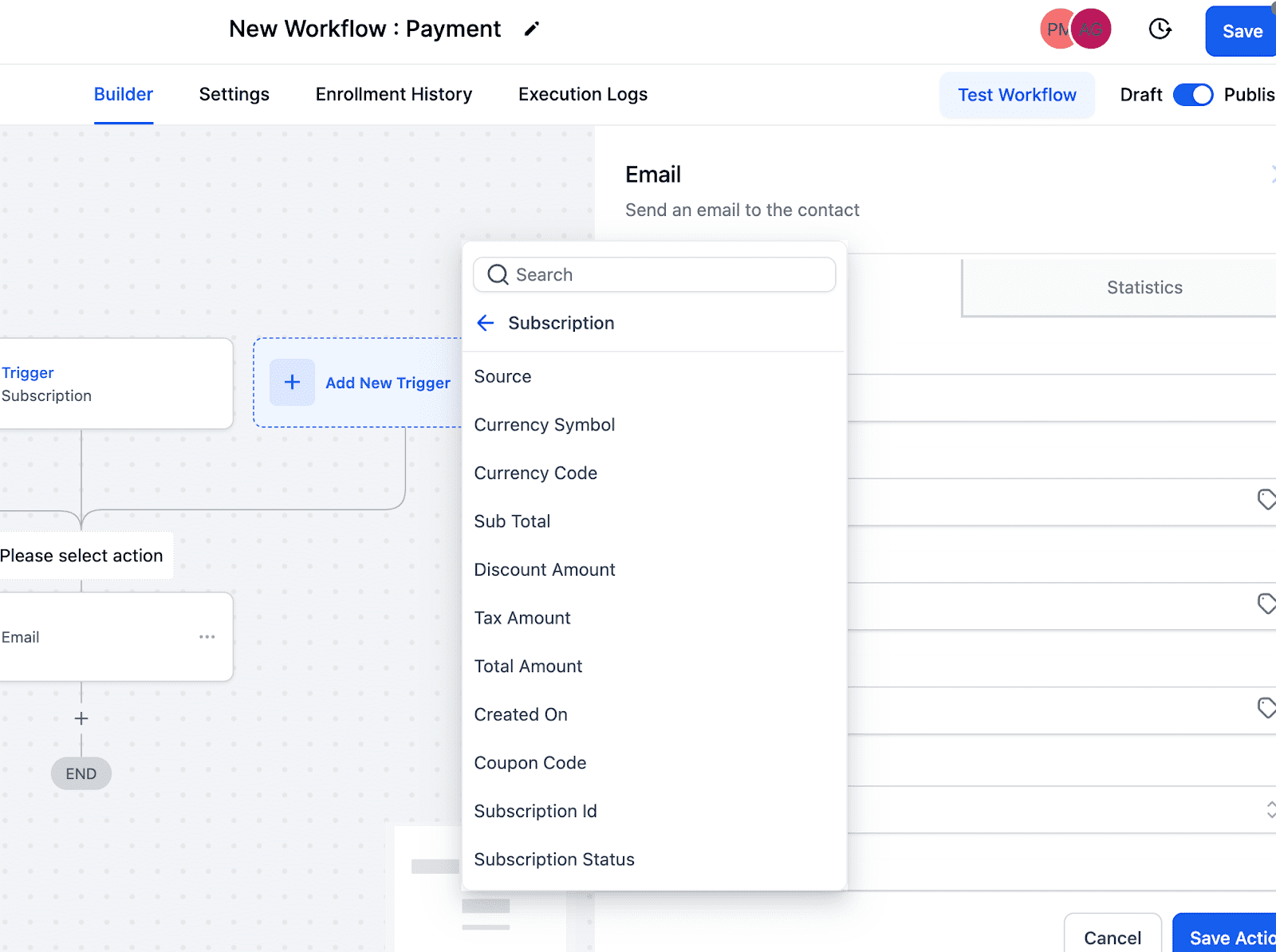
Enterprises can leverage subscription status filters to establish IF conditions according to status modifications or the product linked with the subscription. Additionally, they can harness custom values within Payments to further customize their operations.
2. Refund Trigger
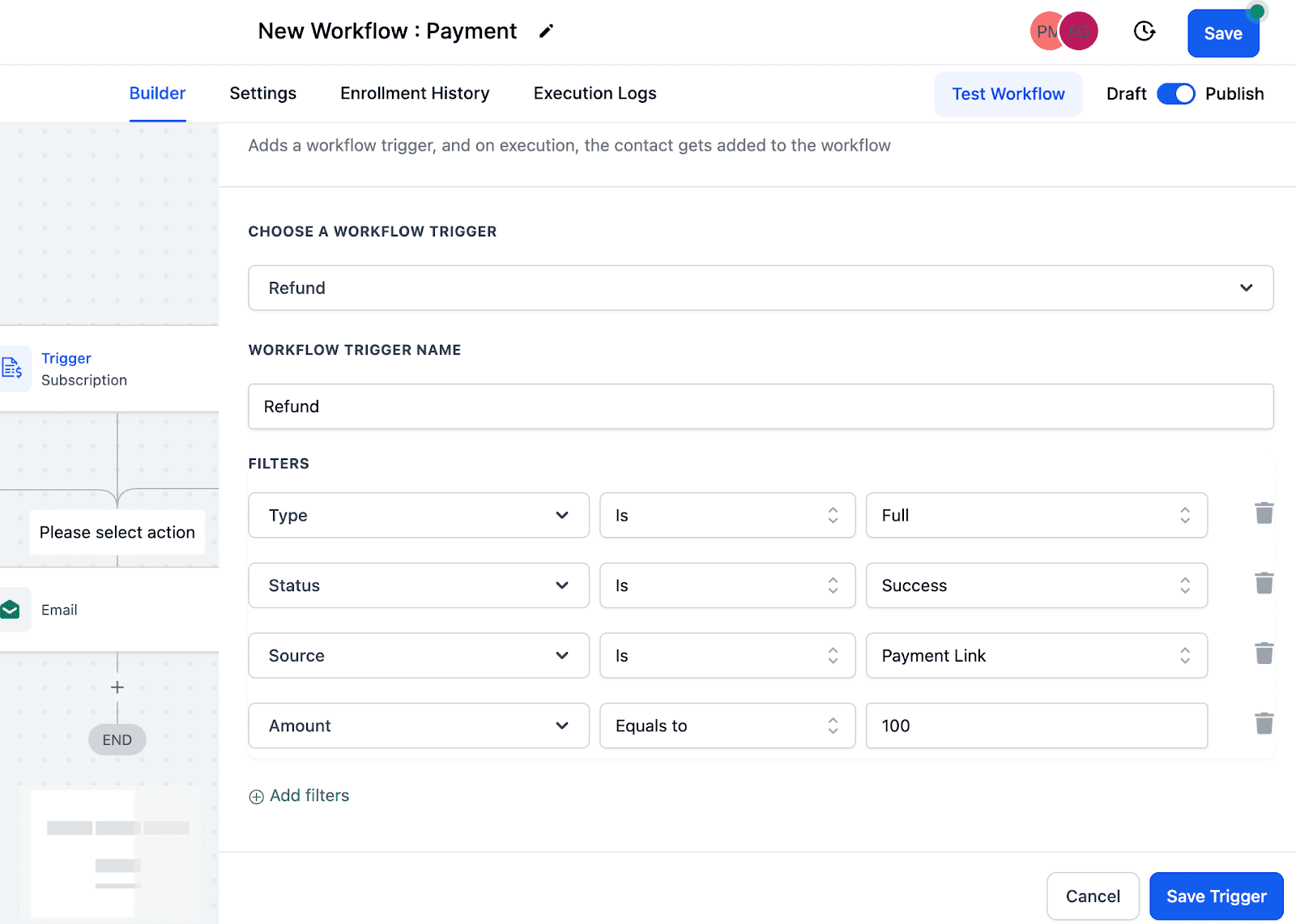
Allows automations to be built around payments that are processed as refunds by you or your sales agents. Users will be able to trigger a workflow based on a refund attempt and then branch conditions based on:
- Whether the refund was success or failed
- Whether the refund was for full amount or partial amount
- OR based on the amount or source of the refund
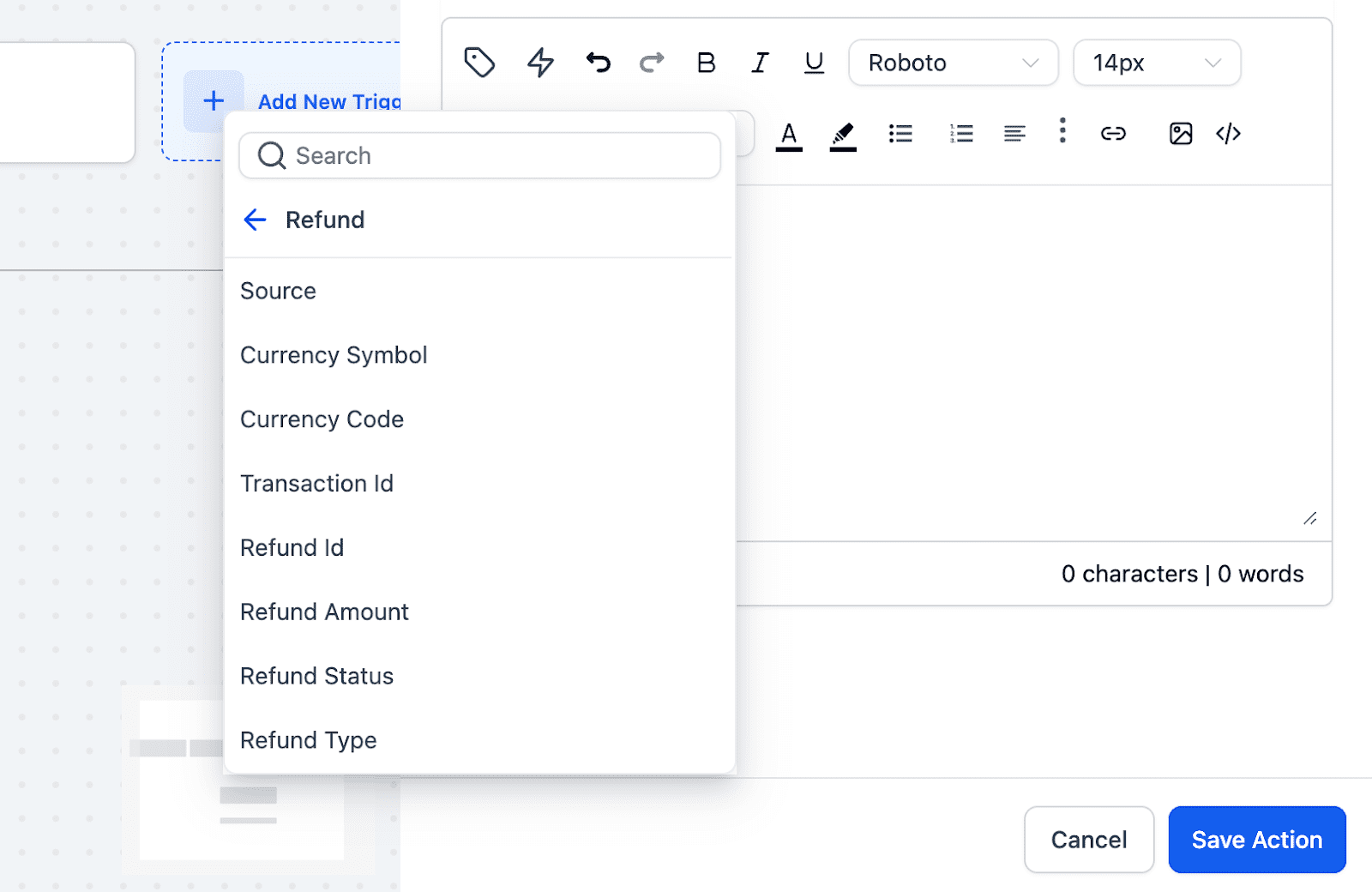
Custom refund values can also be accessed within the Payments section, enabling businesses to dispatch tailored notifications tailored to various situations.
These triggers work with Stripe, Authorize.net and NMI integrations available under Payments -> Integrations
For Paypal, the trigger only works when a subscription is created and not on any further actions. All functionalities will be available soon for PayPal
Keep learning