
How to Set Up SendGrid SMTP Integration in GoHighLevel
Updated November 17, 2022
Relying on default email sending limits your deliverability and control over outbound communications in GoHighLevel. Follow this guide to connect your SendGrid account as a dedicated SMTP service using an API key, so you can send emails directly through the platform.
If you are using SendGrid for emails, you can connect your account to the system to integrate it and send emails directly through the system.
Follow these steps to connect SendGrid today:
Step 1: Create an API Key in SendGrid
- In your SendGrid account, create an API key with ‘Full Access’ under your SendGrid account settings > API Keys
Step 2: Connect your API Key to the CRM to Integrate
- Back in the CRM, navigate to Settings > SMTP services.
- Click ‘Add Service’.
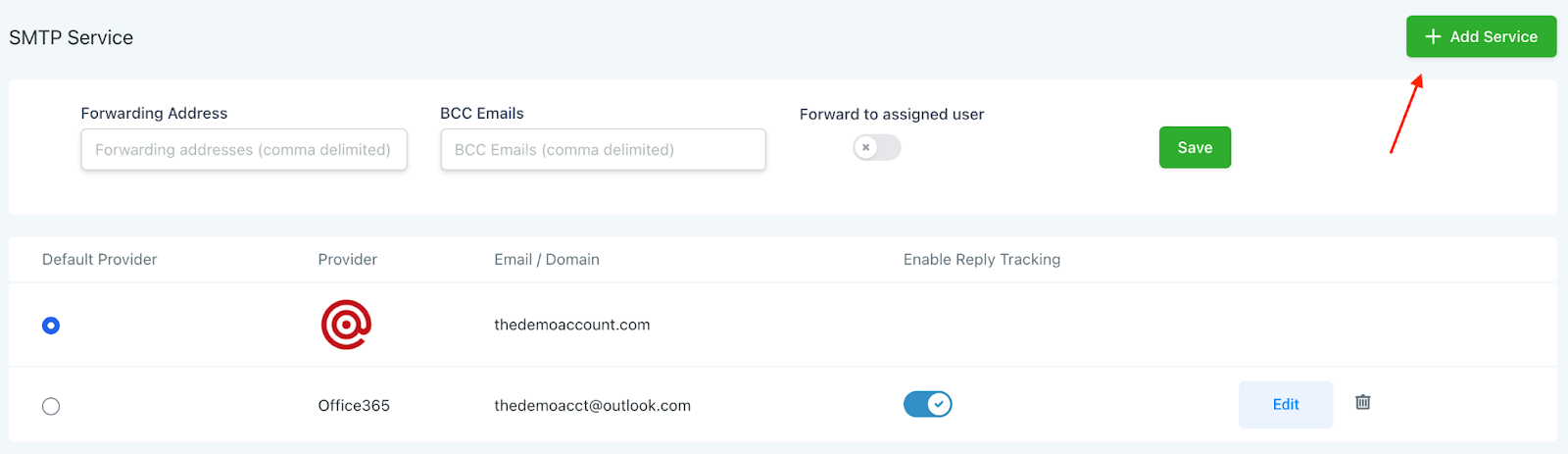
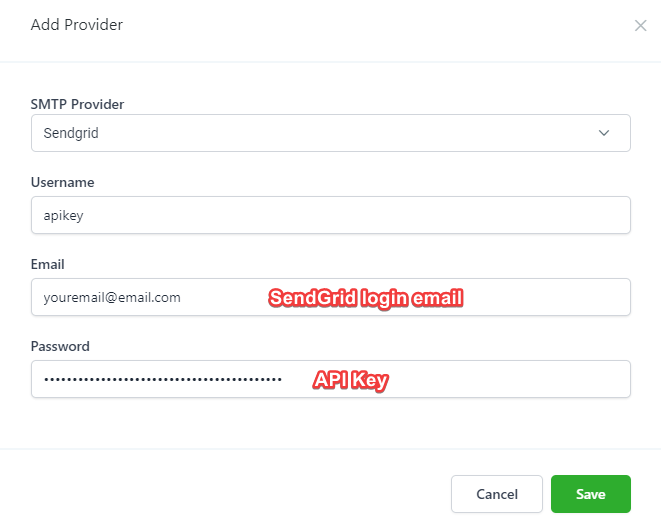
- In the popup, select SendGrid.
- Set your username as apikey
- Set your email as your login email for SendGrid
- Set your password to be the API you generated from your SendGrid account (in Step 1).
You can now use SendGrid for sending emails in the system.
Keep learning